Page 63 of 292
7.12 How to Set an Alarm Threshold
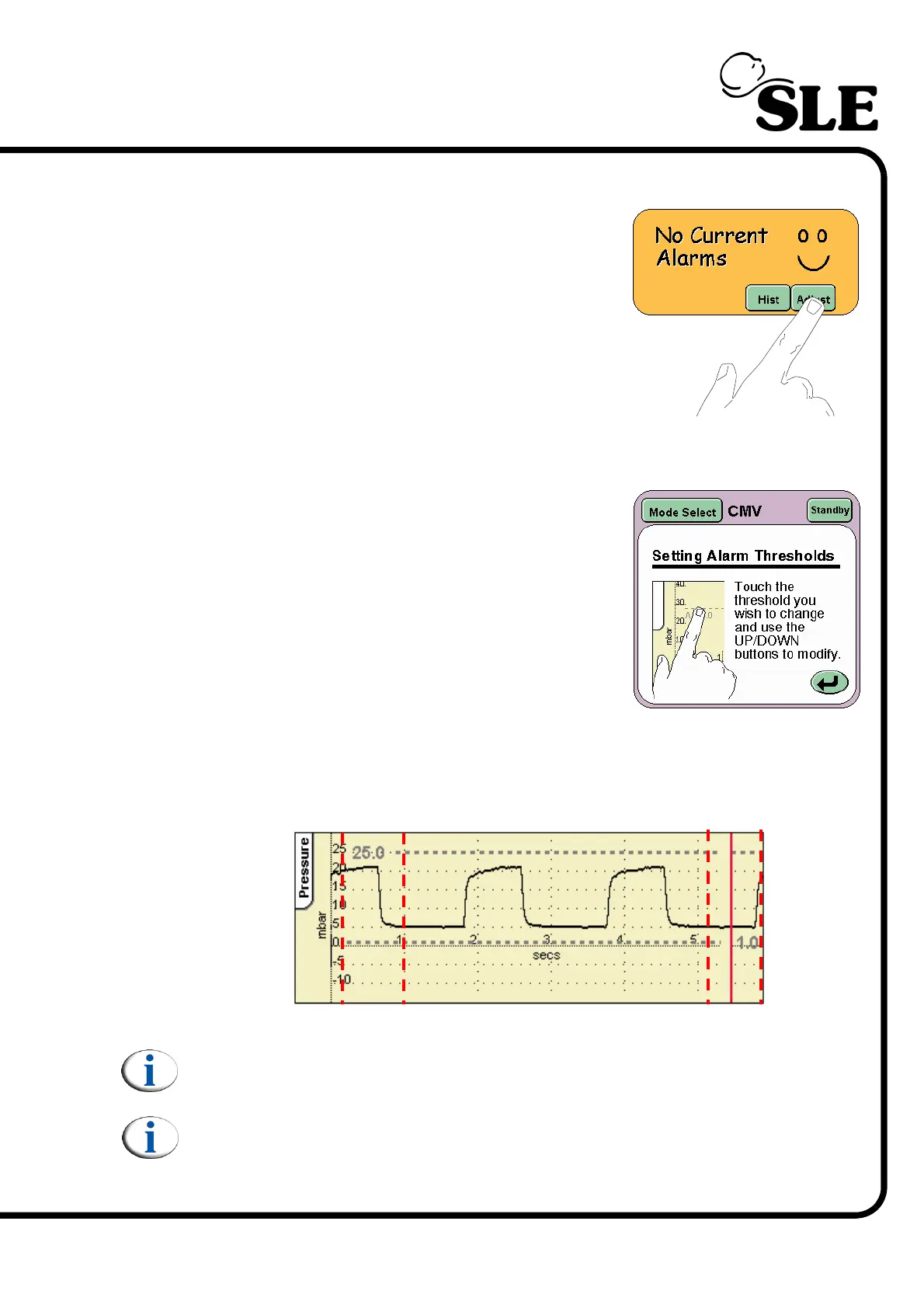
To adjust an alarm threshold press the Adjust
button in the alarm panel.
If no alarm condition is present the user will have to
select the alarm threshold for modification.
In an alarm condition the user on pressing the
Adjust button will find that the crossed alarm
threshold will automatically be selected. (The alarm
will flash).
In the mode select panel a new panel appears
giving a description on how to set the alarm
thresholds, this panel indicates that the alarm
thresholds can be modified. The alarm thresholds
remain adjustable for 5 seconds after the last
adjustment, after that the user needs to re-activate
them again by pressing the adjust button.
The alarm threshold can be selected by touching in the alarm threshold
adjustment column or the text and numerical value in the waveform window. The
adjustment column is an area above or below an active alarm threshold text. The
diagram below details the columns present in the pressure wave form window.
Note: The dotted lines do not appear in the actual waveform window. They
are for graphical purposes only.
Note: When using the ventilator without a flow sensor fitted a cycle fail
alarm threshold will be present.



 To Next Page