Page 46 of 292
7.3.1 Examples of Control Use
The following section describes the use of each of the above controls.
7.3.1.1 Buttons
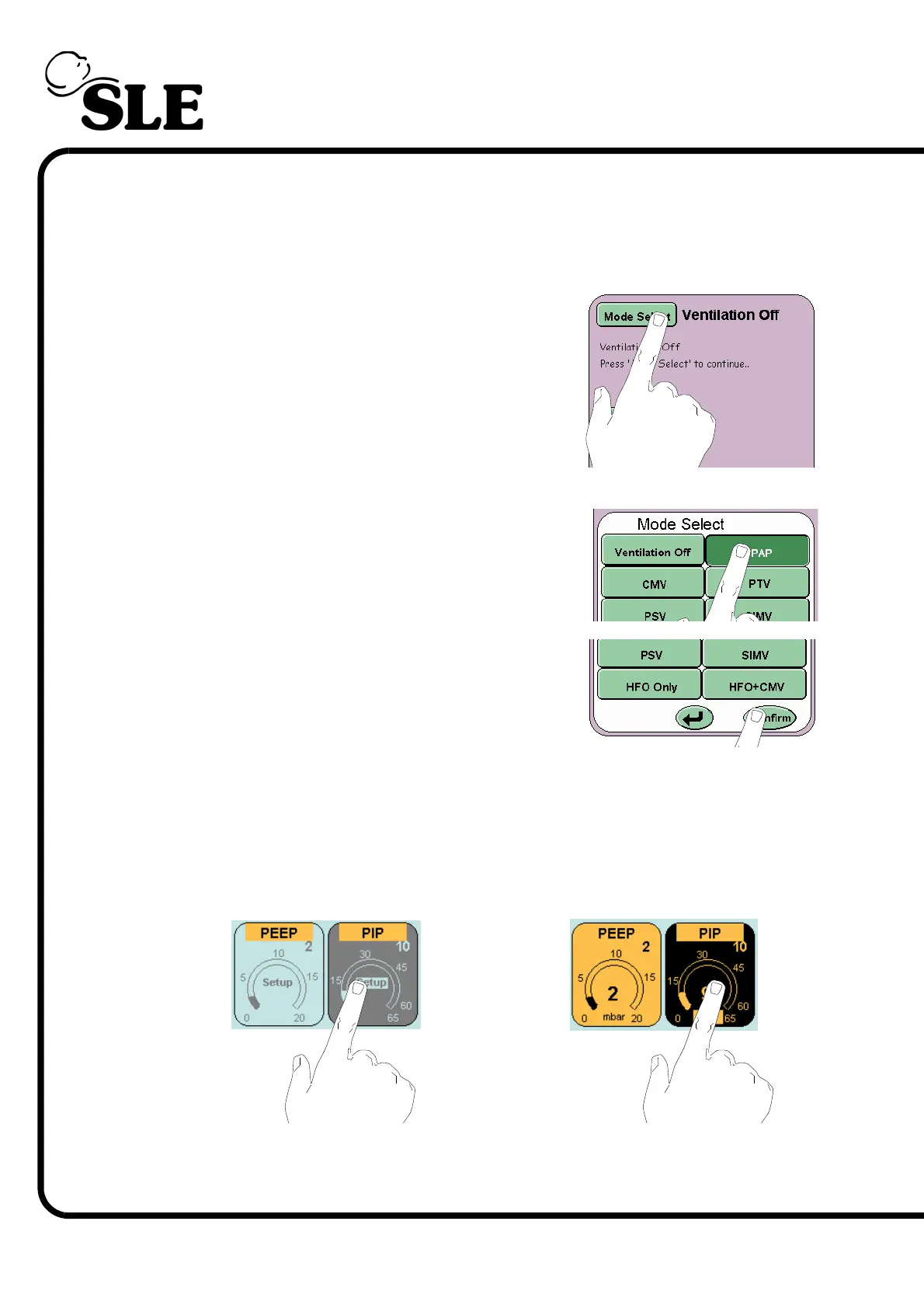
Touch the mode select button and this will activate
the mode select panel.
Select the required mode. The mode selected will be
highlighted by a colour change (from light green to
dark green).
Touch the confirm button this will activate the chosen
mode. If the user does not press the confirm button
the ventilator returns to the current mode after 20
seconds.
7.3.1.2 Parameter
The parameter controls can be selected in two ways. First in the preview stage
before entering a mode (Example A), the parameters do not display the
measured value and are blue. The second when in a selected mode (Example B),
the measured value is displayed and the parameter control is coloured (Orange
or Green).
For example A the selected parameter changes colour to grey and for example B
the colour changes to black.
Example A
Example B



 To Next Page