Page 87 of 292
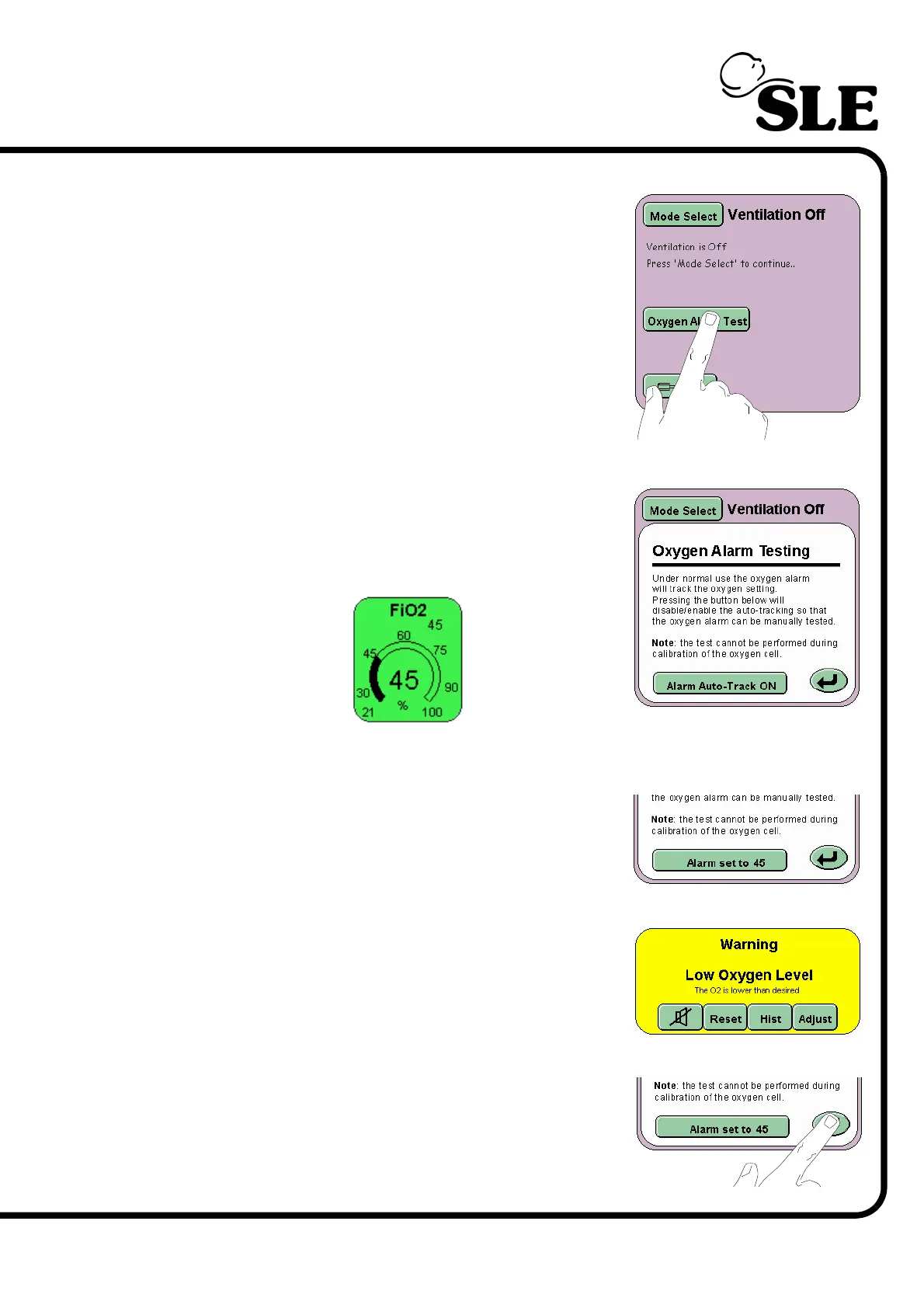
10.0.3 Low Oxygen Alarm Test
Step 3 In Ventilation Off mode panel press the Oxygen
Alarm Test button.
The Oxygen alarm testing window will now be
displayed in the Mode Panel.
With the Alarm Auto-Track button set to ON set
the FiO
2
parameter to 45% O
2
.
Once set, press the Alarm Auto-Track button. The
button will now read Alarm set to 45.
Decrease the percentage of oxygen to 37%. The
blender will reduce the percentage of oxygen to the
set value. The Low Oxygen Alarm will now be
triggered.
Further decrease the percentage of oxygen to 21%
and press the Return button to cancel the Oxygen
alarm test.



 To Next Page