Page 44 of 292
7. User Interface
Warning: Do not use a sharp instrument, such as a pen to activate the touch
screen controls as the excessive pressure applied by the point will damage
the touch screen membrane.
Note: The ventilator touch screen works on a one touch principle. If the
user touches the screen at two points, the first point touched is recognized
and the second is ignored. Resting a finger on the screen will be registered
as the first touch, thus blocking all further operations.
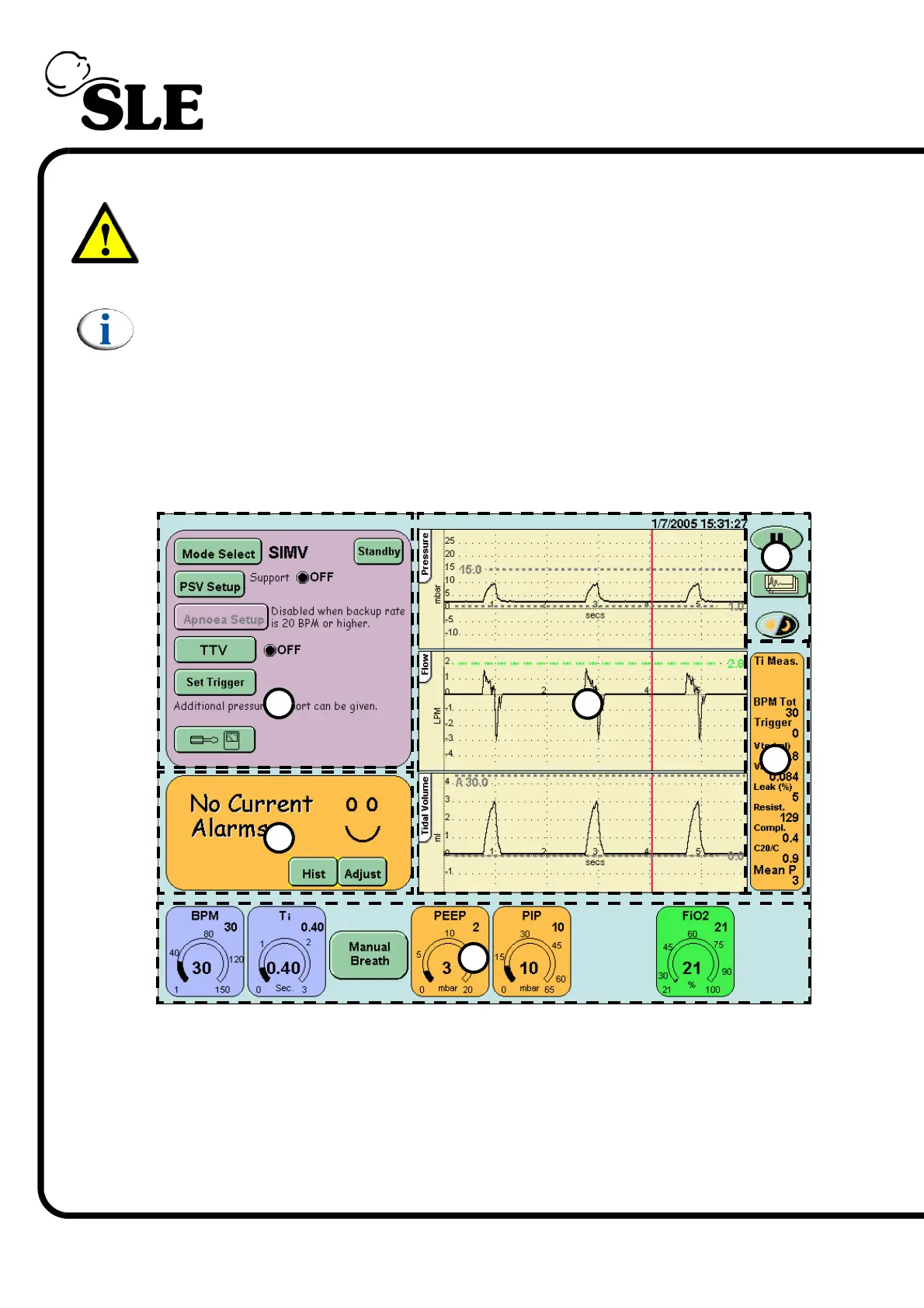
The ventilator is controlled via the touch screen (user interface). All the controls
are accessible through the user interface. The interface is divided into sections.
Each section groups related controls or displays. The diagram below shows a
typical screen with the groups marked by dotted lines.
7.1 User Interface Sections
1. Mode panel
2. Alarm panel
3. Ventilation Parameters panel area
4. Waveform windows
5. Lung mechanics and measurement panel
6. Display options
1
2
3
4
5
6



 To Next Page