Page 86 of 292
10.0.2 Calibration of the Flow Sensor
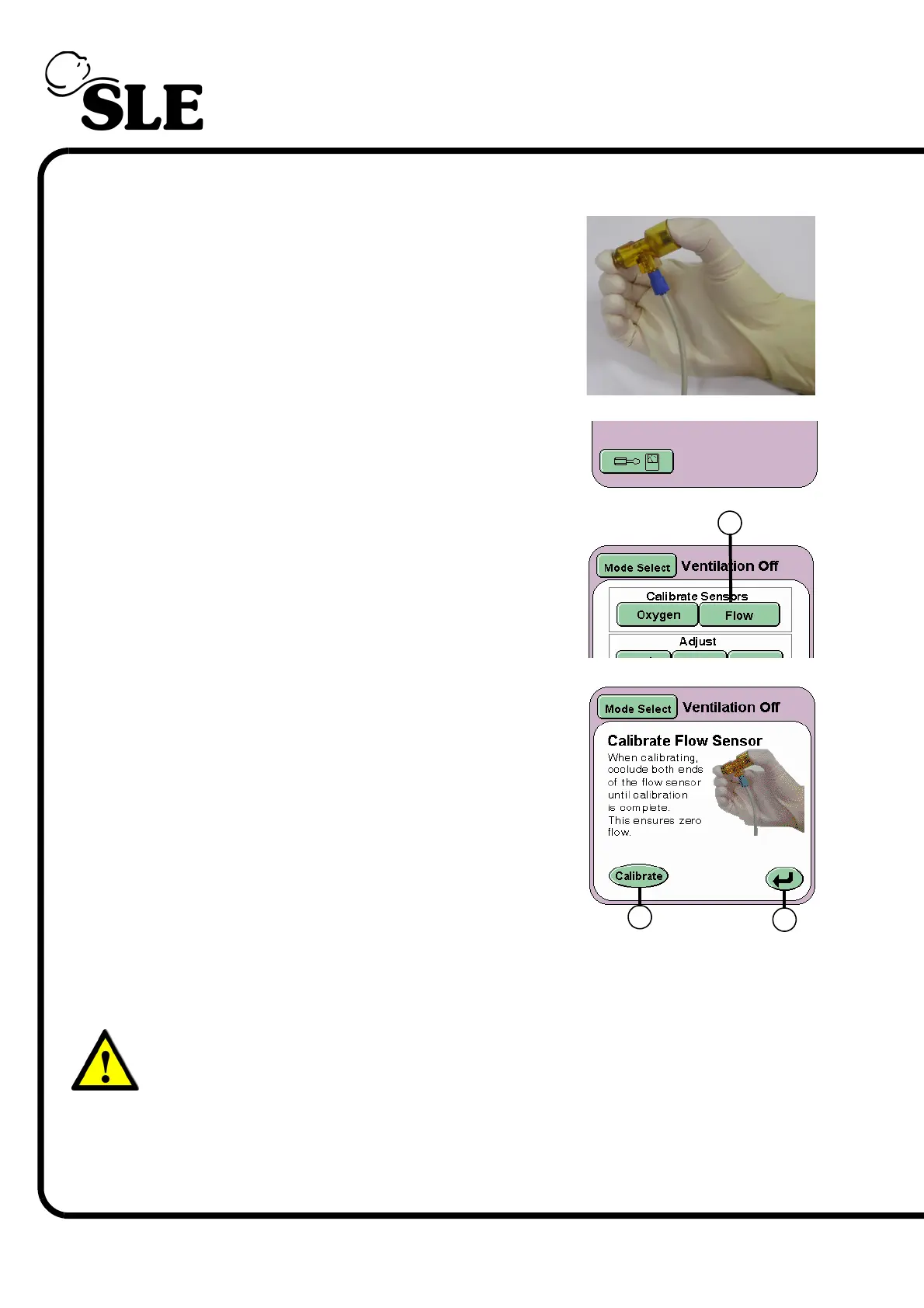
Step 2 Make sure that there is no flow passing the through
the sensor. For this purpose, occlude the flow
sensor by holding it between two fingers, closing
both ends as shown in the following picture.
Press the Options and Service Data button.
From the services panel press the Flow button (A)
With the flow sensor now occluded press the
Calibrate button (B). This initiates the calibration
cycle for the flow sensor. Keep the sensor occluded
until the words “Calibration Complete” appear
above the Calibrate button.
The sensor has now been calibrated and can be
fitted into the patient circuit.
Fit a test lung to the flow sensor.
Press the Return Button (C) twice to return to the
Ventilation Off panel or allow the panel to self
cancel after 30 seconds.
Warning: If the flow sensor is incorrectly calibrated, i.e. whilst fitted to the
patient circuit or partially occluded, the user must note that the resistance
and compliance readings in the lung mechanics and measurement panel
will be incorrect. Measured values in the parameter controls will also be
incorrect and could lead a condition detrimental to the patient.
Recalibration with the sensor occluded must be carried out at all times.
A
B
C



 To Next Page