Page 55 of 292
Warning: Do not use the ventilator if the error message CONTROLLER NOT
RESPONDING is displayed. Refer the ventilator to Qualified Service
Personnel.
The panel also displays software version numbers and controller checksum for
the controller subsystem. The Elapsed time counter shows the accumulated days
and hours the ventilator has been turned on.
7.8 Mode Panel Functions in a Ventilation Mode
For each ventilation mode, extra mode specific functions are displayed in the
panel (except HFO Only).
SLE4000 & SLE5000
For CPAP Apnoea Setup, Set Trigger and TTV buttons.
For CMV TTV button.
For PTV Apnoea Setup, Set Trigger and TTV buttons.
For PSV PSV setup, Apnoea Setup, Set Trigger and TTV buttons.
For SIMV PSV setup, Apnoea Setup, Set Trigger and TTV buttons.
SLE5000 Only
For HFO+CMV HFO Activity
The Mode Select button, Standby button and Service Data button are common
to all mode panels.
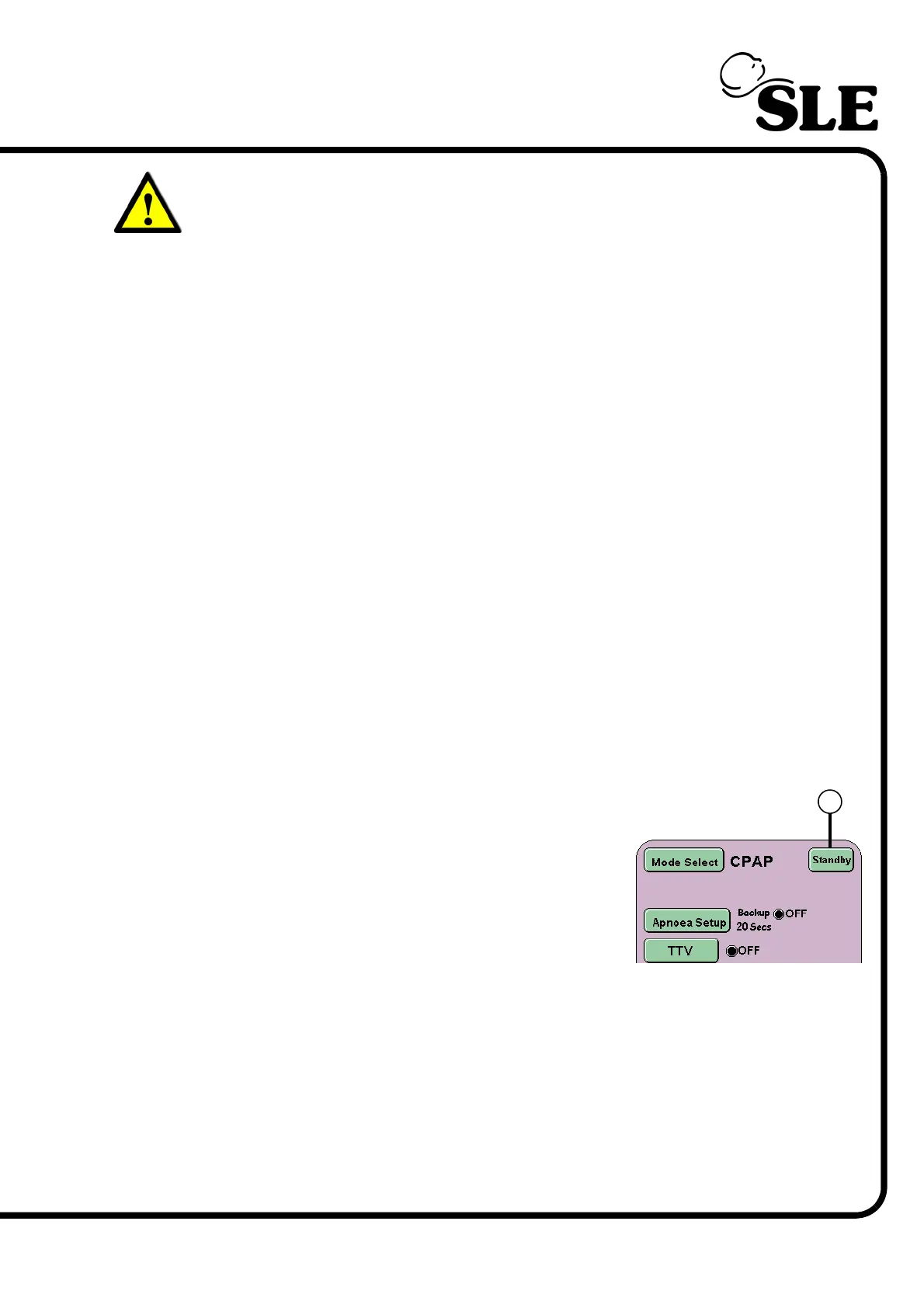
7.8.1 Standby Button (All modes)
The Standby button (R) suspends the current
mode of ventilation for 90 seconds. Though
ventilation has ceased the ventilator maintains the
mean pressure.
The Standby button has to be pressed for 3
seconds before ventilation is suspended.
Ventilation will restart after the 90 second period.
Ventilation can be restarted at any time within the 90 second standby period by
repressing the Standby button.
All alarms generated by entering the standby mode are displayed in the alarm
panel, but the audible component is reduced to the minimum value.
When restarting ventilator will carry out a “soft start” to ventilation, gradually
increasing the pressure until the user setting are achieved.
R



 To Next Page