Page 74 of 292
8.2 Loops
The ventilator displays the following three loops: flow versus volume, flow versus
pressure and volume versus pressure.
The ventilator draws three loops before refreshing the window. Each loop is
coloured differently in each three loop cycle. The colours being red, green and
black.
The ventilator has the ability to store one set of loops in its internal memory for
each type of loop. These stored loops are date and time stamped. When the
loops are retrieved from the memory they appear underneath the current active
loops.
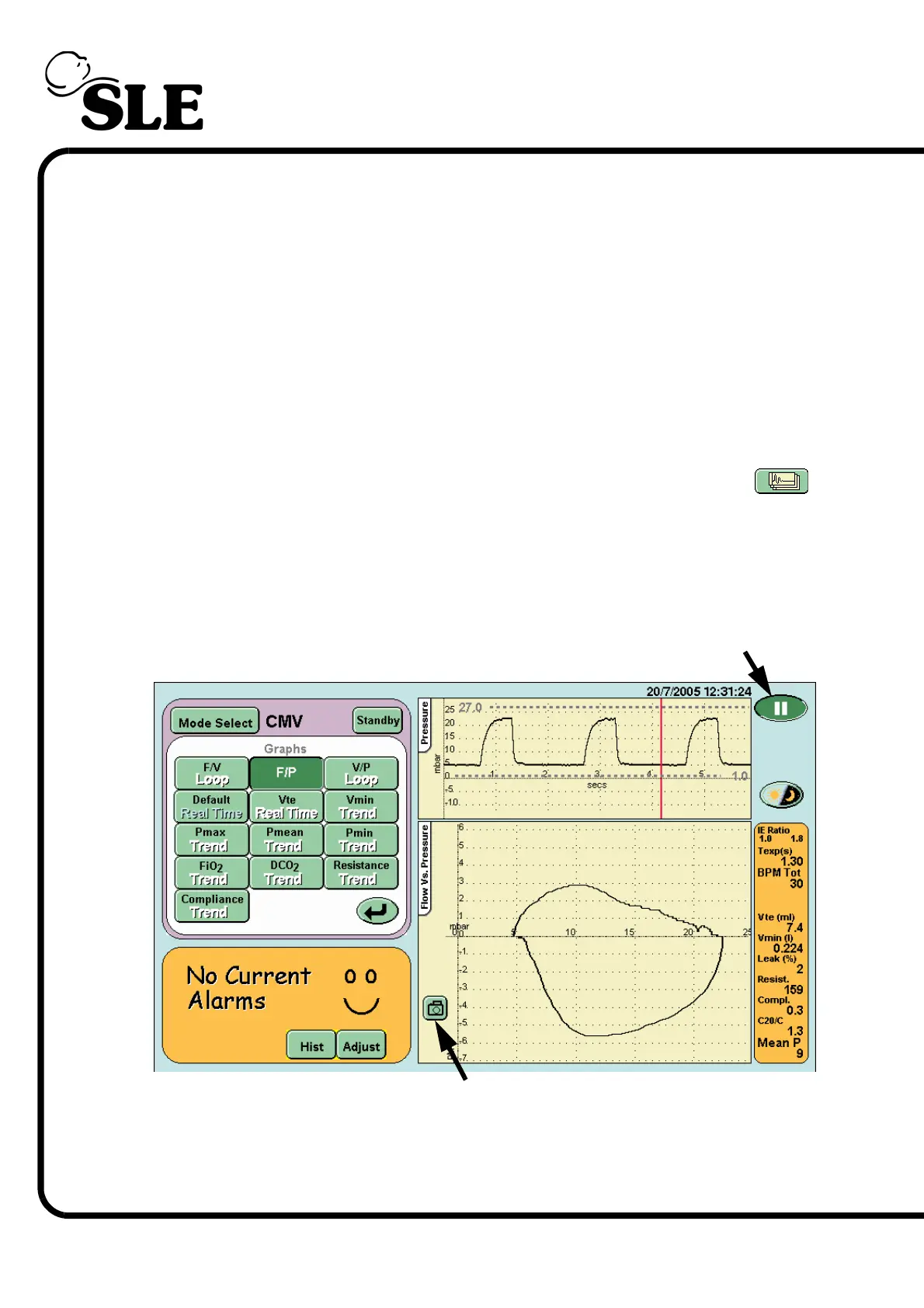
The loops are accessed by pressing the Display Graphs Options button .
This activates the Loops and Waveform panel where the appropriate loop can be
selected.
8.2.1 Storing and Retrieving Loops.
8.2.1.1 To Store a Loop
Step 1. Pause the loop by pressing the Pause button.
Step 2. If the loop is unsatisfactory release the pause button, and wait until a
suitable loop has been drawn before repressing the pause button. Once the
required loop has been captured, press the Picture capture button that appears
in the lower left hand corner of the loop window.
Step 1. Pause button
Step 2. Picture capture button



 To Next Page