Page 164 of 292
16.5.1 Actions after connection to patient in PTV
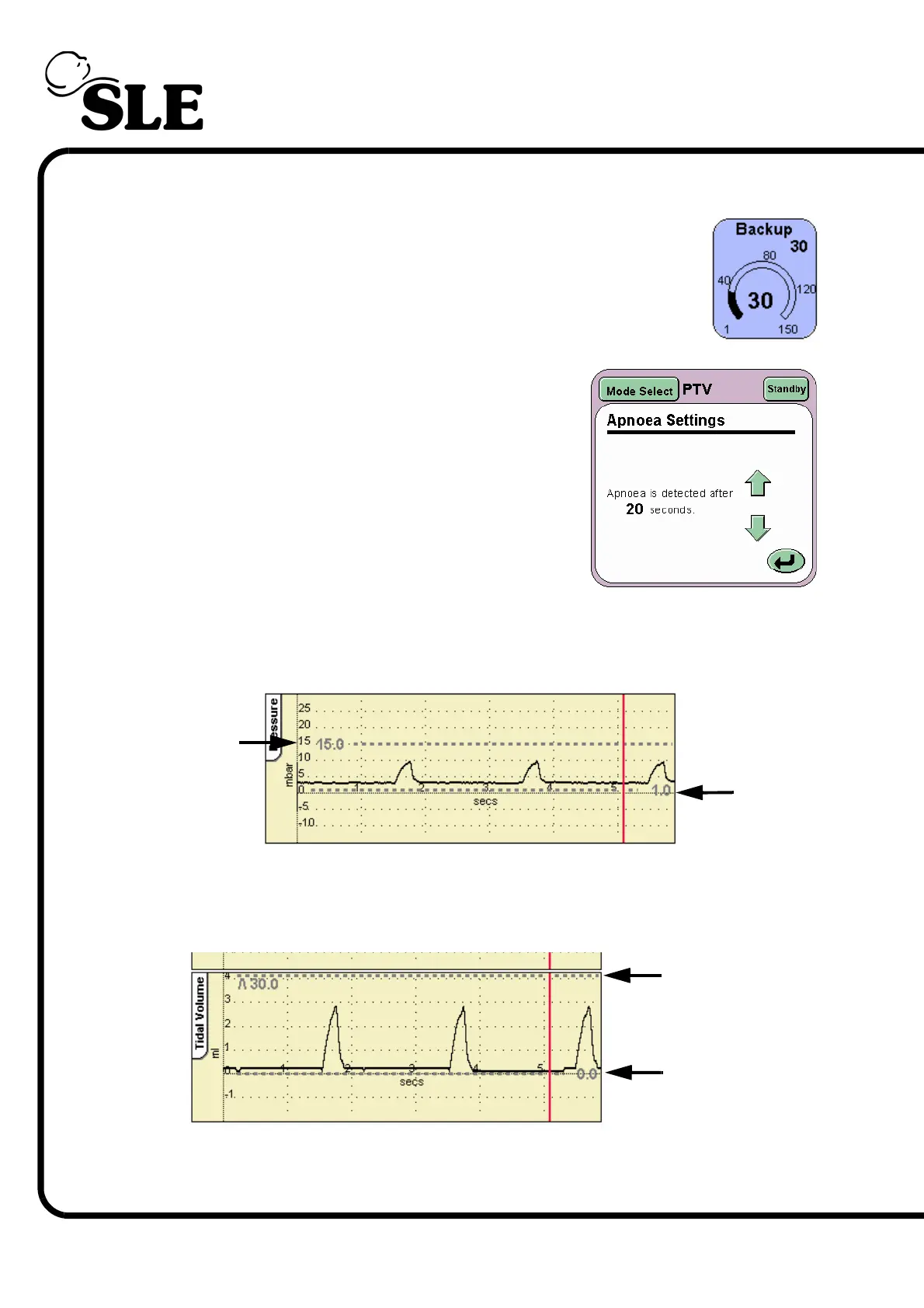
Step 4. Adjust the Backup parameter to the desired BPM rate.
Step 5. If the backup breath rate is 19 BPM or lower the
Apnoea setup is activated. Press the Apnoea
Setup button on the Mode Panel.
The Apnoea Settings panel should now be
displayed.
Set the Apnoea detection time.
Step 6. The High and Low Pressure Alarm thresholds auto track the pressure waveform
by 5mbar. The alarm thresholds can be adjusted if required. The thresholds are
found in the pressure waveform window.
Step 7. Set the High and Low Tidal Volume thresholds. These thresholds are found in
the Tidal Volume waveform window. (This waveform will not appear when
operating without a flow sensor).
High
Low
Low
Tidal Volume
High
Tidal Volume



 To Next Page