Page 54 of 292
7.7.1 Monitor Services
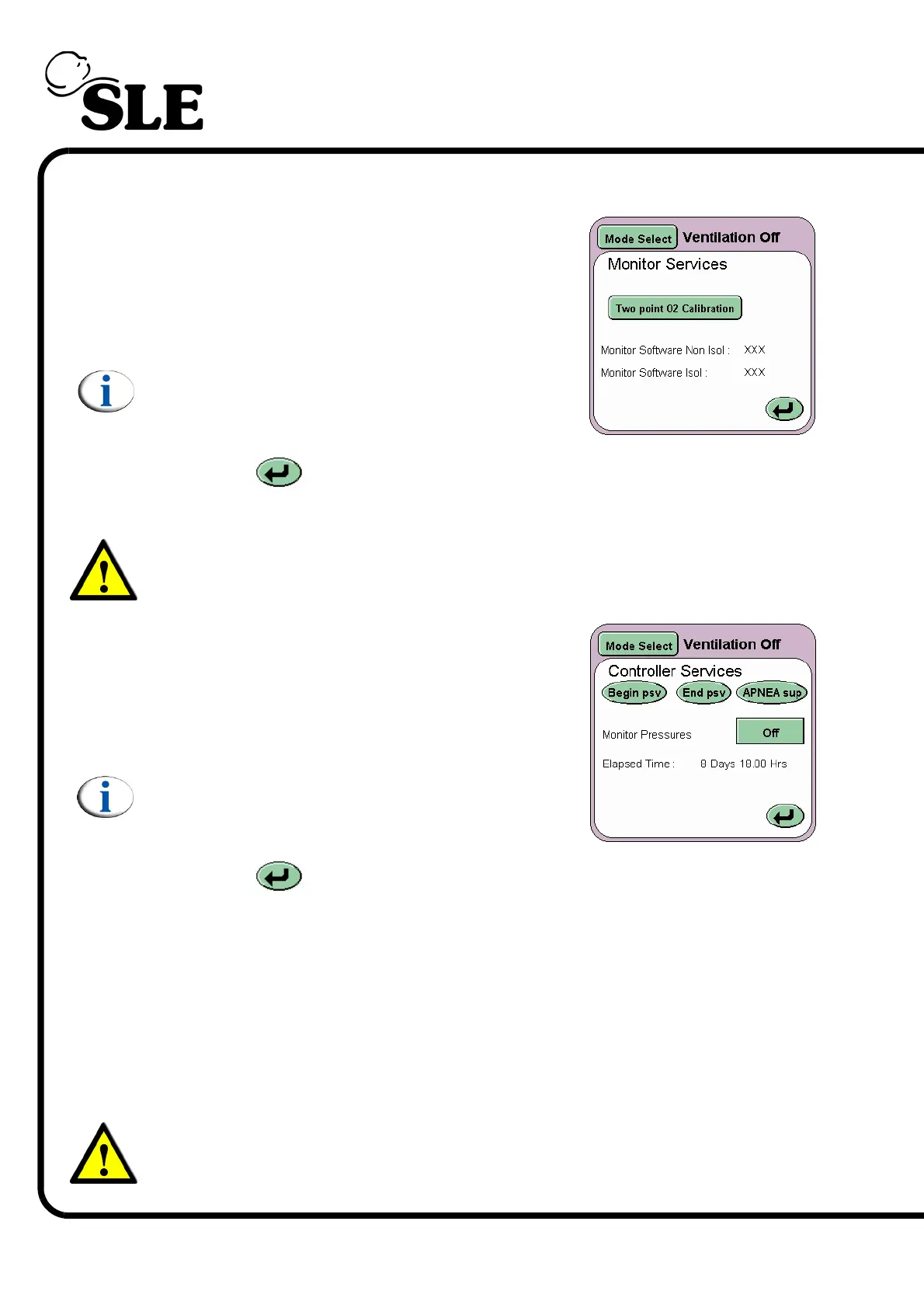
On pressing the Monitor button (P) the Monitor
services panel will be displayed.
This panel displays the Two point O
2
calibration
button and the software version numbers for the
monitor subsystem.
Note: See section 21. on page 214 for
information on the two point oxygen sensor
calibration.
The Return button returns the user to the Version Information panel.
7.7.2 Controller Services
Warning: The controller services should only be used by Qualified Service
Personnel.
On pressing the Controller button (Q) the
Controller services panel will be displayed.
The controller services panel displays four buttons.
Begin psv, End psv, Apnoea sup and the Monitor
pressures button (here shown set to Off).
Note: The controller services are locked and
require activation. (The activation can only be
carried out by qualified service personnel).
The Return button returns the user to the Version Information panel.
Apnoea sup, End psv and Begin psv buttons send a internal pulse to mimic the
Beginning and End of a pressure supported breath or a back-up breath. These
pulses do not affect the operation of the ventilator.
The monitor pressure button toggles the top waveform to show Fresh Gas
pressures against time or Blender input pressures against time. Off shows the
proximal airway pressure against time. When the monitor pressure button is set
to one of the two options an error message is displayed below the alarm window
(Controller not responding).
Warning: Do not use the ventilator clinically when monitoring either Fresh
Gas Pressures or Blender Input Pressures via the controller services panel.



 To Next Page