Page 143 of 292
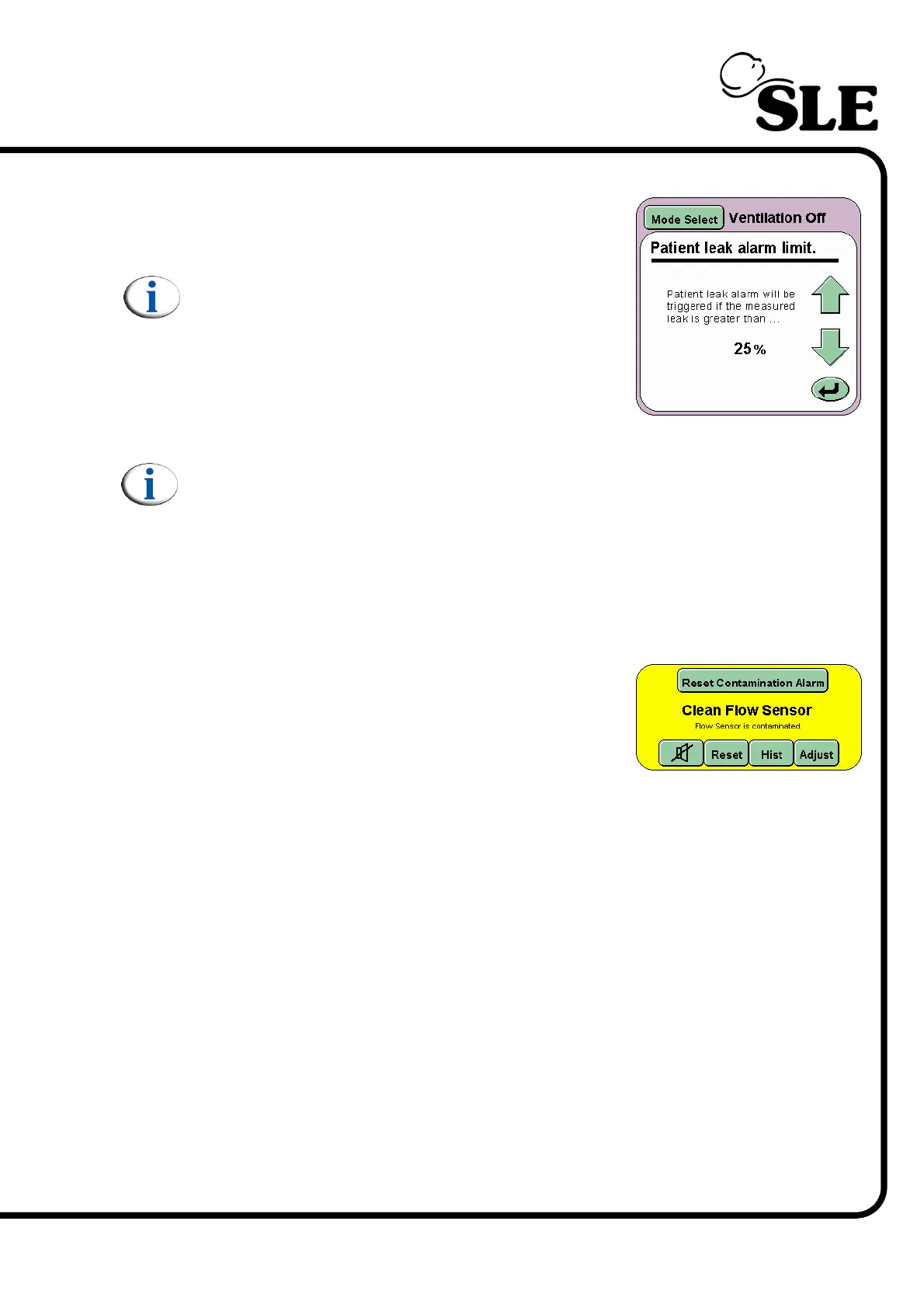
14.2.6 Patient Leak Alarm
The user can modify the percentage at which the
patient leak alarm is triggered or turn off the alarm
all together.
Note: If a patient leak alarm is triggered the user
can reach the Patient Leak Alarm Limit panel in
one action by pressing adjust button in the
alarm panel.
The increments are in 5% steps with a minimum
value of 10% and a maximum value of 50%.
Continuing beyond 50% turns the alarm OFF.
Note: The patient leak alarm is not reset when changing between modes.
14.2.7 Reset Contamination Alarm
The ventilator monitors the flow sensor continually to ensure that it has not
become contaminated. Contamination is regarded as the bulid up of sceretions
on the sensor wires, or flooding of the sensor with liquid, or the flow sensor
becoming saturated with increased flow.
When the Reset Contamination Alarm is
generated it is always in conjunction with the clean
flow sensor alarm message.
To clear the alarm the following steps should be
followed.
Step 1. Remove the flow sensor from the ET tube and connect the ET manifold
directly to the ET tube.
Step 2. Examine the sensor.
Step 3. Press the Reset Contamination Alarm button.
Step 4. The alarm message will now read Calibrate Flow Sensor. Press the
adjust button and then calibrate the flow sensor.
Step 5. Insert the flow sensor back into the circuit.
Step 6. If the Clean Flow Sensor is triggered again the flow sensor is
contaminated with liquid or secretions and must be replaced with a clean
sensor.
If the No Current Alarms panel returns, the sensor was saturated with
high flow for 3.5 seconds due to ET tube disconnection.



 To Next Page