Page 70 of 292
7.15 The Pause Button
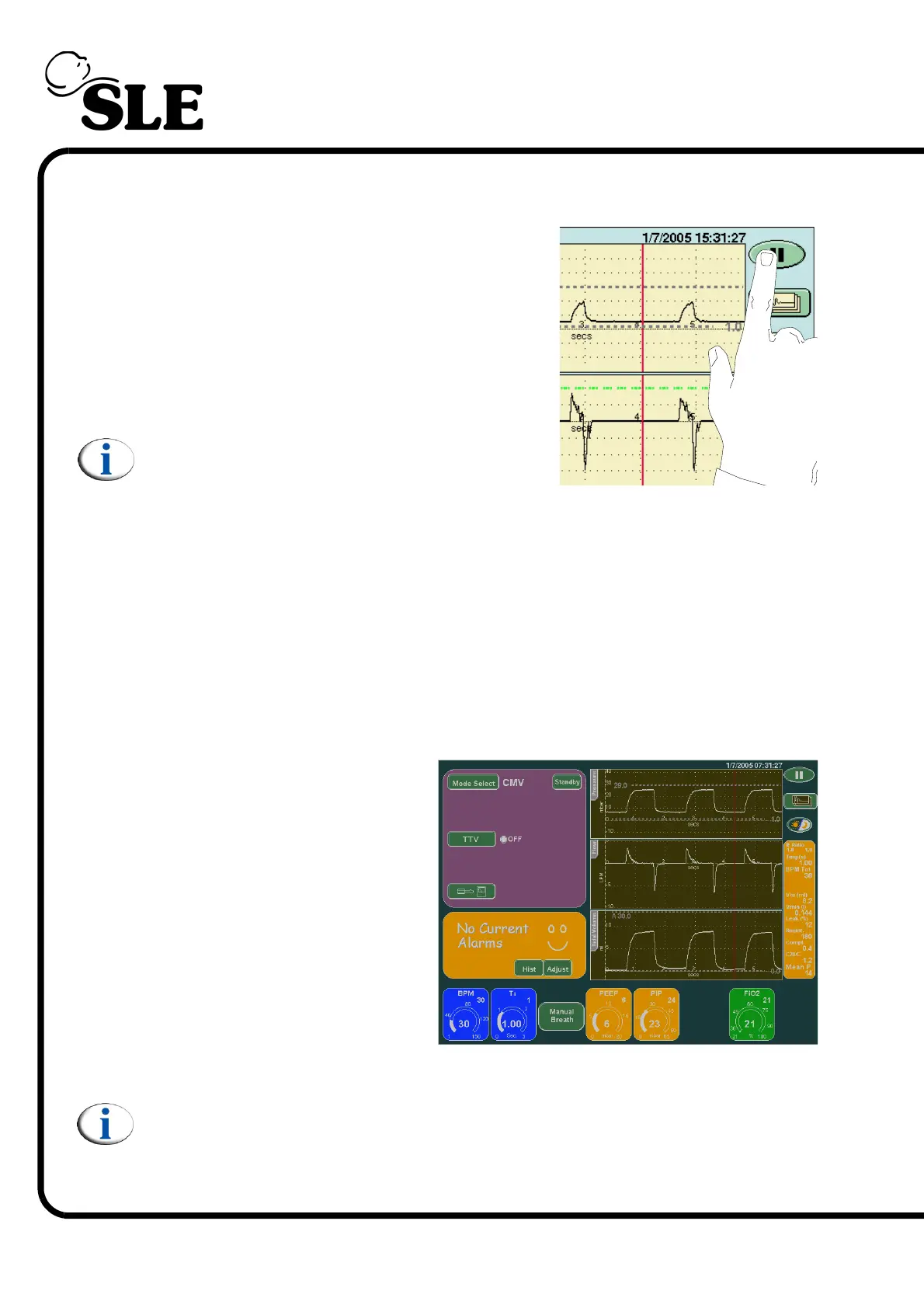
The pause button is located in the top right hand
corner of the screen. Pressing the button will
freeze all the waveform windows for 1 minute.
Pressing the pause button at any time whilst the
screen is frozen will unfreeze the waveform
windows.
Note: The pause button does not affect the
users ability to adjust the alarm thresholds.
7.16 Night Button and Screen Lock
The Night and Screen Lock button locks the screen so no button presses are
registered (apart from the night and screen lock button) and changes the colours
on the screen to reduce the amount of light emitted. The ventilator uses a backlit
colour LCD that produces a large quantity of light.
Touching the button sets the screen to night mode. (See below for an example)
The screen will automatically
revert back to the standard colour
palette if an alarm condition
occurs.
Pressing the night and screen
lock button again will revert the
screen back to the standard
colour palette and release all the
controls.
Note: The screen may flicker shortly after activation as active panels and
controls time out and the display updates.



 To Next Page