Page 53 of 292
7.6.1.2 Set Time and Date
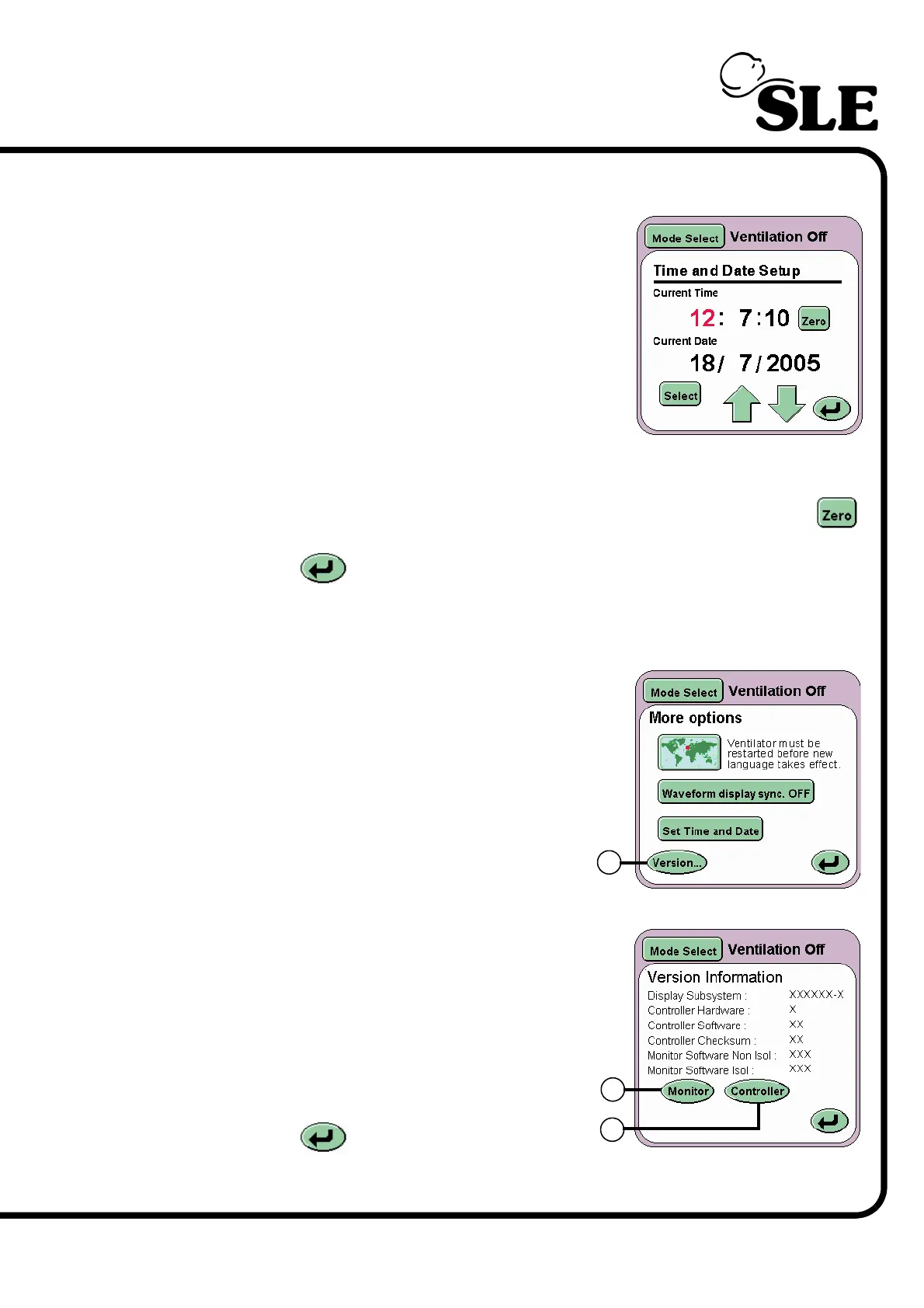
The Set Time and Date button (N) allows the user
to set the internal clock and calendar of the
ventilator. The date and time is displayed above the
pressure waveform window.
Note: the ventilator uses the 24 hour clock system
and Day/Month/Year date system.
The value highlighted in red can be changed by
incrementing the value up or down using the arrow
controls.
Pressing the Select button highlights the next value to be changed. The seconds
can not be modified in this manner but can be zeroed using the Zero button .
The Return button returns the user to the More Options panel.
7.7 Version Information Panel
The Version button (O) advances the user to
the Version Information panel.
Displayed on this panel are two buttons:
Monitor (P)
Controller (Q)
The panel also displays the software and
hardware versions of the subsystems installed
in the ventilator.
The Return button returns the user to
the More Options panel.
O
P
Q



 To Next Page