Page 152 of 292
15.3 Setting the Pressure Trigger Level in CPAP, SIMV, PTV and PSV
Note: The setting of the pressure trigger level can only be carried out once
the ventilator is connected to a patient.
Note: The Breath trigger sensitivity defaults to midway between min and
max.
The procedure is the same for CPAP, SIMV, PTV and PSV.
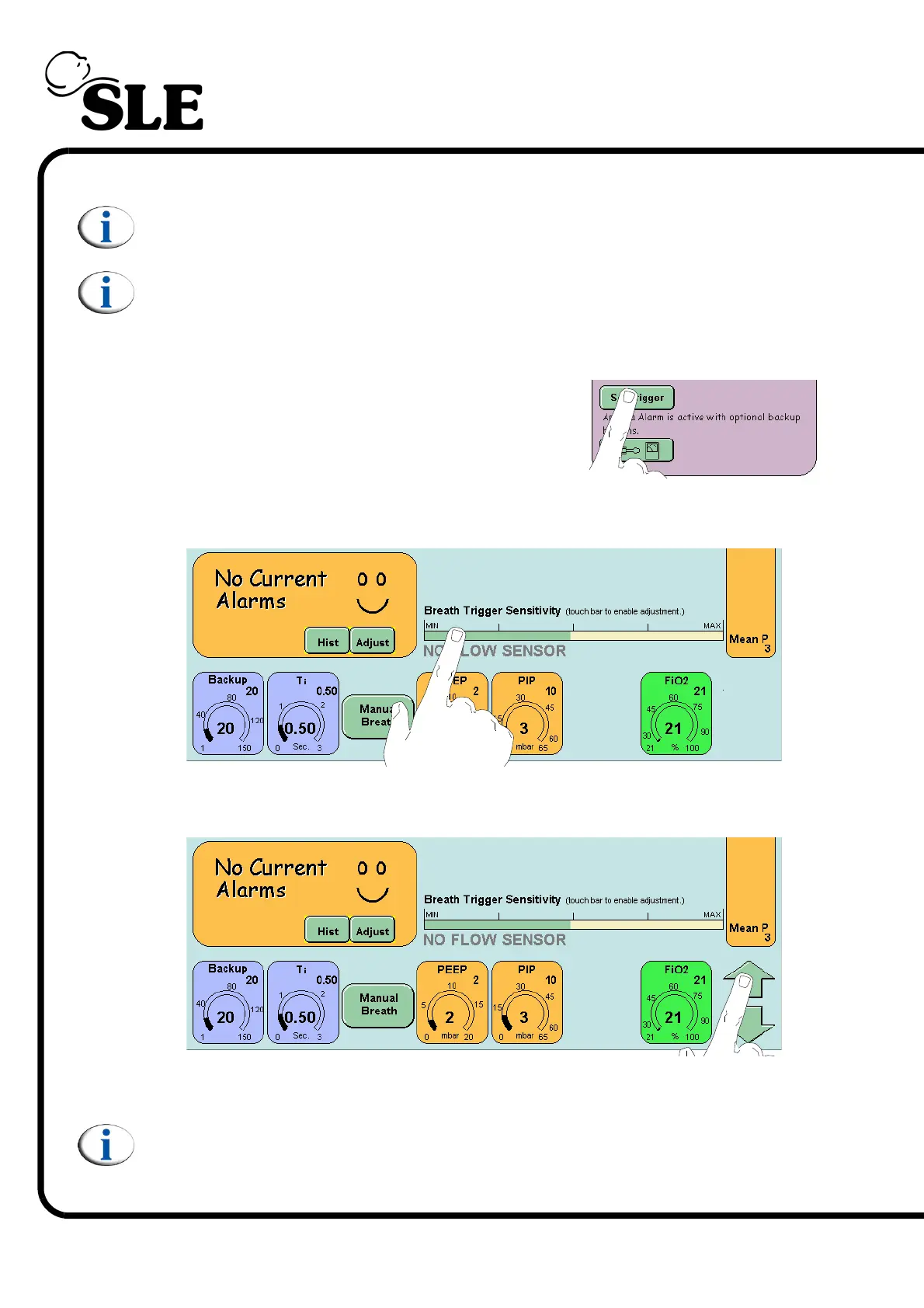
Step 1. Press the Set Trigger Button to activate the
modification arrows for the trigger bar.
or touch the bar directly to activate the modification arrows.
Step 2. Increase the sensitivity to the required level.
The ventilator colours the first 200 milliseconds of a triggered breath orange and
in the lung mechanics and measurement panel the Trigger value flashes white.
Note: A flow sensor can be reconnected and calibrated at anytime without
affecting the operation of the ventilator.



 To Next Page