Page 59 of 292
7.9 Alarm Panel
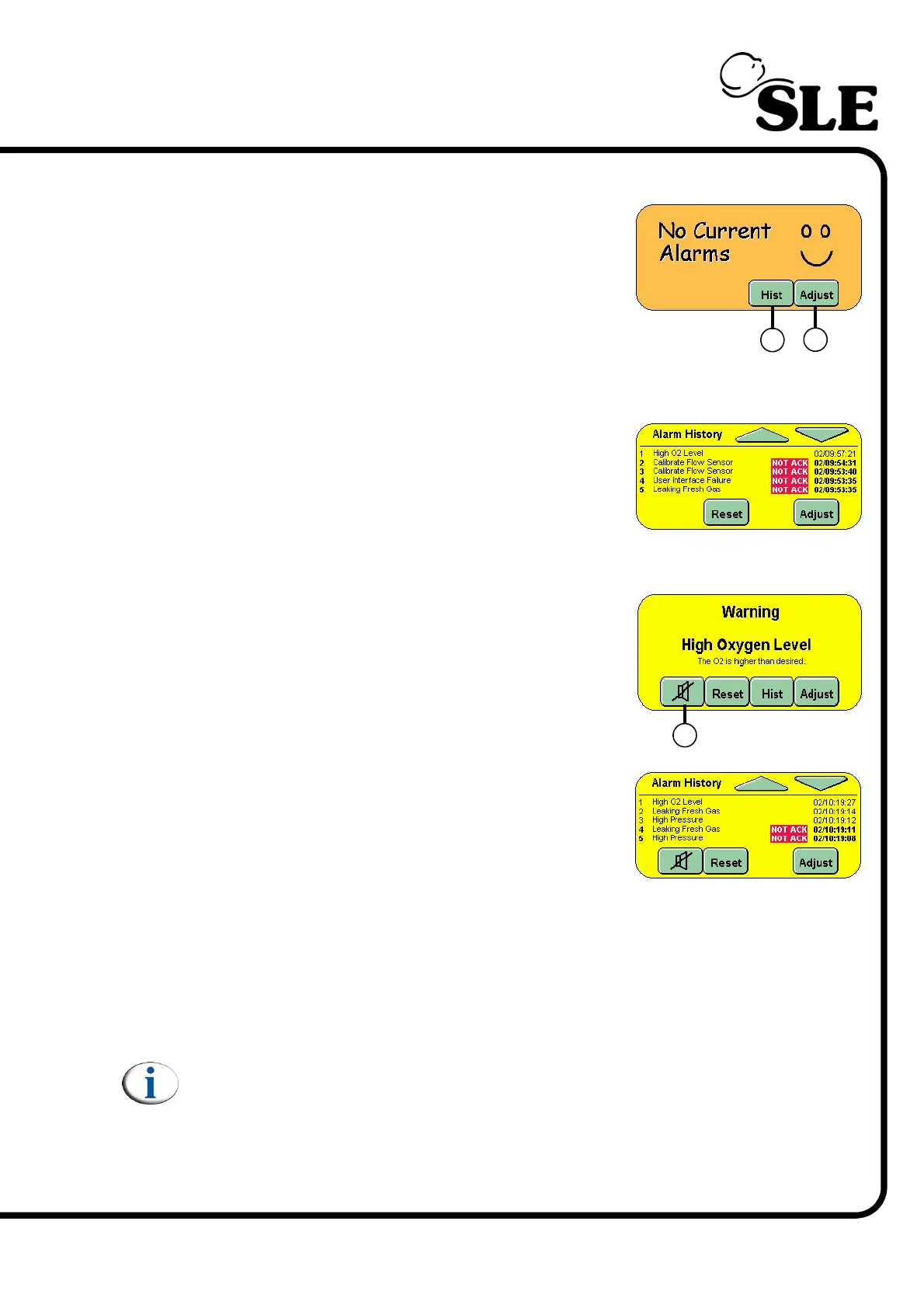
The Alarm Panel displays all the alarm messages.
The Adjust button (U) activates the alarm setup
panel in the Mode panel area, plus any alarm
threshold in the waveform windows. It also allows
the user to jump directly to the flow sensor and
oxygen cell calibration panels when their respective
alarms are triggered (provided no other higher
priority alarms are active).
The Hist button (V) changes the panel to display all
the previous alarm conditions that have occurred.
Up to 100 alarm conditions can be displayed in the
panel. The user can scroll through the alarms by
using the up and down arrow buttons in the panel.
The alarms are marked with the day and time of
activation.
When an alarm condition is active the panel flashes
between red and yellow, which indicates what alarm
has been triggered. The panel will only show the
highest priority alarm.
More than one alarm can be active at the same
time.
When an alarm is active the user can acknowledge
the alarm by pressing the HIST. button (V).
Acknowledging an alarm condition does not cancel
the alarm but allows the user to view the Alarm
History.
If there is more than one alarm active the Alarm History panel will show these
conditions as NOT ACK, but the time of the alarm will be the same as that of the
first alarm in the alarm history.
Pressing the Mute button (W) will cancel the audible component of the alarm for 1
minute. If a new alarm condition is triggered this new alarm will override the mute
setting of the previous alarm
Note: Some alarms cannot be muted.
Pressing Reset will return the Alarm panel to the No Current Alarms view and
cancel the audible alarm only if that alarm condition has been cleared. If more
than one alarm condition is present, pressing reset will clear the cleared alarm
condition from the panel and allow the next highest priority alarm to be displayed.
V
U
W



 To Next Page