Page 52 of 292
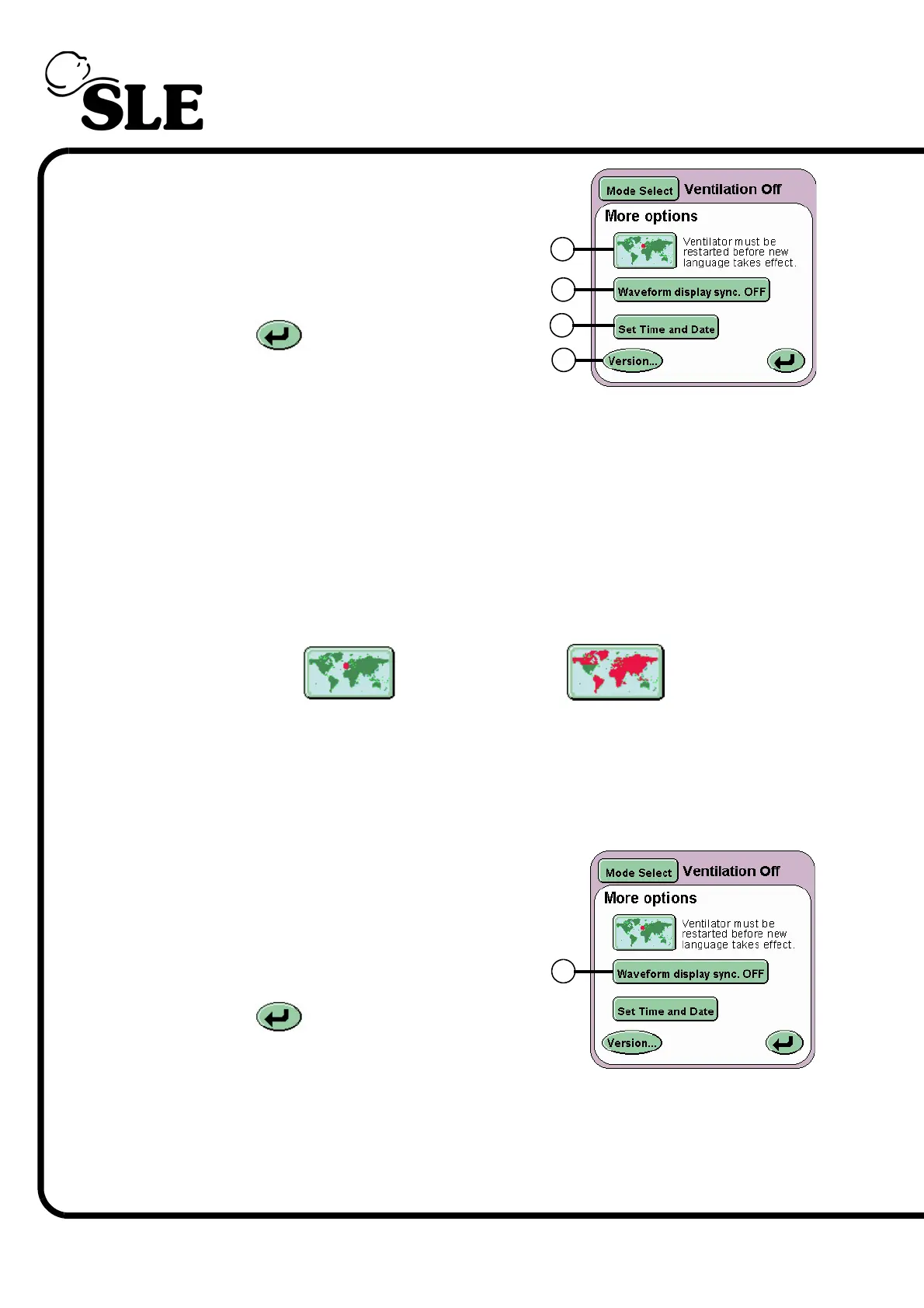
Displayed on this panel are four buttons:
Language Toggle button (L)
Waveform Display Sync button (M)
Set Time and Date button (N)
Version.. (O)
The Return button returns the user to
the Services panel.
7.6.1 Language Toggle
The ventilator software can be supplied to the user with a secondary language
installed. The user needs to refer to the user manual that accompanies the
ventilator to find which language apart from English is installed. See page 2 for
the software version number and language couple.
To change the language of the user interface press the Language Toggle button
(L) and hold for 2 seconds, so the map turns red. Turn OFF and restart the
ventilator. The ventilators user interface will now be in the second language.
Repeat the process to return the user interface language to English.
7.6.1.1 Waveform Display Sync
The Waveform Display Sync button (M)
overlays the waveforms from one sweep with
that from the next. See “Waveforms” on
page 72.
The Return button returns the user to
the Services panel.
L
M
N
O
Ventilator set to
English
Ventilator set to
foreign language
M



 To Next Page