LC700 – User’s Guide
2.10
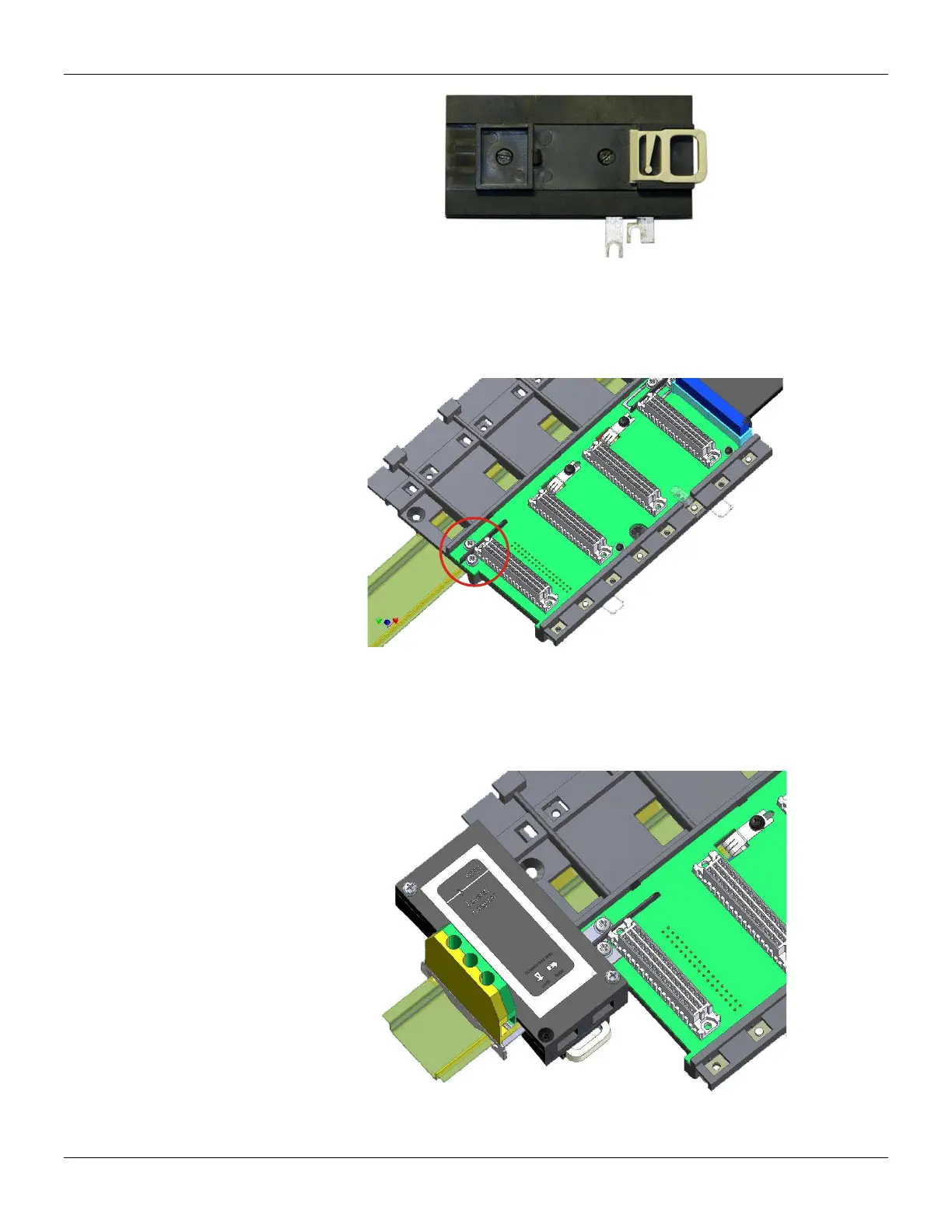
Figure 2.16 - DF91 rear part
Connecting the DF91 to rack
The first rack’s slot needs to be empty allowing access to this operation.
1. Loose the screws (only the sufficient) of the rack’s power connector. See the next figure.
Figure 2.17 - Details of screws of the rack’s power connector
2. Move the DF91 to right up to fix in the screws.
3. Tighten the screws.
4. After connect the DF91 to the rack, install the terminal ground in the left side of DF91,
keeping it firm to the rack. This terminal also will be used for grounding of DF90’s shield.
Figure 2.18 - DF91 connected to rack



 To Next Page