User Interface 119
2006792 Rev B – 200228
To drain the printer (Mixing Tank):
1. Stop jetting:
a. On the Main screen, select Stop Jetting:
b. In the dialog box, select “Stop Jetting With Cleaning.”
2. Prepare to drain the Mixing Tank:
a. Open the back door of the Console by unscrewing the 2 Fasteners and pulling
the door open.
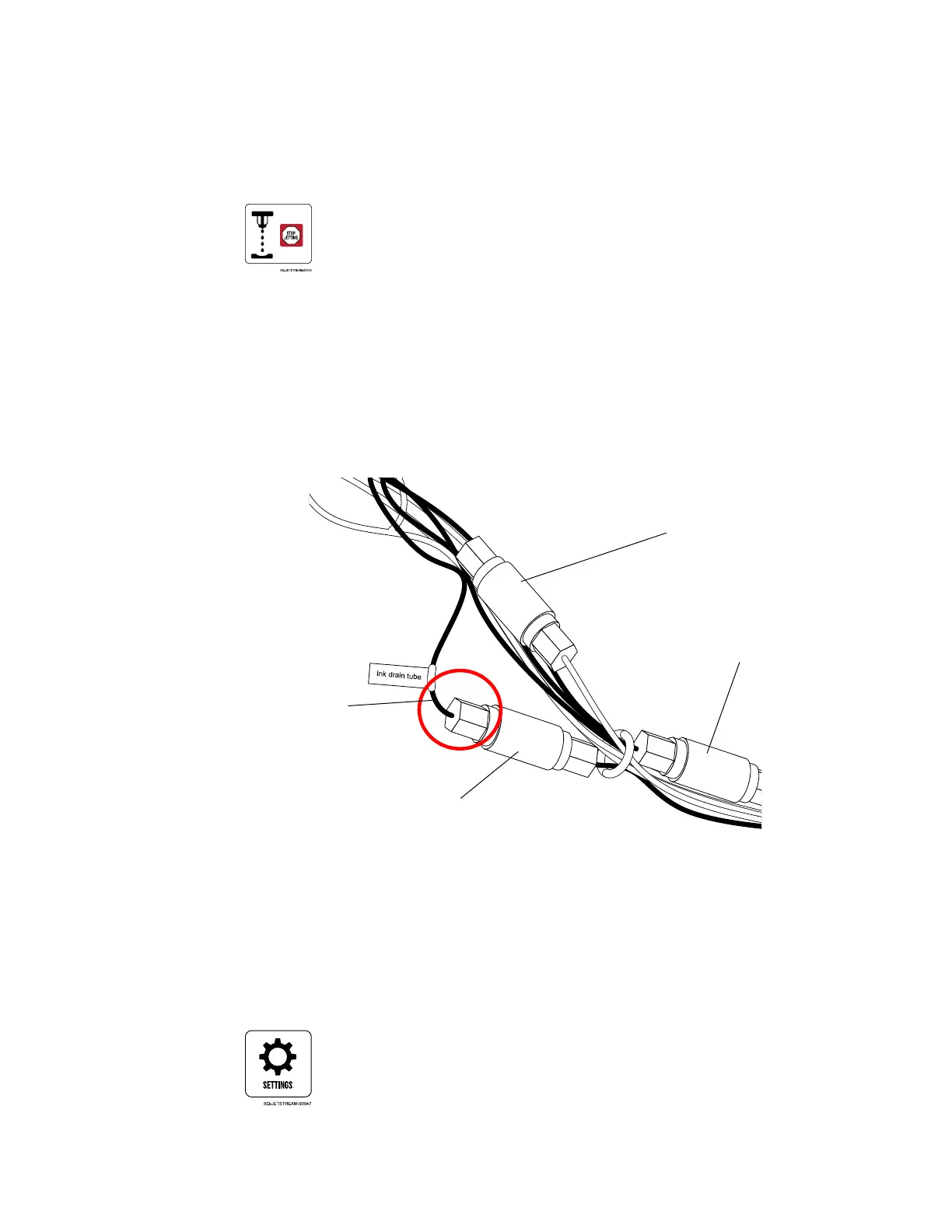
b. Locate the Drain Tube inside the back of the Console.
c. Place the 5-gallon hazardous liquids container underneath the Drain Tube.
d. Confirm that the printer is not jetting.
e. Unscrew the Drain Tube (has “Drain” label on it) and place the end of it in the
hazardous liquids container.
3. Drain the Mixing Tank:
a. If not already there, select Settings:
Locating the Drain Tube



 To Next Page