92 User Interface
2006792 Rev B – 200228
Direction
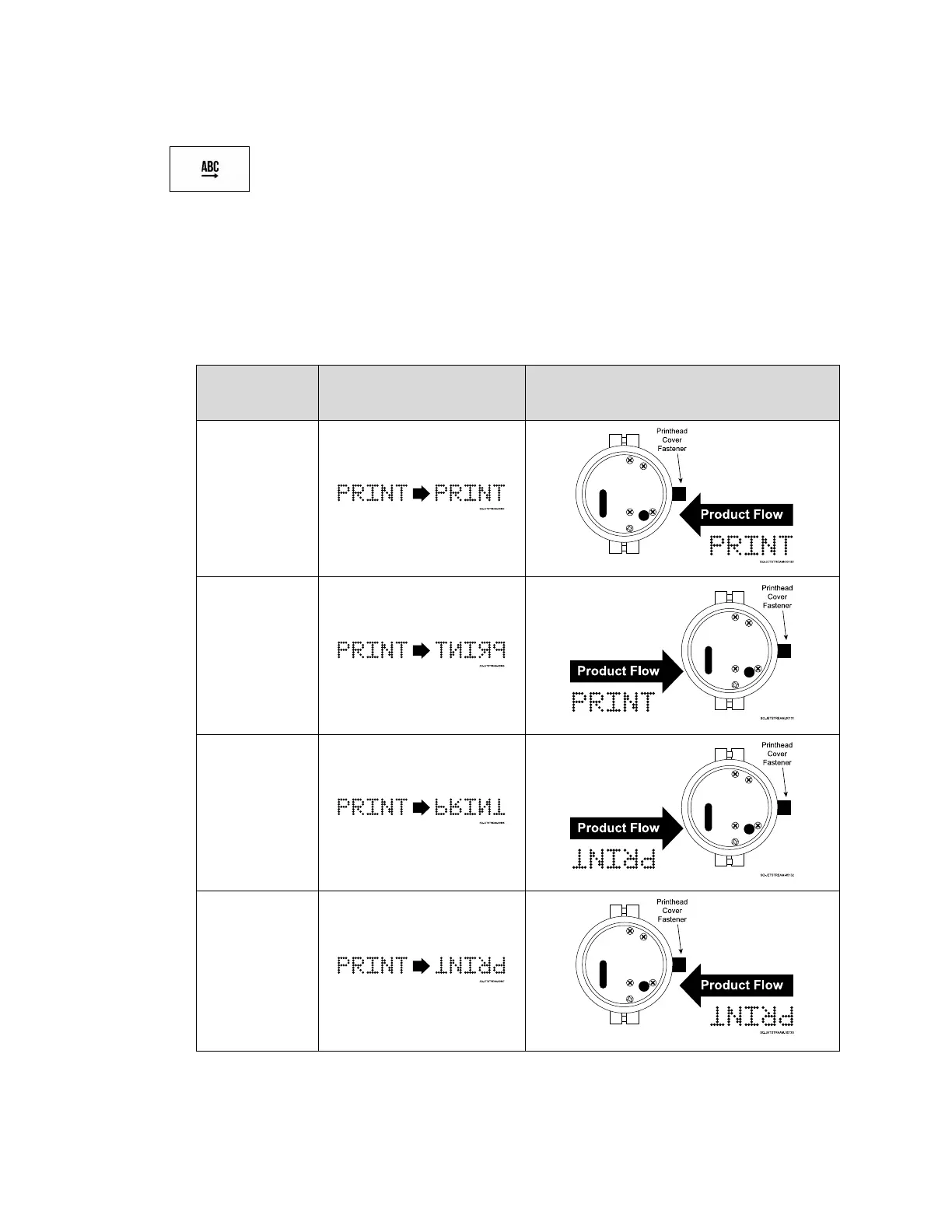
Selects the orientation of printing as the product flows past the Printhead.
• Orientation: The orientation describes the order in which ink droplets exit the
Printhead to create the desired message. If the product flow is left-to-right, the
message will require a different orientation than if product flow is right-to-left. Under
Mode, select one of the following options:
• Traverse Print: Select this option if the Printhead is mounted on a linear actuator or
traversing arm that sweeps back and forth or side to side over the product. This
option prints one orientation during forward pass of the Printhead, and prints the



 To Next Page