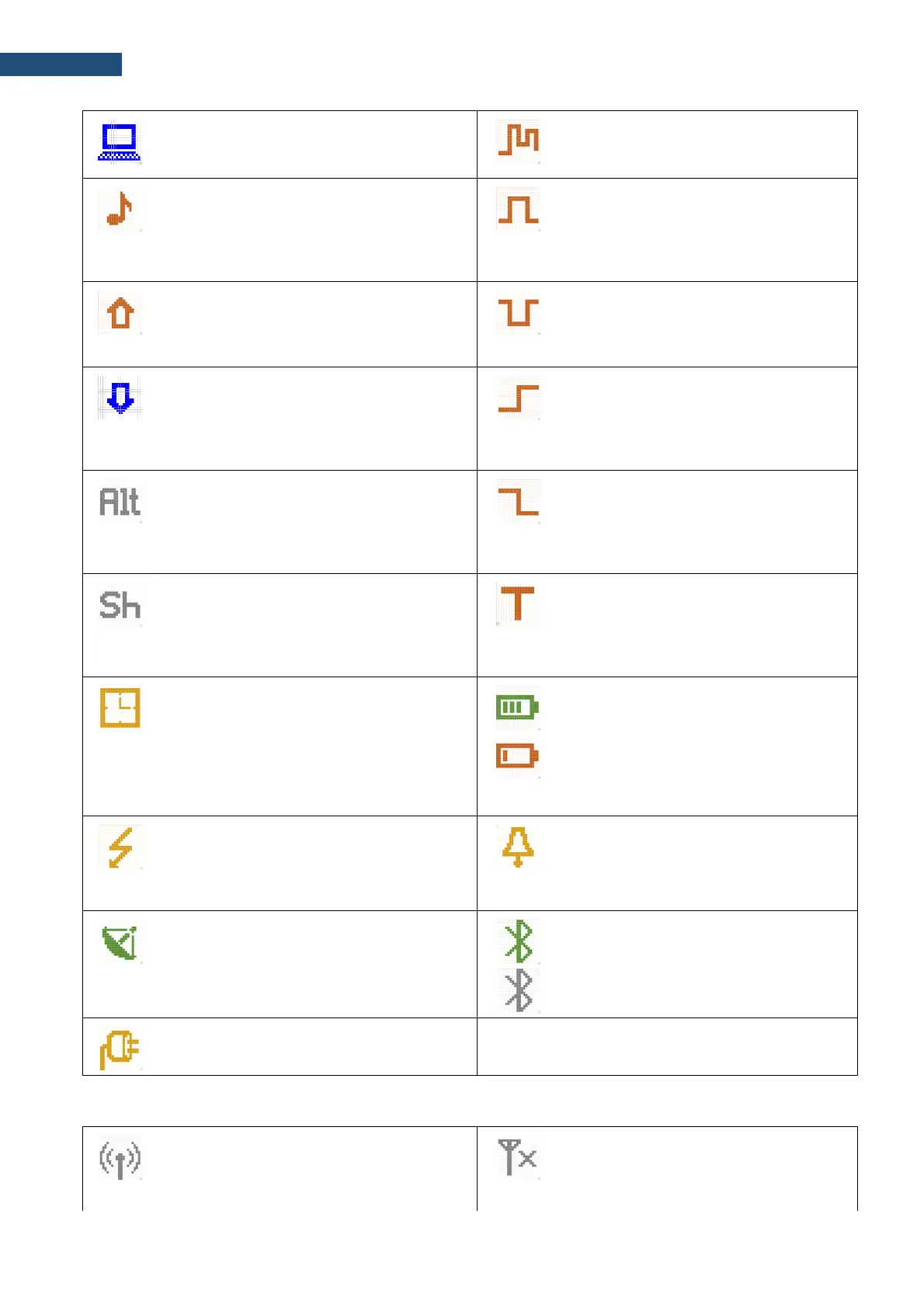
„USB” icon is displayed when there is a
successful USB connection with the PC.
„logging” icon is presented when current
measurement results are logged into the
logger file.
„wave” icon is displayed when the wave
recording is active (wave files with extension
WAV are saved automatically).
“Level + trigger” icon is displayed when
the “Level+” trigger is waiting for a
condition fulfilment. The icon appears
alternately with the „measurement”,
„logging” or „wave” icons.
„overload” icon is displayed when an
overload appears.
„level-” icon is displayed when the “Level-
” trigger is waiting for a condition fulfilment.
The icon appears alternately with the
„measurement”, „logging” or „wave” icons.
„underrange” icon is displayed when an
underrange appears.
“slope+” icon is displayed when the
“Slope+” trigger is waiting for a condition
fulfilment. The icon appears alternately
with the „measurement”, „logging” or
„wave” icons.
“alt” icon is displayed when the <Alt> key is
pressed.
“slope–” icon is displayed when the
“Slope-” trigger is waiting for a condition
fulfilment. The icon appears alternately
with the „measurement”, „logging” or
„wave” icons.
“shift” icon is displayed when the <Shift>
key is pressed.
“trigger” icon is displayed when other
than Level or Slope trigger is waiting for a
condition fulfilment. The icon appears
alternately with the „measurement”,
„logging” or „wave” icons.
“clock” icon is displayed when the timer is
On. It is active when the instrument is waiting
for the measurement start-up to occur. When
the measurement start is close, the icon
changes its colour to green and starts
blinking.
“battery” icon is displayed when the
instrument is powered from the internal
batteries. The icon corresponds to the
status of the batteries (three, two, one or
none vertical bars inside the icon). When
voltage of batteries is too low, the icon
becomes red.
“lightning” icon is displayed when
polarisation voltage is 200V.
“alarm” icon is displayed when an alarm
appears.
„GPS” icon is displayed when GPS is active.
Colours of the icon define the state of the
GPS: green – active, blue – searching, grey –
disconnected.
“Bluetooth” icon is displayed when the
Bluetooth
®
is switched on. Colours of the
icon define the state of the connection:
green – connected, grey – disconnected.
“plug” icon is displayed if an external power
is connected to the 7-16V socket.
Icons connected with modem functionality:
“no wireless” icon is displayed when the
GPRS function is switched on and there is no
cable connection with the modem
“no range” icon is displayed when the
GPRS function is switched on and there is
no cable connection with the modem and
therefore no range



 To Next Page