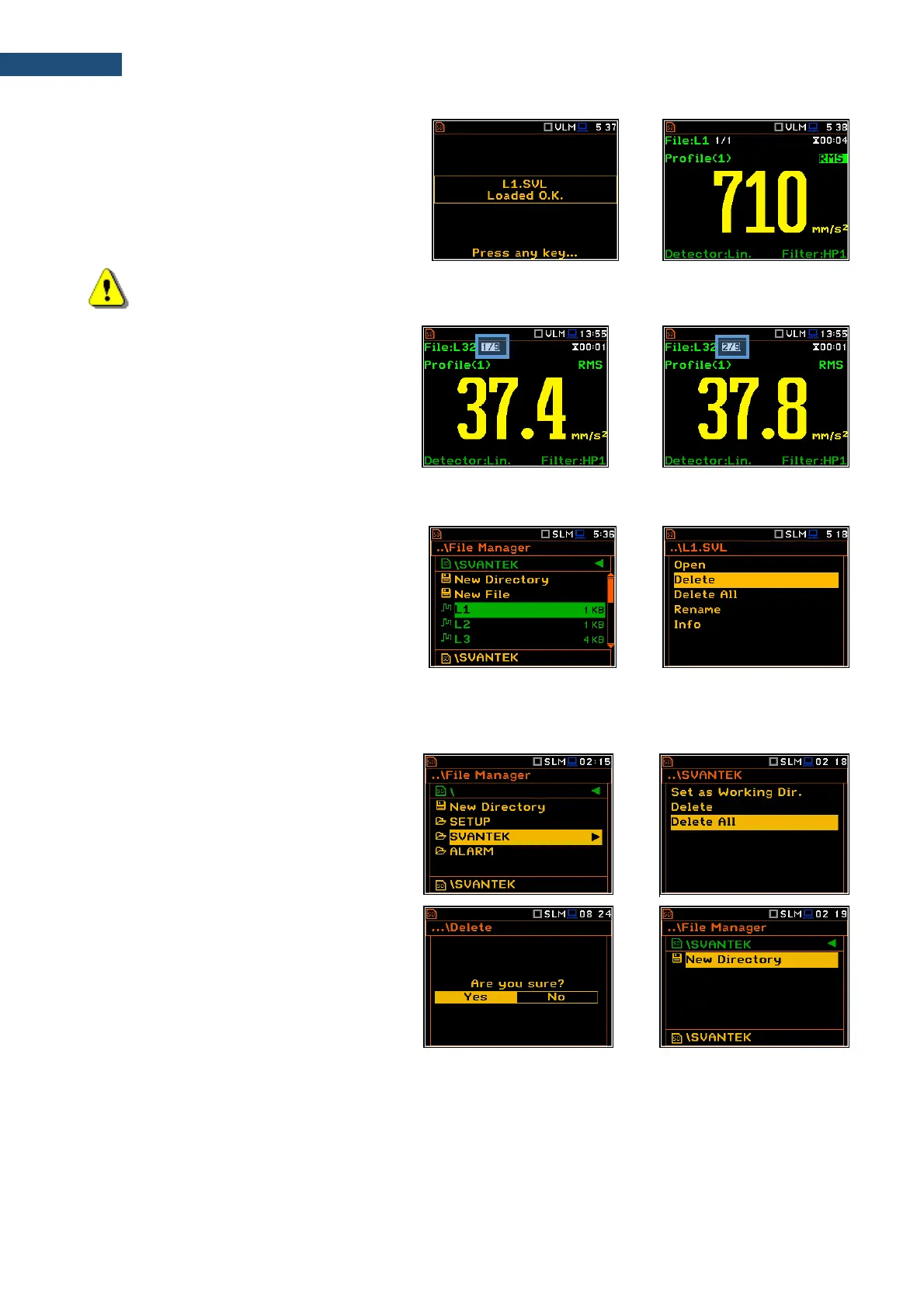
Opening the logger file means that the
measurement results saved in this file will be
loaded to the instrument's operation memory
and may be reviewed on the screen. The
results are loaded together with the Mode and
Measurement Function settings, but other
measurement settings are as before opening
the logger file.
Note: After loading the logger file, only summary results saved in the logger file as records can be
viewed at the display. Each record contains measurement data for one cycle (measured with the
Integration Period step).
The record counter is displayed in the same
line with the file name.
To see next cycle data, select the record
counter position with the ▲ / ▼ key and then
change the record number with the ◄ / ► key
pressed together with <Alt>.
7.1.3 Deleting files/directories – Delete
You can delete a file or a directory from the
file/directory list. To do this, select the
file/directory and press <ENTER>. Select the
Delete position in the command list and press
<ENTER>. The instrument will ask for
confirmation of this action since it cannot be
undone once a file/directory has been deleted.
The delete directory command erases all files
in this directory and files in all sub-directories.
7.1.4 Erasing all files in a directory – Delete All
You can delete all elements from the directory.
To do this, select the desired directory and
open it with the ► key. Then select any file or
subdirectory and press <ENTER>. Select the
Delete All position in the command list and
press <ENTER>. The instrument will ask for
confirmation of this action since it cannot be
undone once files have been erased.
If the Delete All command is performed in a
root directory, all files and directories in this
root directory will be erased. After this
operation three directories will be created as
default directories: SETUP, SVANTEK and
SYSTEM.



 To Next Page