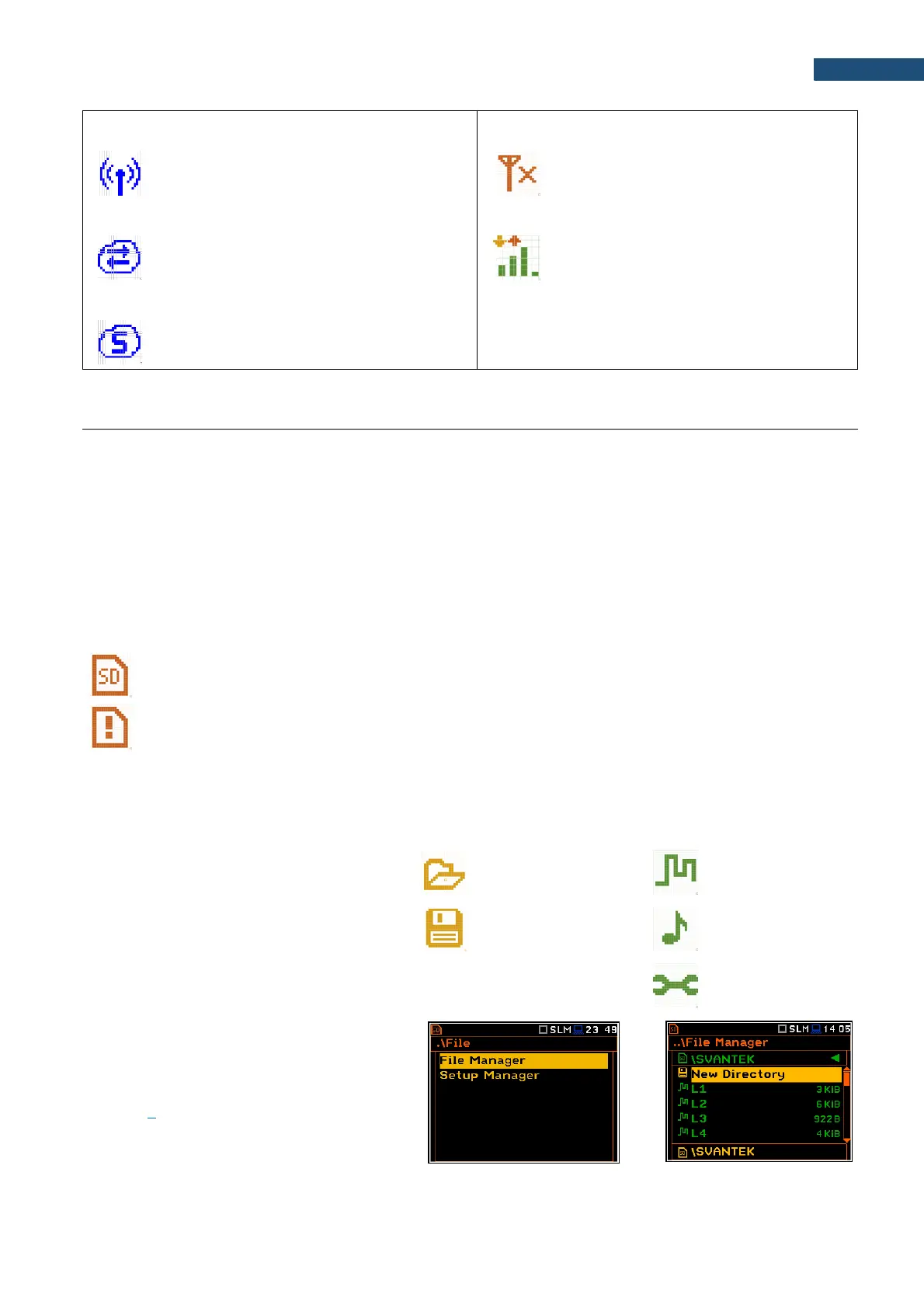
“wireless” icon is displayed when the
wireless transmission (GPRS modem) is
active, but there is no connection with Host or
SvanNET
“no range” icon is displayed when the
wireless transmission (GPRS modem) is
active, but the modem is out of range
“host” icon is displayed if there is connection
with Host
“range” icon is displayed if there is GPRS
connection and shows the level of the
GPRS signal and ways of data
transmission.
“SvanNET” icon is displayed if there is
connection with SvanNET.
Memory type
All available measurement results and settings can be stored in the instrument’s memory (micro SD Card) as
files in the predefined or assigned directories. The measurement files are stored by default in the predefined
SVANTEK directory. The setup files are stored in the predefined directory SETUP. Other special files (logs,
advanced alarms settings) are stored in the predefined SYSTEM directory. The predefined directories can be
reassigned or renamed by the user.
The SD Card memory is activated automatically after insertion of the card to the instrument’ card slot.
The instrument current settings are stored in the instrument internal RAM. This file can be downloaded to the PC
as Settings.svt with the use of SvanPC++ software. It can be edited with the special Setup file editor tool of
SvanPC++ and uploaded to the instrument’s internal RAM (see SvanPC++ User Manual).
The “SD-card” icon is displayed when the micro SD-card is inserted in the memory slot.
If the SD-card is removed from the memory slot the “memory warning” icon appears instead of
“SD-card” icon.
The SD Card memory is organised as a standard memory with directories and sub-directories (FAT32 file
system). It is possible to create and delete the directories from the instrument level.
The content of the instrument’s memory can be controlled with the help of the File Manager or Setup Manager
function of the File menu.
In the File Manager or Setup Manager
screens, data files are described by their file
name with an extension (SVL, SVT or WAV)
as well as additional icon and size (2KB etc.).
Directory
New file or directory
Logger file .SVL
Wave file .WAV
Setup file .SVT
Managing directories and files
You can manage files saved on the SD card
with the help of the File Manager or
Setup Manager in the File section (see
Chapter 7).



 To Next Page