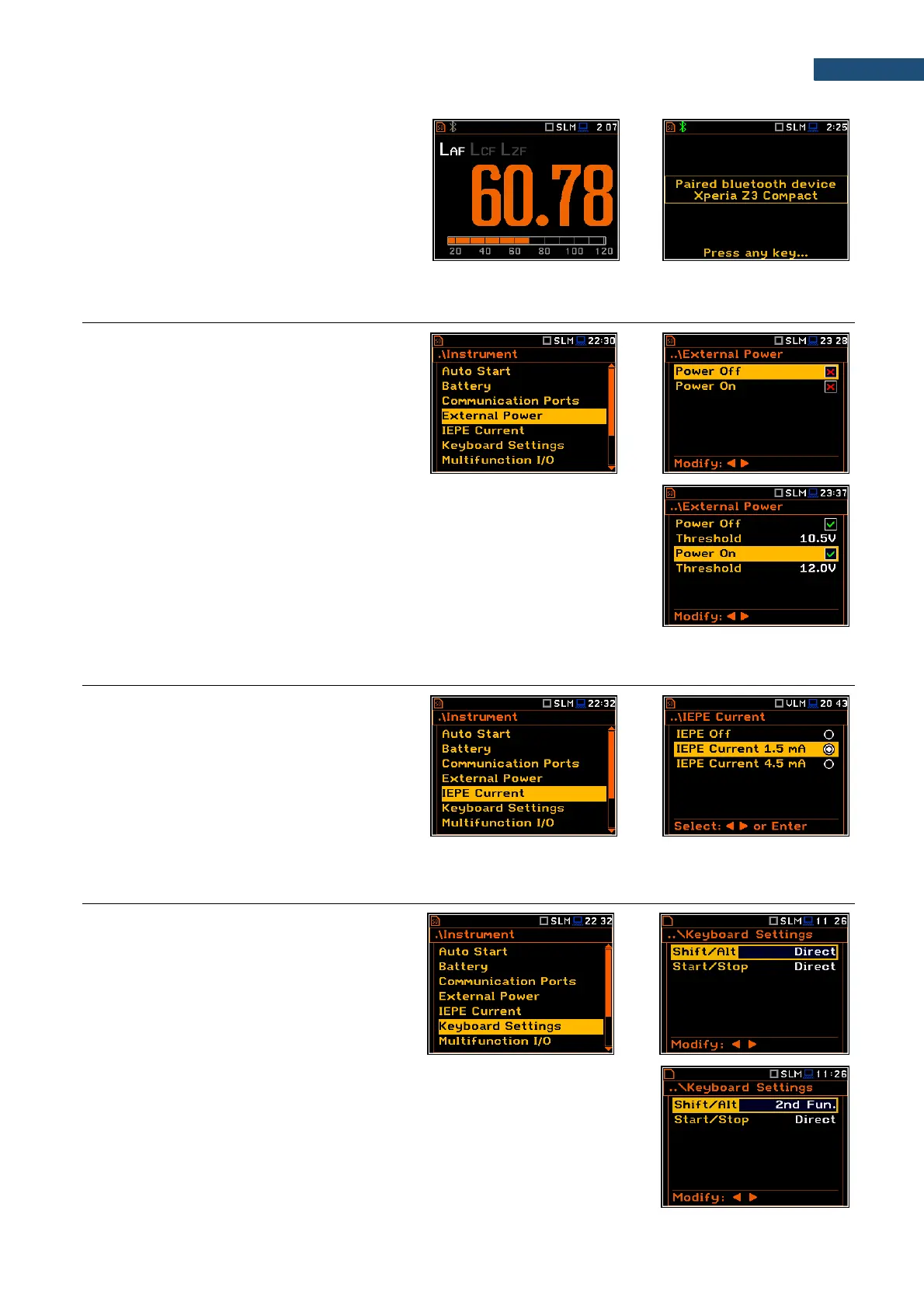
When Bluetooth is selected, the grey
“Bluetooth” icon is displayed while there is no
connection with another Bluetooth device.
When devices are paired, the “Bluetooth” icon
changes its colour to green.
8.4. EXTERNAL POWER SETTINGS- EXTERNAL POWER
The External Power position allows to set the
minimum voltage of the external DC power
source, when the instrument should be
switched off automatically (Power Off) or the
voltage threshold to switch it on (Power On)
when the voltage of the external DC power
source exceeds this level.
The Threshold parameters appear in the screen when Power Off and/or
Power On parameters are enabled.
This screen appears automatically after switching on the instrument when the
instrument is connected to the external DC power source.
8.5. SELECTING IEPE CURRENT SUPPLY - IEPE CURRENT
The IEPE Current position allows to disable
IEPE (IEPE Off) or to choose the correct IEPE
supply current for the used microphone or
accelerometer: IEPE Current 1.5 mA or
IEPE Current 4.5 mA.
8.6. PROGRAMMING KEYBOARD – KEYBOARD SETTINGS
The Keyboard Settings position allows to
programme the functionality of the <Shift>,
<Alt> and <Start/Stop> keys. The default
settings are Direct for both items shown on
the display screen.
<Shift> / <Alt> key mode
In the Shift/Alt position, you can choose between 2nd Fun. or Direct. When
the Direct option is selected, the <Shift> and <Alt> keys operate as in a
computer keyboard – to achieve the desired result, the second key should be
pressed at the same time with <Shift>/<Alt>. When the 2nd Fun. option is
selected the <Shift>/<Alt> key operates in sequence with the other one - as in
smartphones. Due to this you can operate the instrument with one hand.



 To Next Page