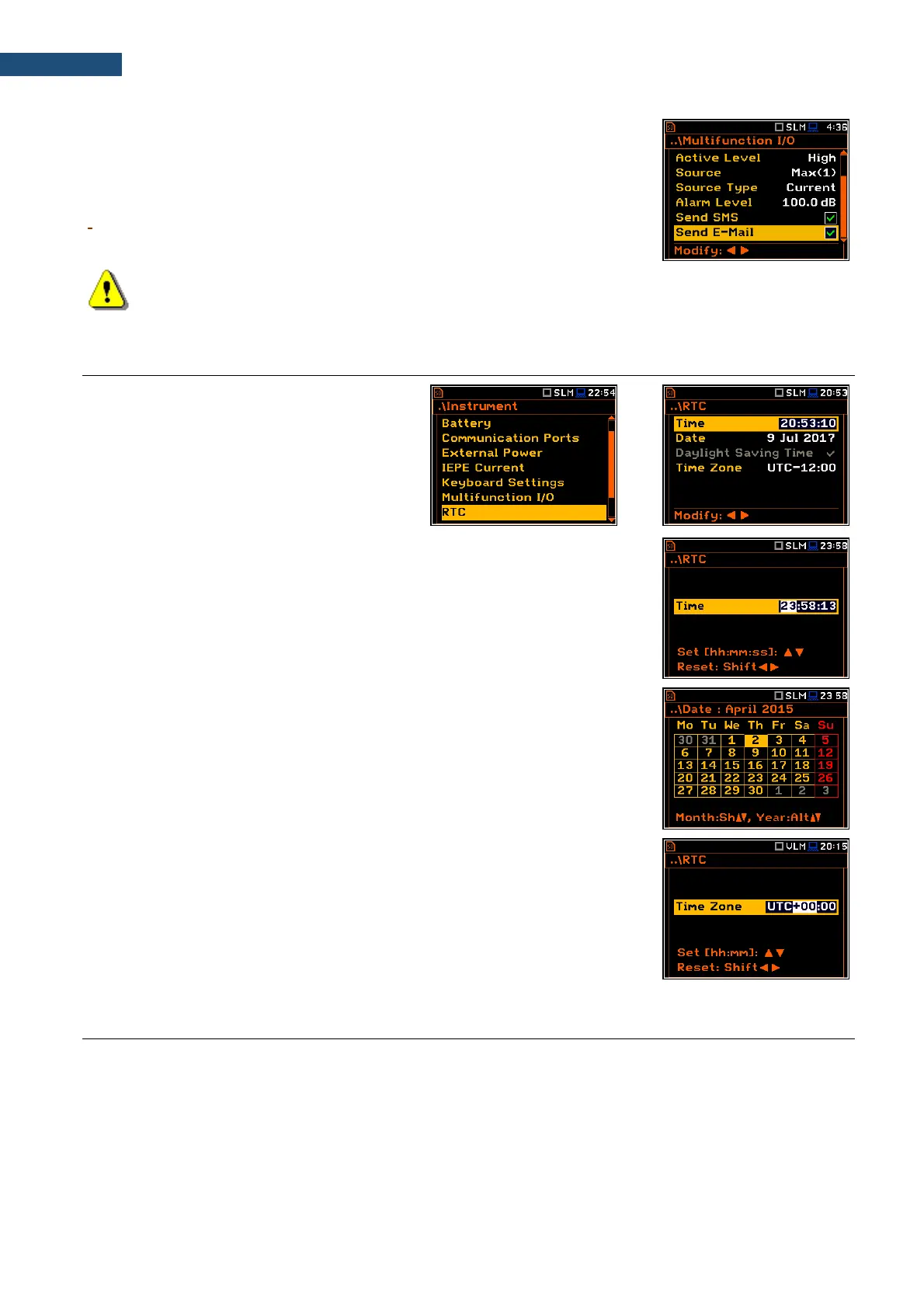
E-mail alarm message
When the alarm is generated during the measurement the e-mail message may
be sent (Send E-Mail) to the address, defined in the E-mail Settings screen
(path: <Menu> / Instrument / Wireless Transfer / E-mail Settings).
Note: SMS and e-mails can be sent in the case the instrument is working with the modem (for
example, as a part of SV 277 PRO or SV 277 PRIM monitoring stations).
8.8. PROGRAMMING THE INSTRUMENT’S INTERNAL REAL TIME CLOCK – RTC
The RTC position allows to programme the
internal Real Time Clock. This clock is
displayed in the upper right corner of the
display.
The required time (hour, minute and second) is set in a special screen, which
is opened with the ◄ / ► key when the Time position is selected.
To set hour, minute or second, select the appropriate field with the ◄ / ► key,
select value with the ▲ / ▼ key and press <ENTER>.
If you exit this screen with <ESC> the new time will be also saved.
The required date can be selected in a special screen, which is opened with the
◄ / ► key when the Date position is selected.
To set the date, select its position in the calendar with the ◄ / ► or ▲ / ▼ key
and press <ENTER> to confirm the selection.
If you exit this screen with <ESC> the new time will be also saved.
Time Zone can be selected in a special screen, which is opened by means of
the ◄ / ► key.
8.9. REMOTE COMMUNICATION SETTINGS - WIRELESS TRANSFER
SVAN 977A instrument is not equipped with the modem and itself cannot assure data transfer via mobile
network. However, it can control data transfer via the modem that supports GSM connection with the help of the
Wireless Transfer functionality. The connection with the external modem is carried out via the USB port.
Such solution is used in the SV 277 PRO and SV 277 PRIM monitoring stations.



 To Next Page