2 MANUAL CONTROL OF THE INSTRUMENT
Control of the instrument has been developed in a fully interactive manner. The user can operate the instrument
by selecting the appropriate position from the selected Menu list. Thanks to that, the number of keys for control
of the instrument has been reduced to nine for ease of use and convenience.
2.1 CONTROL KEYS ON THE FRONT PANEL
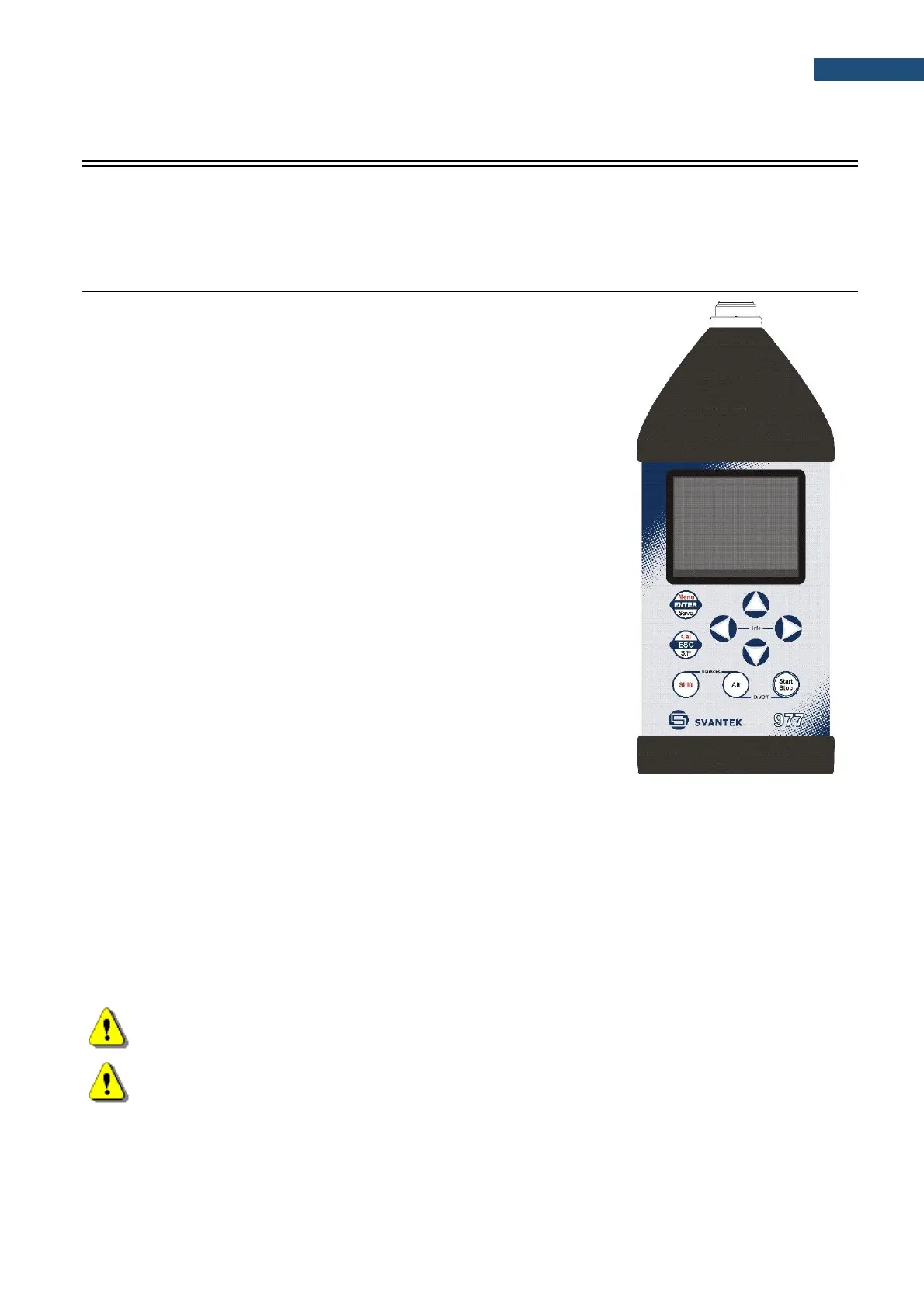
The following control keys are located on the front panel of the instrument:
• <ENTER>, <Menu>, <Save>,
• <ESC>, <Cal.>, <S/P>,
• <Shift>, [Markers]
• <Alt>, [Markers]
• ▲, ◄, ►, ▼
• <Start/Stop>.
The name given in (...) brackets denotes the second key function which is
available after pressing it in conjunction (or in sequence) with the <Shift>
key. For the first two keys, the name given in square brackets […] denotes
also the third key function which is available after pressing it in conjunction
(or in sequence) with the <Alt> key.
The second function of a key (for example, <Menu>) can be used when the <Shift> key
is pressed together with <Enter> or some other keys. This key can be used in two
different modes, which can be configured in the Keyboard list (path: <Menu> /
Instrument / Keyboard):
• like in a computer keyboard, when both <Shift> and the second key must be
pressed simultaneously (Direct mode);
• like in a smartphone keyboard, when the first <Shift> key should be pressed
and released and then the second key pressed (2nd Function mode).
This key enables choosing the third key function of the <Save> and <Pause> keys. To
select the third function, press the <Alt> and the second key together. You can also
program one or two finger operations same way as for the <Shift> key.
Note: Changing the “one or two fingers” mode is performed in the Keyboard Settings screen of the
Instrument list (see description of the Instrument list).
Note: Simultaneous pressing of the <Alt> and <Start/Stop> keys turning the instrument on or off.
This key starts or stops the measurement. You can set the mode of this key so that to
start or stop the measurements you should press <Start/Stop> simultaneously with
<Shift>. This can prevent accidentally starting or stopping a measurement.
This key opens the selected position in the list and confirms selected settings. Some
additional functions of this key will be described in the following chapters of this manual.



 To Next Page