8 CONFIGURING INSTRUMENT PARAMETERS – Instrument
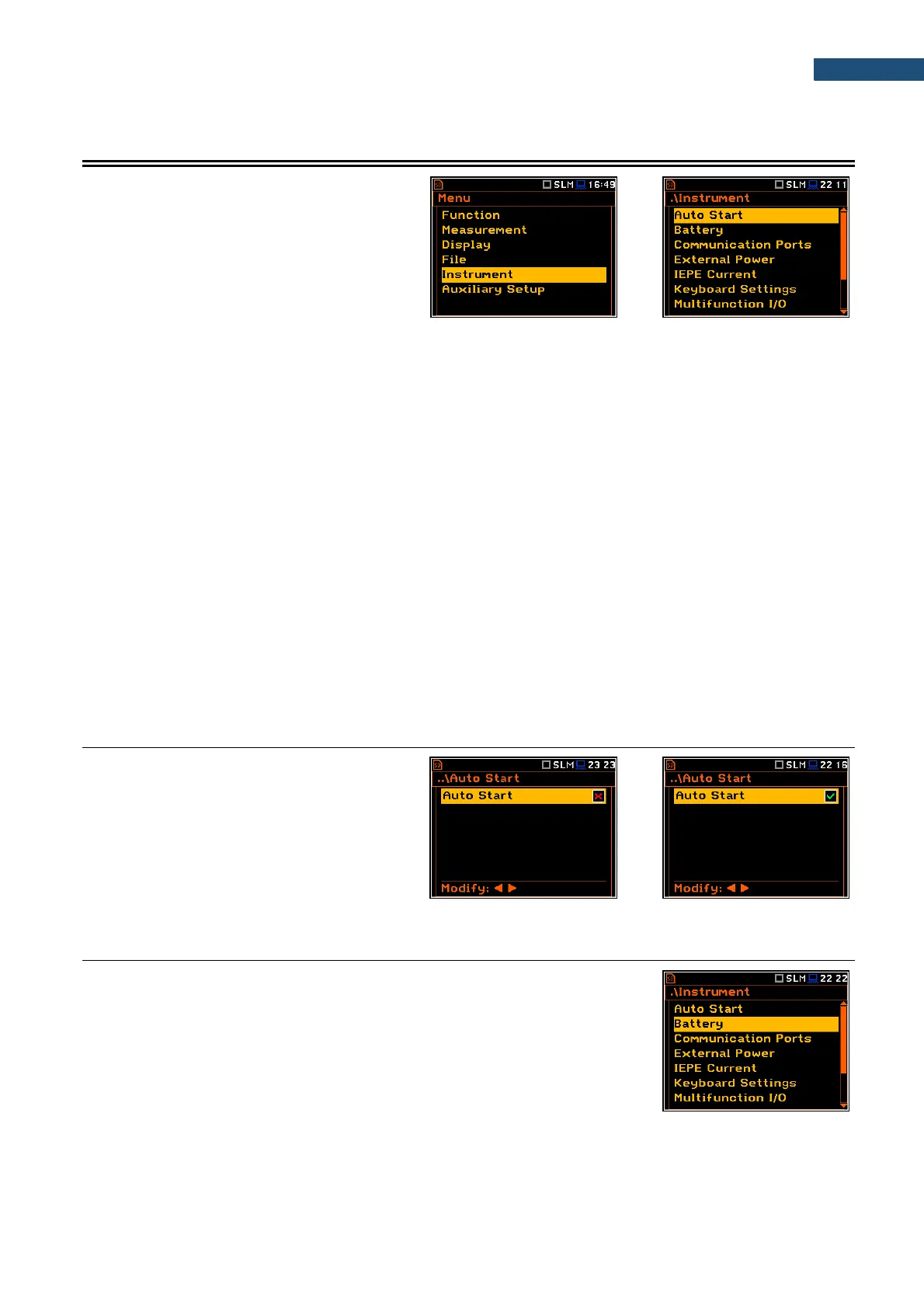
The Instrument section is used for setting the
various parameters which are primarily
dedicated for controlling of the instrument
hardware.
The Instrument list contains following positions:
Auto Start allowing to start the measurement just after turning the instrument on;
Battery allowing to get information about current power source;
Communication Ports allowing to select the active port of the instrument;
External Power allowing to select the minimum voltage of the external source, when the
instrument should be switched off automatically;
IEPE Current allowing to choose correct IEPE current supply for the used microphone and
accelerometer;
Keyboard Settings allowing to set the operating mode of the <Shift> and the <Start/Stop> keys;
Multifunction I/O allowing to select the available functionality of the I/O port;
RTC allowing to set the Real-Time Clock;
Wireless Transfer allowing to select the network type and configure parameters of data
transmission;
Unit Name allowing to enter the name of the instrument visible by the SvanNET web-
service;
Unit Label allowing to display instrument properties and the standards which the instrument
complies with.
8.1. MEASUREMENT AUTO START - AUTO START
The Auto Start position enables the
measurement automatic start just after the
turning the instrument on without pressing the
<Start> key.
8.2. CHECKING POWER – BATTERY
The Battery position allows you to check the power source of the instrument:
internal battery condition, source and voltage. The instrument can be powered
from an external DC power supply, from the external battery pack, from internal
four AA rechargeable or standard alkaline batteries or from an USB interface
when its USB Device socket is connected via the SC 16 cable to a PC or other
USB power.



 To Next Page