- SLM Sound Level Meter,
- S:1/1 Sound 1/1 Octave,
- S:1/3 Sound 1/3 Octave,
- S:FFT Sound FFT,
- S:RT60 Sound RT60.
- VLM Vibration Level Meter,
- V:1/1 Vibration 1/1 Octave,
- V:1/3 Vibration 1/3 Octave,
- V:FFT Vibration FFT.
Note: The 1/3 Octave, FFT and RT60 functions are optional and should be unlocked by entering the
activation code in the text editor screen, which is opened after first attempt to select it. Once unlocked,
this option will be ready to use permanently.
Optional measurement functions that broaden the application of the instrument can be initially supplied and
activated by the manufacturer or purchased later and activated by the user.
4.3 INSTRUMENT’S CALIBRATION – CALIBRATION
The instrument is factory calibrated with the supplied microphone and accelerometer for the reference
environmental conditions. Because the 'accuracy' of the electronic components can drift so equipment should be
calibrated periodically by a competent laboratory. Because the sensitivity of the microphone and accelerometer
is a function of the temperature, ambient pressure and humidity and when the absolute sound pressure level
value is important, the absolute calibration of the measurement channel should be performed before the
measurement. It is also good practice to check the instrument measurement channel before and after
measurements.
Due to implemented automatic calibration the instrument can perform the sound calibration automatically, when
the calibrator is placed over the microphone (switched on or with the auto run function). The calibrator level is
automatically detected, and the calibration measurement is started automatically. Just press <ENTER> to
confirm the calibration results. A sound measurement cannot be in progress while the automatic calibration is
being performed.
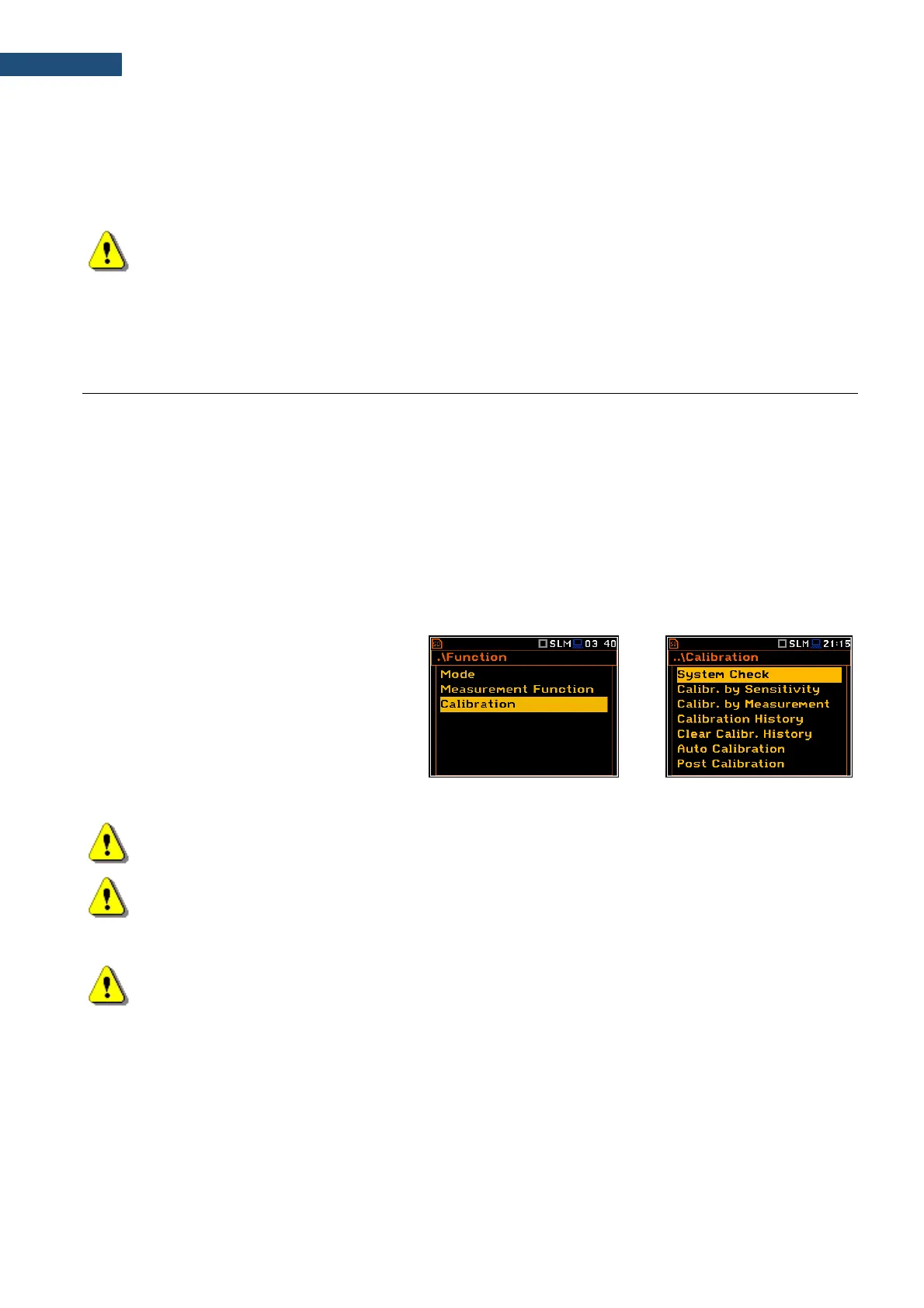
The Calibration list comprises positions
enabling in-situ system checking and
calibration (System Check, Calibr. by
Sensitivity, Calibr. by Measurement),
checking and erasing calibration records
(Calibration History, Clear Calibr. History),
switching on the automatic calibration
(Auto Calibration) as well as adding the
current calibration results to the data files
(Post Calibration).
Note: The calibration factor is always added to measurement results and measurement range limits
of the Level Meter, 1/1 Octave, 1/3 Octave and FFT functions.
Note: The calibration level and the calibration result are expressed in different units depending on the
settings of the instrument. The metric or non-metric Vibration units are set in the Vibration Units
screen (path: <Menu> / Auxiliary Setup / Vibration Units). Additionally, the linear or logarithmic units
are set in the Display Scale screen (path: <Menu> / Display / Display Scale).
Note: It is not possible to check and calibrate the instrument during the execution of live
measurements. It is possible to open different lists and sub-lists but the positions in these lists are
displayed greyed out inversely and so - not accessible. The flashing „measurement” icon on the top
line indicates that the instrument is in the measurement process. To check or calibrate the instrument,
the current measurement in progress must be finished!



 To Next Page