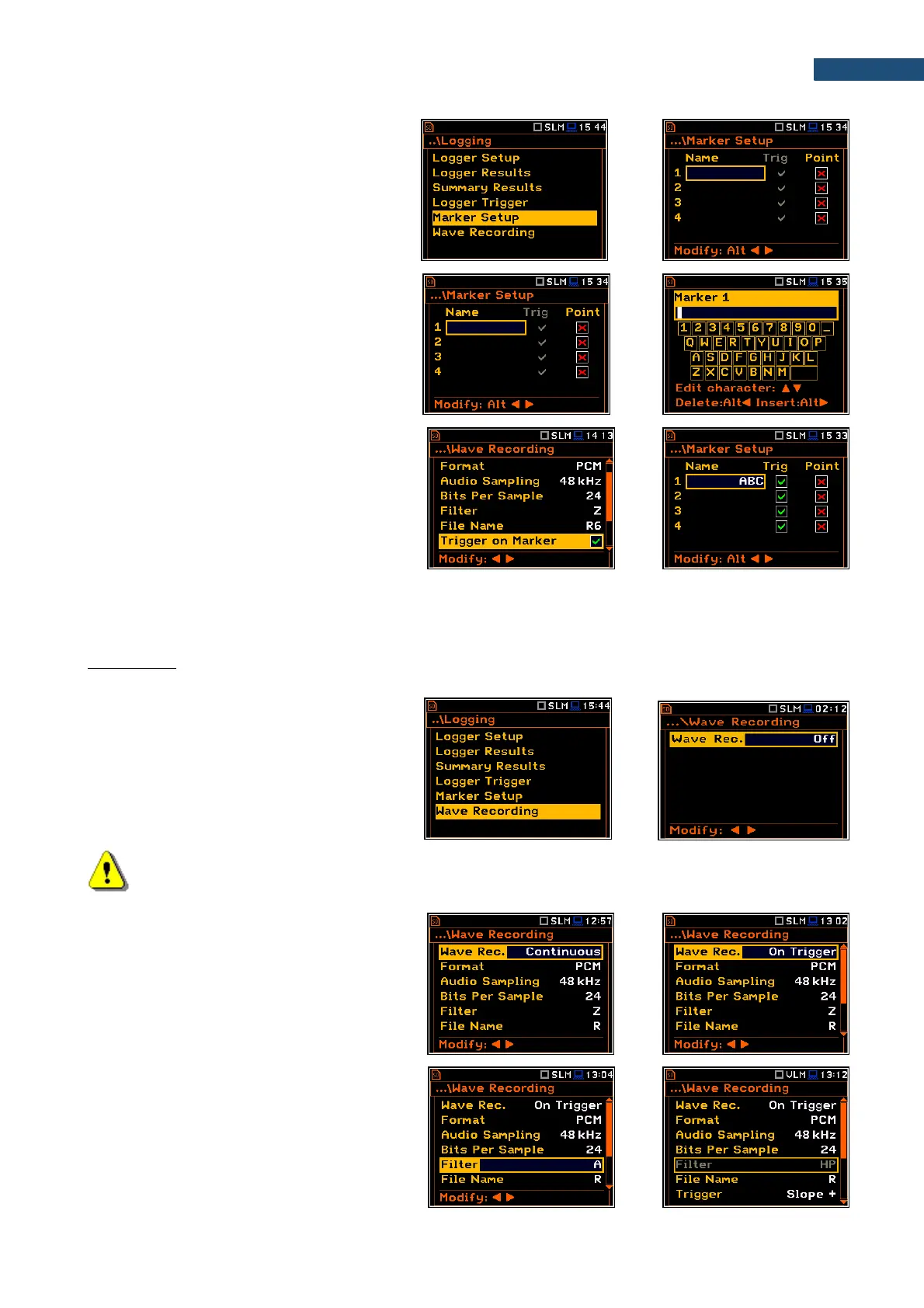
The Marker Setup allows to assign a specific
name for each marker, select its type (normal
or Point) and define markers for triggering
wave recording (Trig column).
Name edition is performed in a special text
editor screen after pressing the ► key
together with <Shift>.
The Trig column becomes active only when
Trigger on Marker (path: <Menu> /
Measurement / Logging / Wave Recording) is
enabled.
Switching on Trig for some markers means,
that wave recording will be triggered by
activating one of these markers.
5.4.6 Wave recording settings – Wave Recording
The Wave Recording position allows activating and setting parameters of a waveform signal recording in the
separate file with the extension WAV. WAV files are saved automatically in the working directory of the
instrument’s memory (SD-card).
The Wave Rec. parameter, if it is not Off,
defines a way a recording should be done,
continuously during the measurement
(Continuous) or triggered conditionally
(On Trigger).
Note: The Wave Recording function is optional and should be unlocked by entering the activation
code in the text editor screen, opened by the ► key. Once unlocked this option will be ready to use
permanently.
The Format parameter defines the format of
the wave file header: PCM or Extensible.
The Audio Sampling parameter defines the
sampling frequency of the wave recording:
12kHz, 24kHz or 48kHz.
The Bits Per Sample parameter defines the
number of bits recorded per sample: 16 or 24.
The Filter parameter defines the weighting
filter during event signal recording: A, B, C, Z,
U, AU or HP for the sound signal and HP only
for the vibration signal.



 To Next Page