Reference levels for vibration measurements
In the Acc position you can set the reference level of the acceleration signal in the range: 1 µms
-2
- 100 µms
-2
.
In the Vel position you can set the reference level of the velocity signal in the range: 1 nms
-1
- 100 nms
-1
.
In the Dil position you can set the reference level of the displacement signal in the range: 1 pm - 100 pm.
Reference level for sound measurements
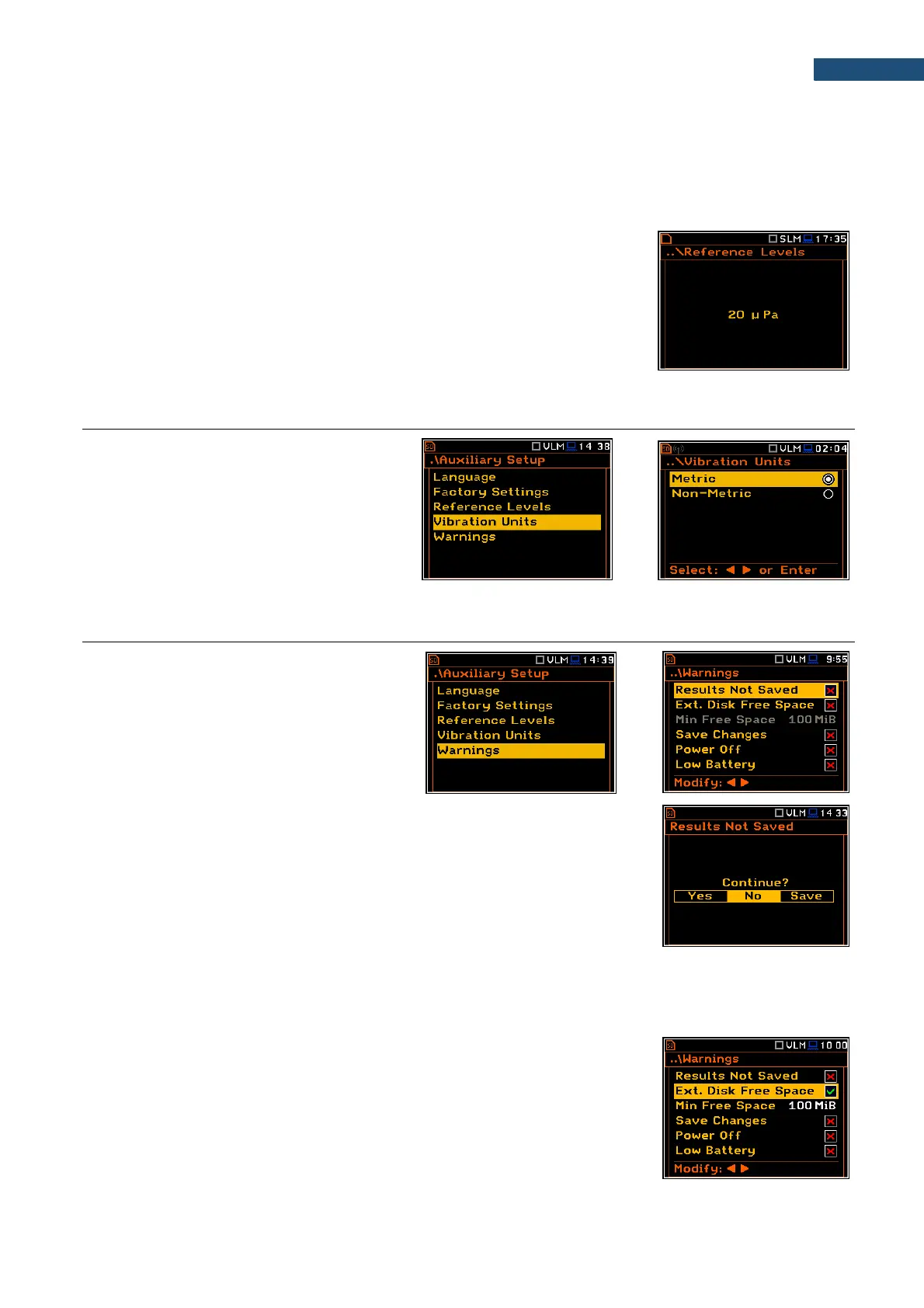
For sound measurements, the Reference Levels sub-lists is used to inform
only the user that the reference level of the acoustic signal is equal to 20 µPa.
9.4. SELECTING UNITS FOR VIBRATION RESULTS - VIBRATION UNITS
The Vibration Units position allows to select
units for Vibration measurements (this
position is available only in Vibration modes).
It is possible to select the Non-Metric units
(e.g. g, ips, mil etc.) or Metric units (e.g. m/s
2
,
m/s, m etc.).
9.5. WARNINGS SETUP – WARNINGS
The Warnings position allows to activate
messages, which will be displayed during the
normal operation of the instrument.
By default, all warnings are enabled.
Saving the measurement results in a file
If the Results Not Saved warning is enabled, the special confirmation will be
displayed after pressing the <Start/Stop> key in case results of the previous
measurement were not saved.
You should select one of three answers to the question Continue?: Yes, No or
Save. If Yes is chosen, the instrument returns to the active measurement view
and starts the new measurement process. If No is chosen, the instrument
returns to the active measurement view without starting the new measurement
process. If Save option is chosen, then the measurement results are saved and
after saving the instrument returns to the active measurement view and starts
the new measurement process.
Checking free space of the memory
If the Ext. Disk Free Space warning is enabled the instrument will verify free
space on the SD-card and will generate the warning when the space is lower
than Min Free Space.
The selected limit should be within the range [1 MB, 1024 MB].



 To Next Page