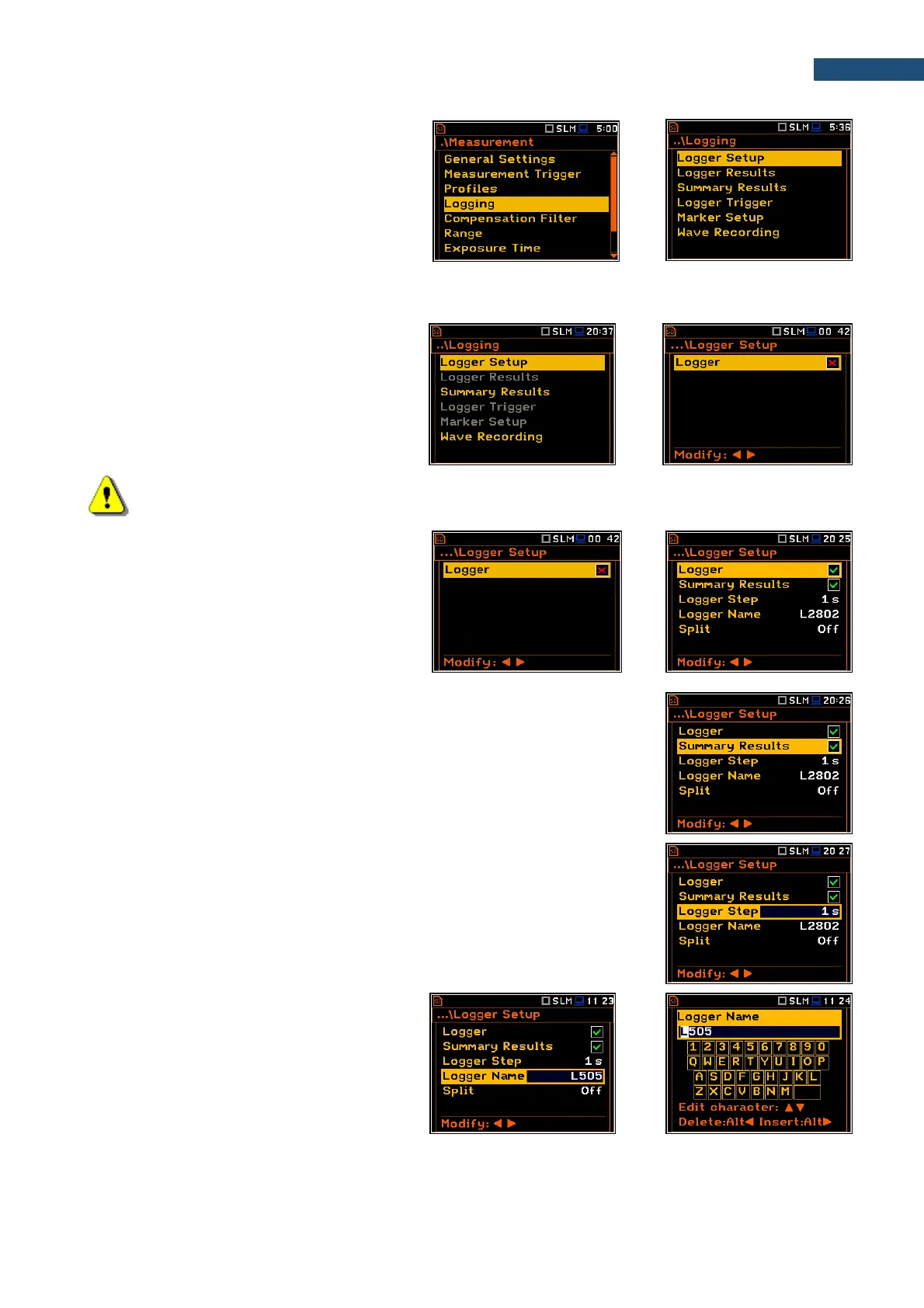
The Logging list enables programming the
logging functionality - recording of
measurement results, markers and time-
domain signal (wave). The Logging list
consists of six positions: Logger Setup,
Logger Results, Summary Results,
Logger Trigger, Marker Setup and
Wave Recording.
5.4.1 Setting logger general parameters – Logger Setup
The Logger Setup list enables activating the
logger function.
If Logger is disabled only Summary Results
and Wave Recording positions are
accessible in the Logging list.
Note: If Logger is disabled, logger files are not created automatically, and Logger results are not
saved!
The Logger position switches on saving
logger results, markers, spectra as well as
results, obtained from the weather station
(Meteo), with the interval defined by the
Logger Step parameter as well as Summary
results with the interval defined by the
Integration Period parameter.
Summary Results saving
The Summary Results position enables saving of the summary results
including results obtained from the weather station (Meteo results), statistics and
spectra.
The Logger Step defines the period of the Logger results measuring and
saving in a file. It can be selected from the set: 2 ms, 5 ms, 10 ms, 20 ms,
50 ms, 100 ms, 200 ms, 500 ms or from 1 s to 59 s with 1-second step or from
1 m to 59 m with 1-minute step and up to 1 h.
Results file name
The Logger Name position allows to define
the name of the results file, which consists of
the prefix and a number. The default logger file
prefix is “L”. The name can be up to eight
characters long. After pressing the ◄ / ► key,
the special screen with text editor function is
opened.



 To Next Page