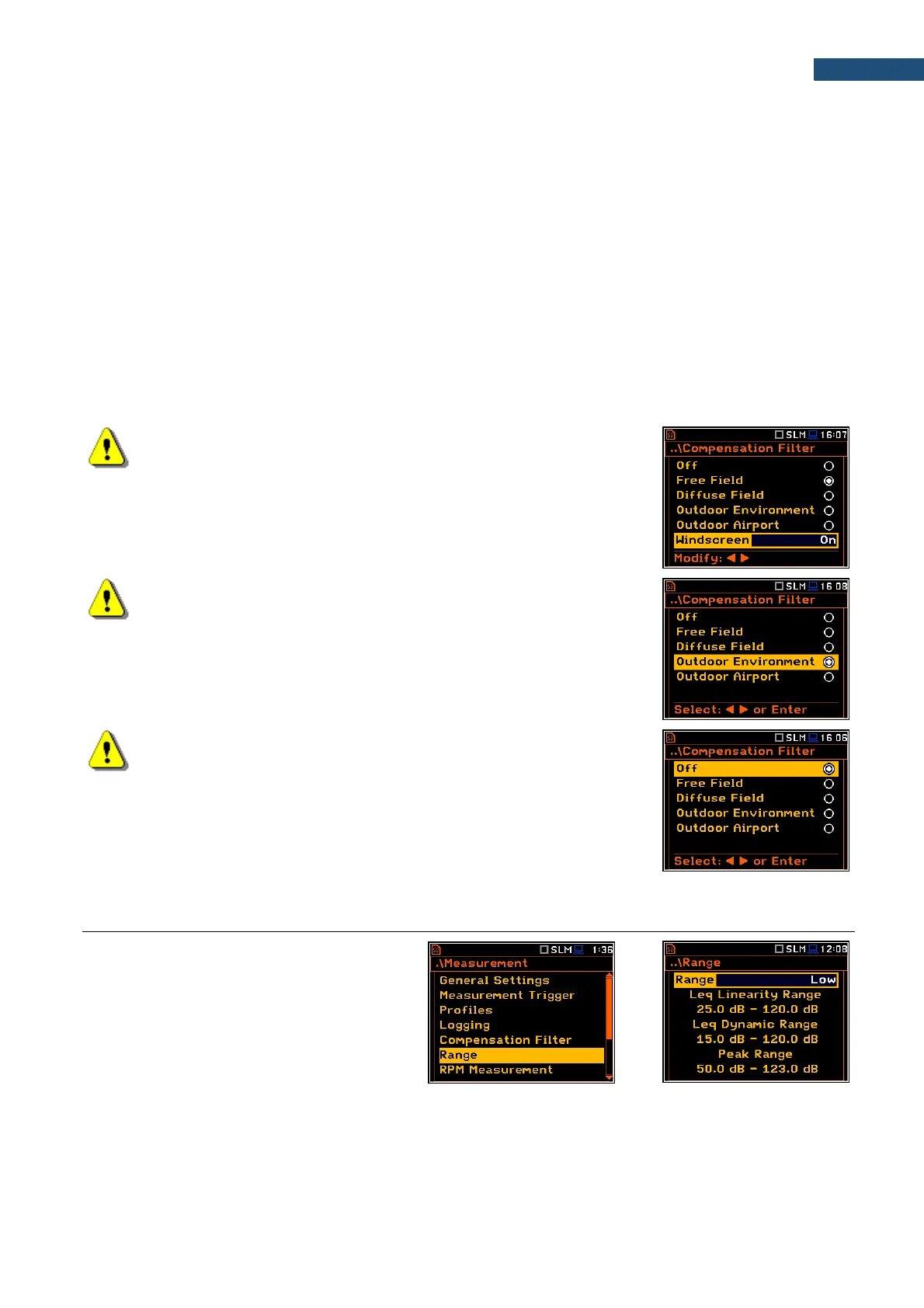
The Compensation Filter screen is a list of options: Off, Free Field, Diffuse Field, Outdoor Environment,
Outdoor Airport; and the Windscreen parameter.
The Free Field and Diffuse Field filters are intended to compensate sound measurements in the free field
conditions or in the diffuse field conditions. The microphone supplied with SVAN 977A (SV 7052E) is designed
for sound measurements in the free field conditions. The Free Field option means that the correction filter for
the diffuse field conditions is switched off. In case of sound measurements performed with the use of specific
diffuse field microphone types the option Diffuse Field should never be used and the compensation filter should
be turned off (Off option).
The Outdoor Environment and Outdoor Airport filters are dedicated for the permanent outdoor monitoring
application as a part of the SV 277 monitoring station. The characteristics of the outdoor filters depend on the
application: environmental (the acoustic signal is parallel to the microphone’s grid) or airport (the acoustic signal
is perpendicular to the microphone’s grid).
Windscreen filter can be switch Off, On or set to automatic detection – Auto.
The frequency characteristics of all filters are given in Appendix C.
Note: When using windscreen SA22 the Windscreen compensation
filter must be On to ensure good tolerances margin of the SVAN 979
frequency response.
Note: For the free filed evaluation with the SA 277 microphone
outdoor protection kit the Environment or Airport compensation
must be selected.
Note: For the conformance of electrical tests and the acoustic
calibrator or coupler evaluation, all compensation filters must be Off.
5.7 MEASUREMENT RANGE SELECTION – RANGE
The Range position is used for setting the
measurement range of the instrument.
The Range screen presents for the selected
range: Leq linearity range, Leq dynamic range
and Peak range for 1 kHz.



 To Next Page