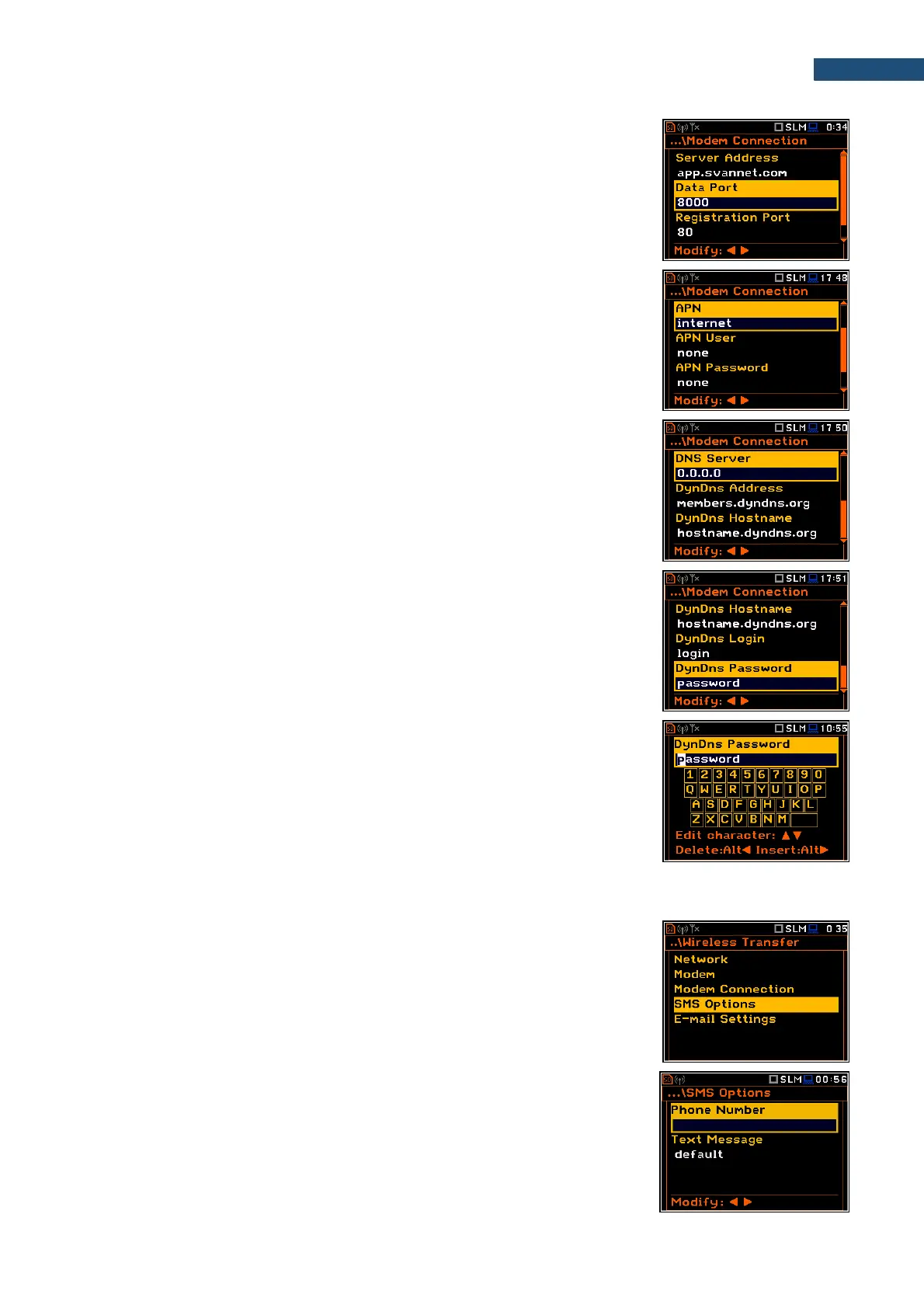
• Data Port – allows to enter up to 5 characters for the port number. This
number denotes a port on which a communication socket will be configured
for data exchange between the remote host and the station.
• Registration Port – allows to enter up to 5 characters for the port number.
This number denotes a port on which a communication socket will be
configured to transmit registration package (Register Mode: On) or
exchange Http data (Register Mode: AS or SMT. AS).
• APN – allows to enter up to 20 characters of APN name of the SIM card
used with the modem.
• APN User – allows to enter up to 20 characters of user’s name used for
verification by the SIM card used with the modem.
• APN Password – allows to enter up to 20 characters of password used for
verification by the SIM card used with the modem.
• DNS Server – allows to enter up to 15 characters of IP address of DNS
server used for establishing connection with the internet. In most cases,
leaving the default value of “0.0.0.0” will be sufficient, but some SIM cards
may require a specific address to be entered.
• DynDns Address, DynDns Hostname, DynDns Login and
DynDns Password - allow to define the server and login information when
using DynDNS service in case of dynamic IP address.
Edition of each position is performed in the special screen with the text editor
function, which is opened with the ◄ / ► key.
In the text editor screens, you can switch the keyboard from uppercase letters
to lowercase letters and special characters with the ▲ / ▼ key pressed together
with <Shift>.
8.9.4. Configuring SMS service - SMS Options
The SMS Options position allows to configure SMS service used for alarm
notification.
The SMS Options screen contains the following positions:
• Phone Number – allows to enter up to 20 characters of the phone number
where the text messages will be sent.
• Text Message – allows to enter up to 20 characters of additional text, which
will be appended into a standard alarm message template.
Edition of each position is performing in the special screen with the text editor
function, which is opened with the ◄ / ► key.



 To Next Page