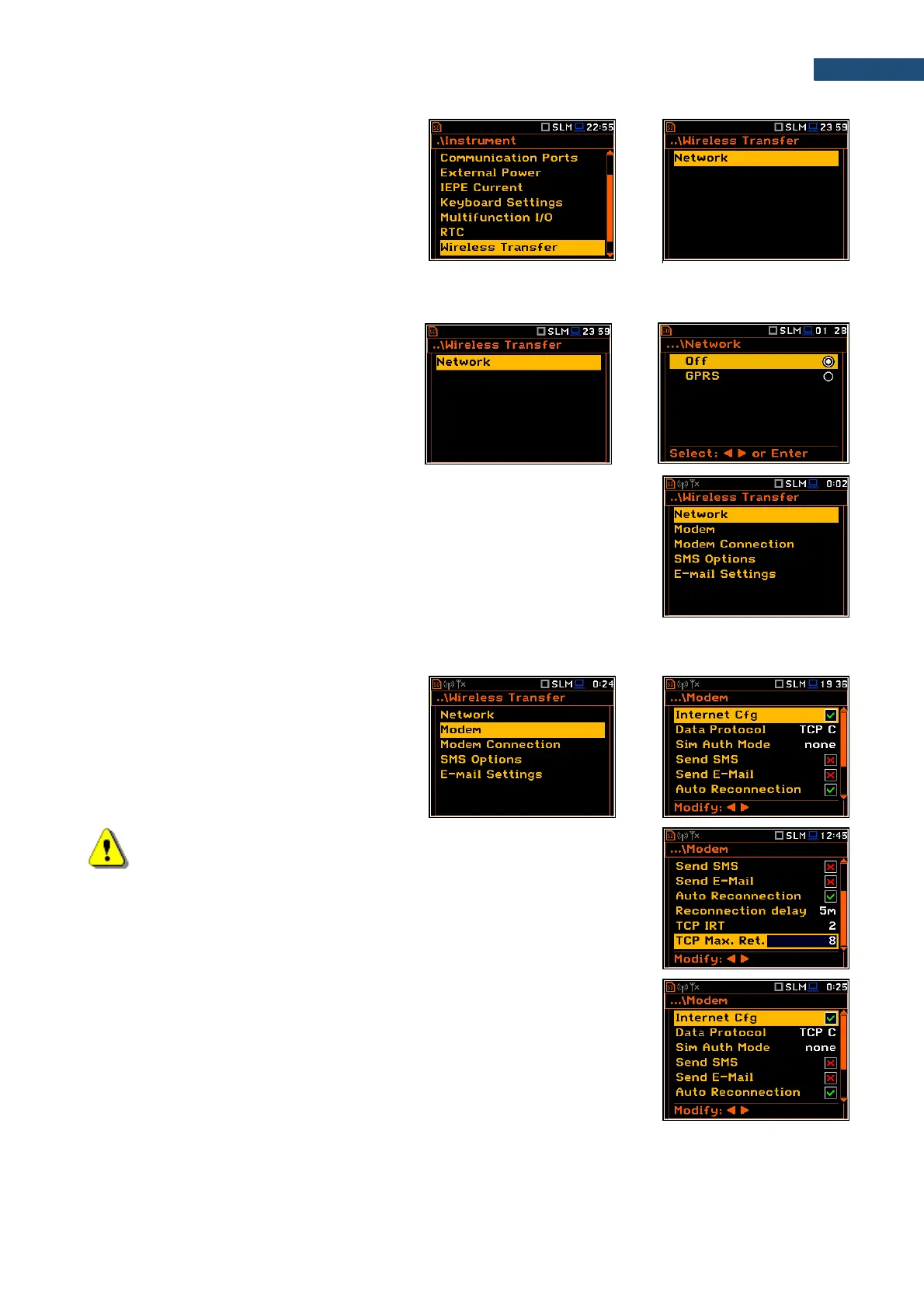
The Wireless Transfer position allows to
select the network type and set the
parameters of data transmission.
8.9.1. Selecting network type – Network
In the Network screen you can disable (Off)
data transfer or enable it selecting GPRS.
If the GPRS network is selected the Wireless Transfer screen will have
additional positions enabling configuring GPRS connection: Modem,
Modem Connection, SMS Options and E-mail Settings.
8.9.2. Configuring modem basic settings – Modem
The Modem position allows to configure
modem and data transmission settings.
Note: For connection with the SvanNET server, the positions in the
Modem list should be set on default values as is shown on the screen-
shots above and right-hand.
The Modem screen contains following parameters:
• Internet Cfg – if it is switched on, the instrument will automatically configure
the modem right after turning on.



 To Next Page