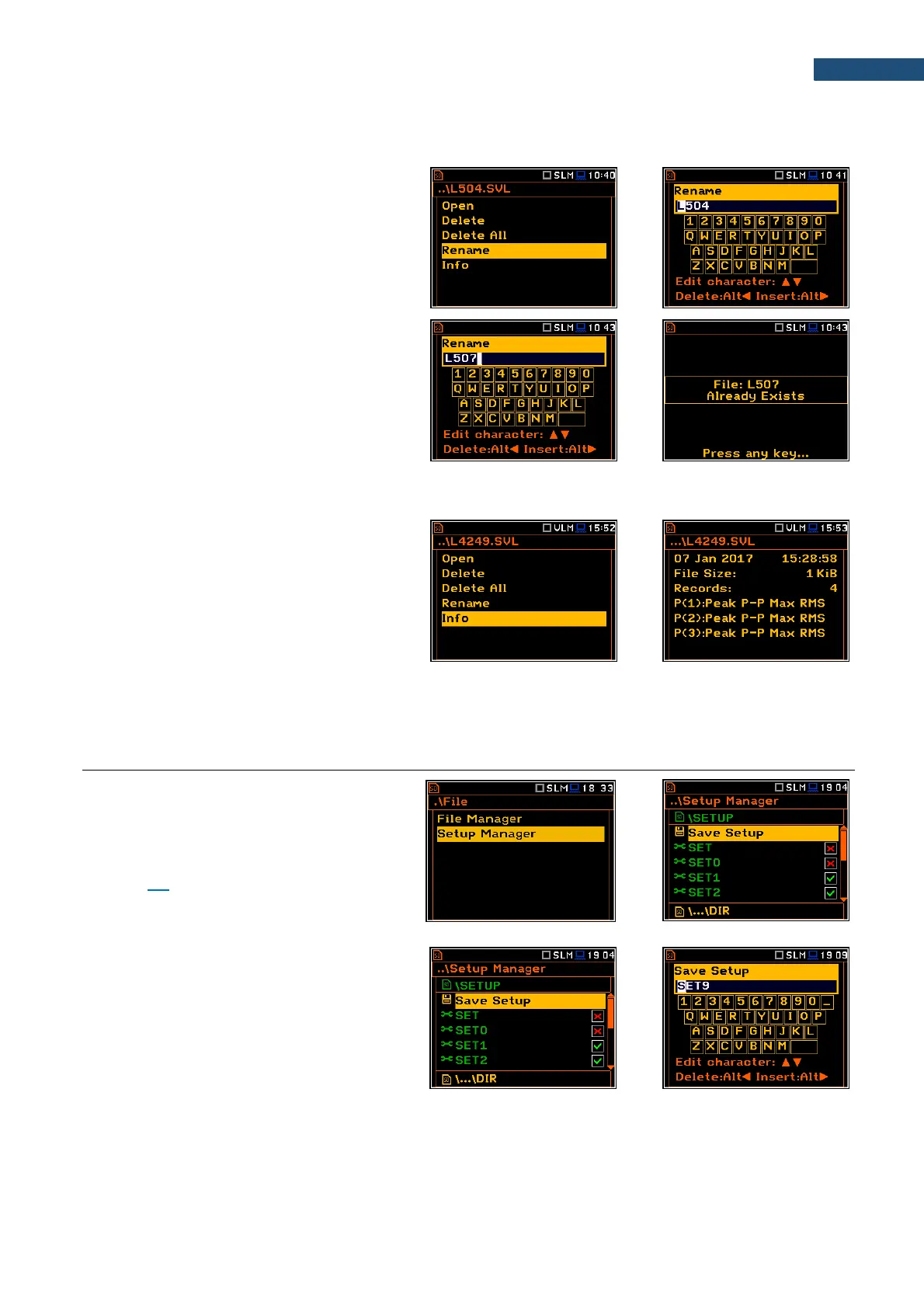
7.1.5 Renaming files/directories – Rename
You can rename files or directories. To do this,
select the desired file or directory and press
<ENTER>. Select the Rename position in the
command list and press <ENTER>. The
special screen with editor function will be
opened.
If a file with the new name is already exists in
the directory, the warning will be generated
and rename command will not be performed.
After pressing any key, the instrument will
return to the editor screen.
7.1.6 Viewing information about files/directories – Info
You can view information about a file or a
directory. To do this, select the desired
file/directory and press <ENTER>. Select the
Info position in the command list and press
<ENTER>. The information screen will be
opened.
The file Info screen contains information about: date and time of file creation, file size, number of records with
summary results and results saved with the logger step for three profiles.
7.2 MANAGING THE SETUP FILES – SETUP MANAGER
Setup Manager enables saving new setup
files, deleting, renaming or loading them. You
can also select the setup files which will be
presented on the Select Setup screen
appeared after turning the instrument on (see
Chapter 3.3).
All setup files are stored in the default SETUP
directory on the SD-card.
Saving setup files
It is possible to save only current instrument’s
settings. To save current settings in the setup
file, press <ENTER> on the Save Setup
position and edit the setup file name in the text
editor screen. Up to 8 characters can be used
to name a setup file.



 To Next Page