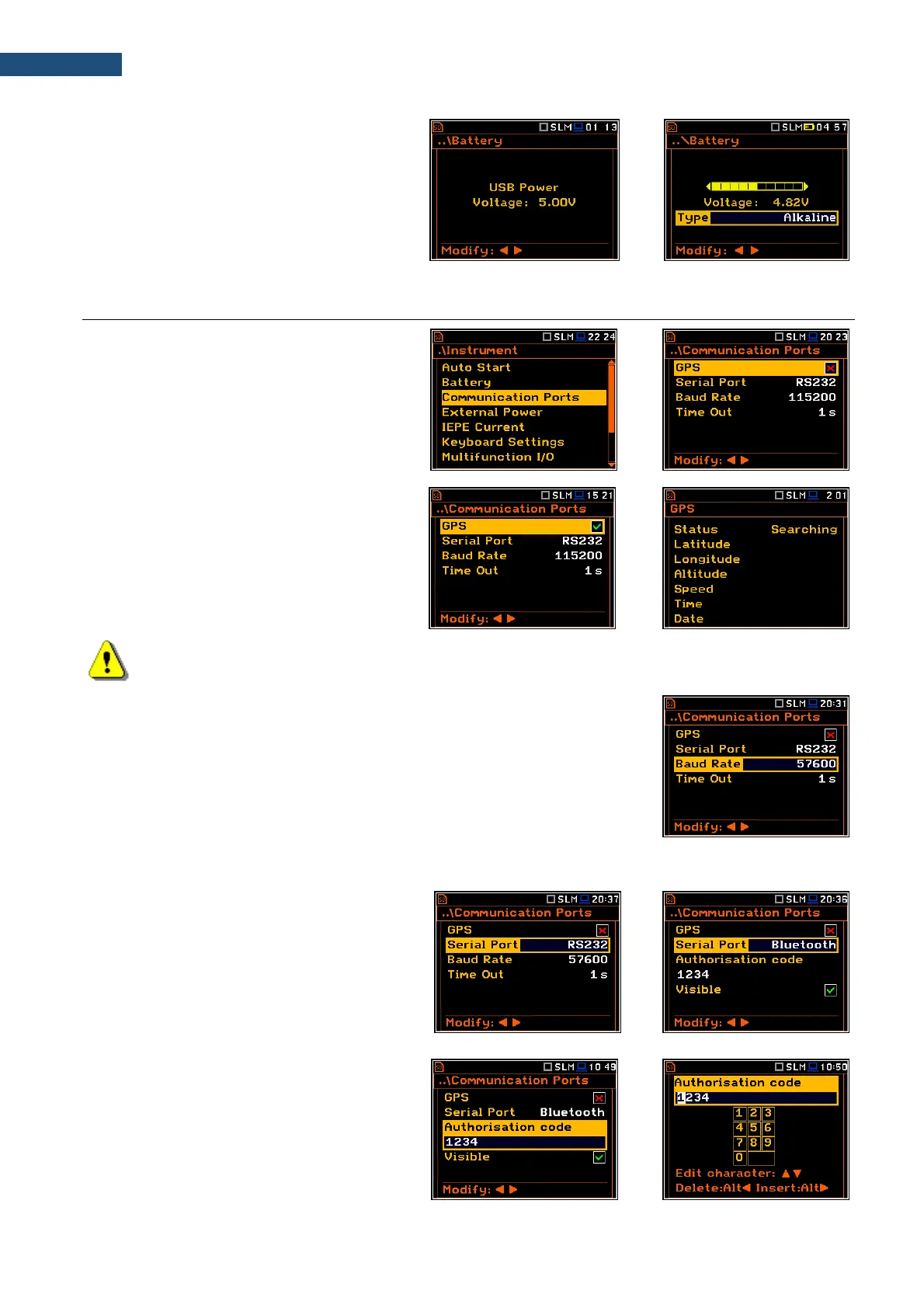
When the instrument is powered from a set of
internal batteries you should select the correct
battery type (Alkaline or Rechargeable). It is
essential for the right detection of the capacity
of the battery pack.
8.3. INTERFACE PARAMETERS SETTINGS - COMMUNICATION PORTS
The Communication Ports position enables
selecting and programming the
communication port(s) of the instrument (GPS
and/or Serial Port).
As a serial port, you can select RS232 or
Bluetooth.
The GPS function works with the external
GPS, which is a part of the monitoring station.
If GPS is switched on the GPS view becomes
active (path: <Menu> / Display /
Display Modes), which shows the GPS status,
co-ordinates, velocity and direction.
Note: The GPS results are transmitted to the instrument from the GPS module of the SV 277 PRIME
monitoring station.
For the RS232 serial port, two parameters should be defined: transmission
speed (Baud Rate: 1200, 2400, 4800, 9600, 19200, 38000, 57600 or
115200 bits/s) and the time limit during which the data transfer should be
performed (Time Out).
The transmission speed should be the same as in the connected device to
ensure successful data transfer.
The default value of the Time Out parameter is equal to one second, but this
may be too short for the printers, which are not fast enough. In such cases, the
Time Out parameter should be increased.
To use the Bluetooth
®
interface, you should
key in the Authorisation code to pair another
device with the instrument.
If Visible is enabled, the instrument will be
visible during searching of Bluetooth units by
other devices. The instrument can
communicate also with inactive Visible
parameter.
Authorisation code can be changed in the
text editor screen with a virtual keyboard,
which is opened with the ◄ / ► key.



 To Next Page