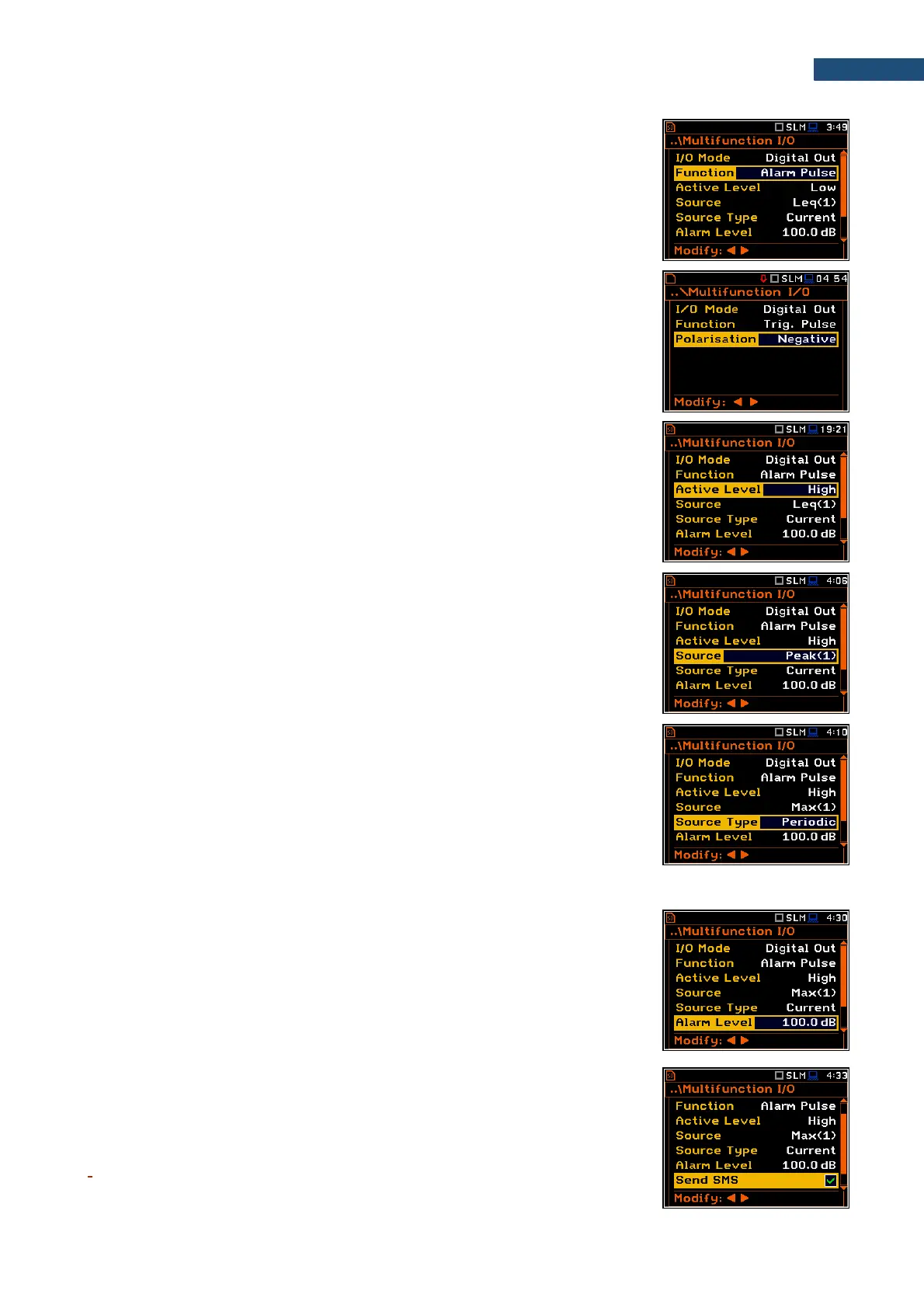
Function of the Digital Out mode
The Function position allows to select the function of the digital output of the
I/O instrument’s socket. The socket can be used as a source of the trigger pulse
(Trigger Pulse) which starts the measurement in another “slave instrument”
linked to the “master instrument” or as an alarm signal, which appears there
after fulfilment of certain conditions (Alarm Pulse).
Polarisation of the digital output trigger pulse
The Polarisation parameter defines the output trigger pulse polarisation:
Negative or Positive.
Active level of the alarm pulse
The Active Level parameter defines which level of the signal should be treated
as a valid one: Low or High (“negative” or “positive” logic).
Alarm trigger result
The Source parameter defines the result, the level of which should be checked
for the alarm triggering. If the result level is greater than the threshold level
(Alarm Level), the instrument will generate an alarm signal on the I/O socket.
The results from the first profile: Leq(1), Peak(1), Max(1) or Spl(1) can be
selected as an alarm trigger source.
Type of Alarm source
The Source Type parameter defines the type of an alarm source: Current or
Periodic.
Current means that the alarm pulse will be generated all the time when the
Source result averaged with 1-second step is over the Alarm Level value.
Periodic means that the alarm pulse will be generated all the time when the
Source result averaged with Integration Period step is over the Alarm Level
value.
Alarm trigger threshold level
The Alarm Level parameter defines the threshold level for triggering an alarm
pulse generation. If the Source value is greater than the Alarm Level, the
instrument will generate the alarm signal with the selected logic. The available
levels are within the range [30.0 dB, 140 dB] in the Sound mode and [60.0 dB,
180 dB] in the Vibration mode.
SMS alarm message
When the alarm is generated during the measurement, the SMS message may
be sent (Send SMS) to the phone number, defined in the SMS Option screen
(path: <Menu> / Instrument / Wireless Transfer / SMS Options).



 To Next Page