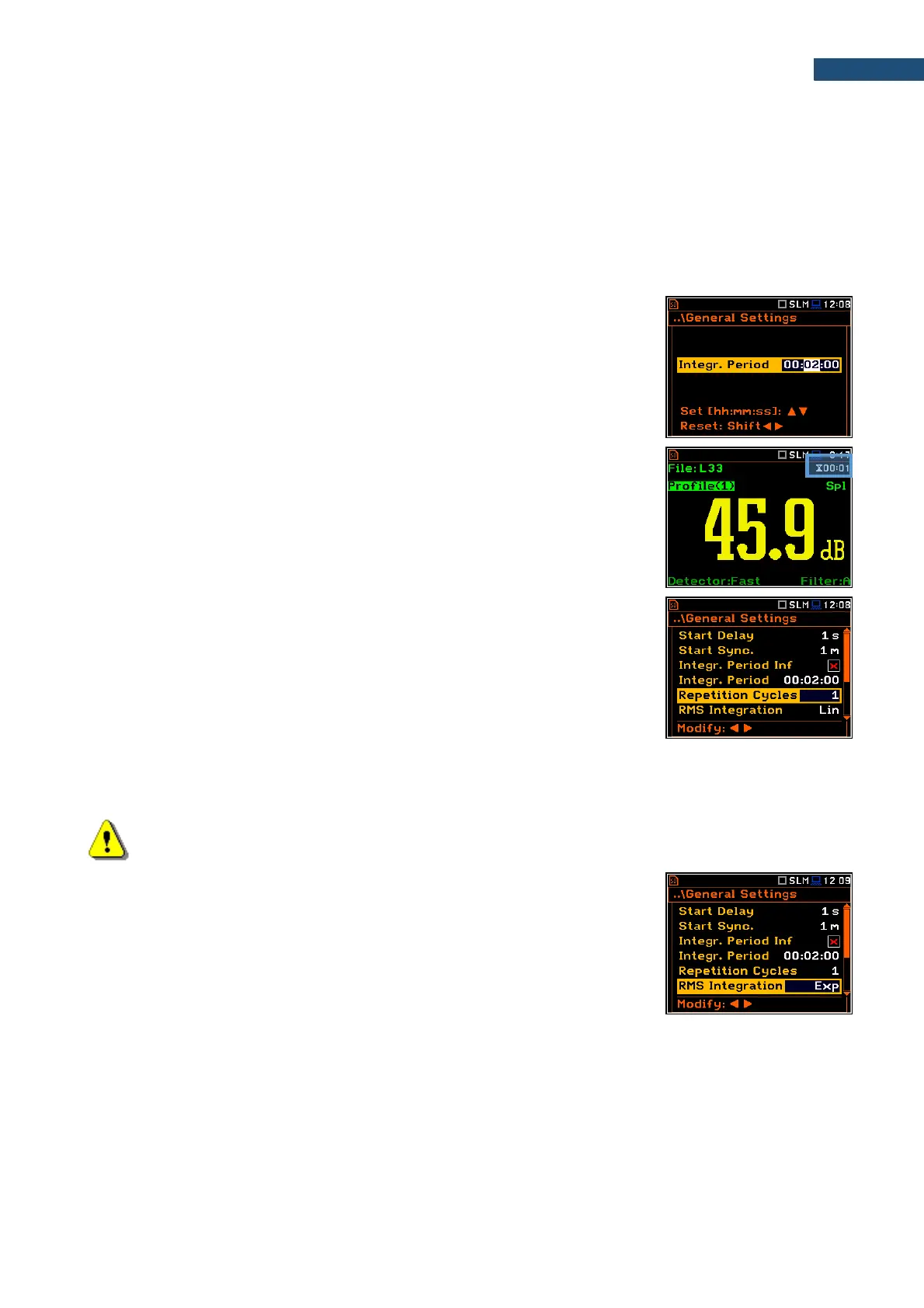
During the Integration Period, the instrument performs series of 1-second measurements/integrations, and
every second averages 1-second results with the results averaged for n-1 seconds. These averaged results are
displayed and renewed every second for the elapsed measurement time (n seconds). In the end of the
Integration Period the averaged measurement results are saved in the logger file providing that such saving is
enabled.
The measurement will stop automatically after this period and start again if the number of Repetition Cycles is
greater than one.
The definitions of the measurement results in which the integration period is used are given in Appendix D.
To set the integration period you should define the required hours, minutes and
seconds fields.
▪ The appropriate field may be selected with the ◄ / ► key.
▪ Value of hour, minute and second is changing with the ▲ / ▼ key.
The time passed from the measurement start is displayed in the right upper
corner of the measurement screen in the format ⌛mm:ss in the range from
00:00 to 59:59, or in the format ⌛hh:mm:ss in the range from 01:00:00 to
99:59:59, or in the format ⌛xxxh from 100h to 999h, and ⌛>999h if the elapsed
time exceeds 999 hours. Its maximum value is equal to the Integration Period
and the elapsed time is zeroed when the new measurement cycle starts.
Number of measurement repetitions
The Repetition Cycles parameter defines the number of measurements (with
the measurement period defined by the Integration Period) to be performed by
the instrument after the <Start/Stop> keystroke. The Repetition Cycles
number values are within the limits [Inf, 1÷1000].
This enables to make a series of measurements without pressing the <Start>
key and save this series in the file.
For example, if the Integration Period is equal to 8 hours and the Repetition Cycles is equal to 2, the instrument
performs first integration for the 8-hour period from the measurement start and second integration for the 8-hour
period from the end of the first integration. At the end of each cycle the 8 hours LEQ will be saved in the file.
Note: In case of an infinite integration period or infinite repetition cycles the measurement should be
stopped with the <Start/Stop> key.
Detector type
The RMS Integration parameter defines the detector type for the integration of
the RMS based results. Two options are available: linear (Lin) and exponential
(Exp). The formulae used for the Leq calculation are given in Appendix D.
For sound measurements, Leq, SEL, LEPd, Lden results can be calculated with
both detectors, and Lmax, Lmin, Spl, Ltm3, LTeq results – only with the
exponential detector.
For vibration measurements, RMS result can be calculated with both detectors,
and Max results – only with the exponential detector.



 To Next Page