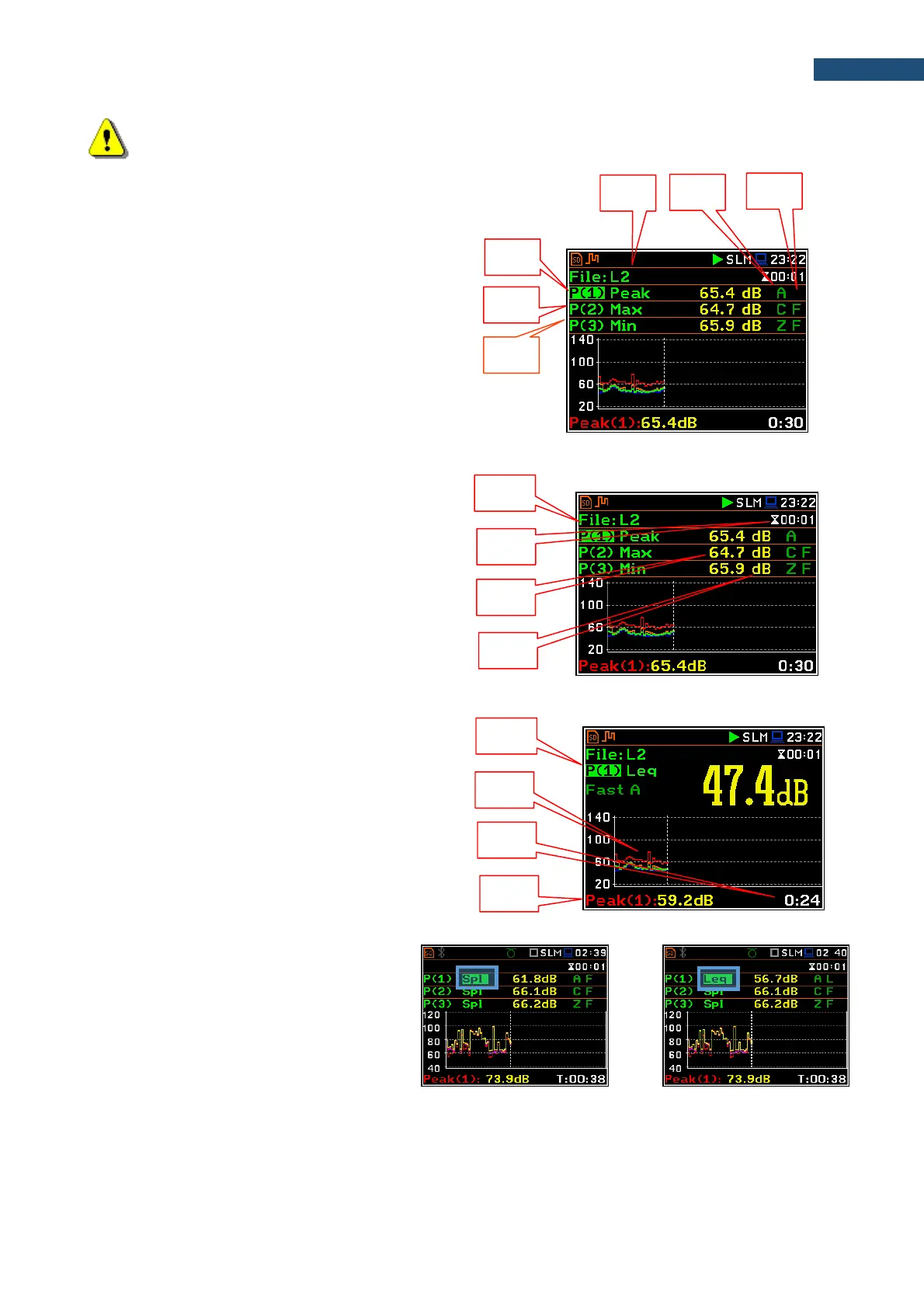
Note: Detector type for the displayed result depends on settings in General Settings and Profiles
lists (path: <Menu> / Measurement). There is no displayed indication of the detector in case of Peak,
P-P and Ovl results (see Appendix D).
3 Profiles view fields
1. Result line for Profile 1.
2. Result line for Profile 2.
3. Result line for Profile 3.
4. Result name: Spl, Leq, SEL, Lden, LEPd, Ltm3,
LTeq, Lnn, EX, SD, LR1, LR2, Ovl, Peak, Max,
Min for Sound measurements or RMS, Ovl, Peak,
P–P for Vibration measurements.
5. Weighting filter: A, B, C, Z, U, UA, LF for Sound
measurements. For Vibration measurements this
field is skipped.
6. Detector type: L (Linear) or: I (Imp.), F (Fast), S
(Slow) for Sound modes. For Vibration
measurements this field is skipped.
7. Units of the measured value.
8. Value of the measured result.
9. Elapsed time, showing the current second of the
measurement. The value presented here belongs
to the range [1, Integration Period].
10. File name when Logger is enabled (path: <Menu>
/ Measurement / Logging / Logger Setup).
Changing the field content
The content of some fields can be changed
with the ◄ / ► key pressed with <Alt>.



 To Next Page