Maintain the sample management system
July 29, 2013, 715003794 Rev. B 217
• The sample carousels do not turn properly.
• The carousel carrier does not engage.
Required materials
• Wrench, Allen, 3-mm
• Nonabrasive cleaner
To access the sample compartment:
1. Open the sample compartment and syringe cover doors (see the figure
“Sample management system components (front view):” on page 199).
2. Remove the five carousels.
Tip: Use the Door is Open dialog box to move the carousel carrier to the
“A” position (see “Load carousels” on page 111).
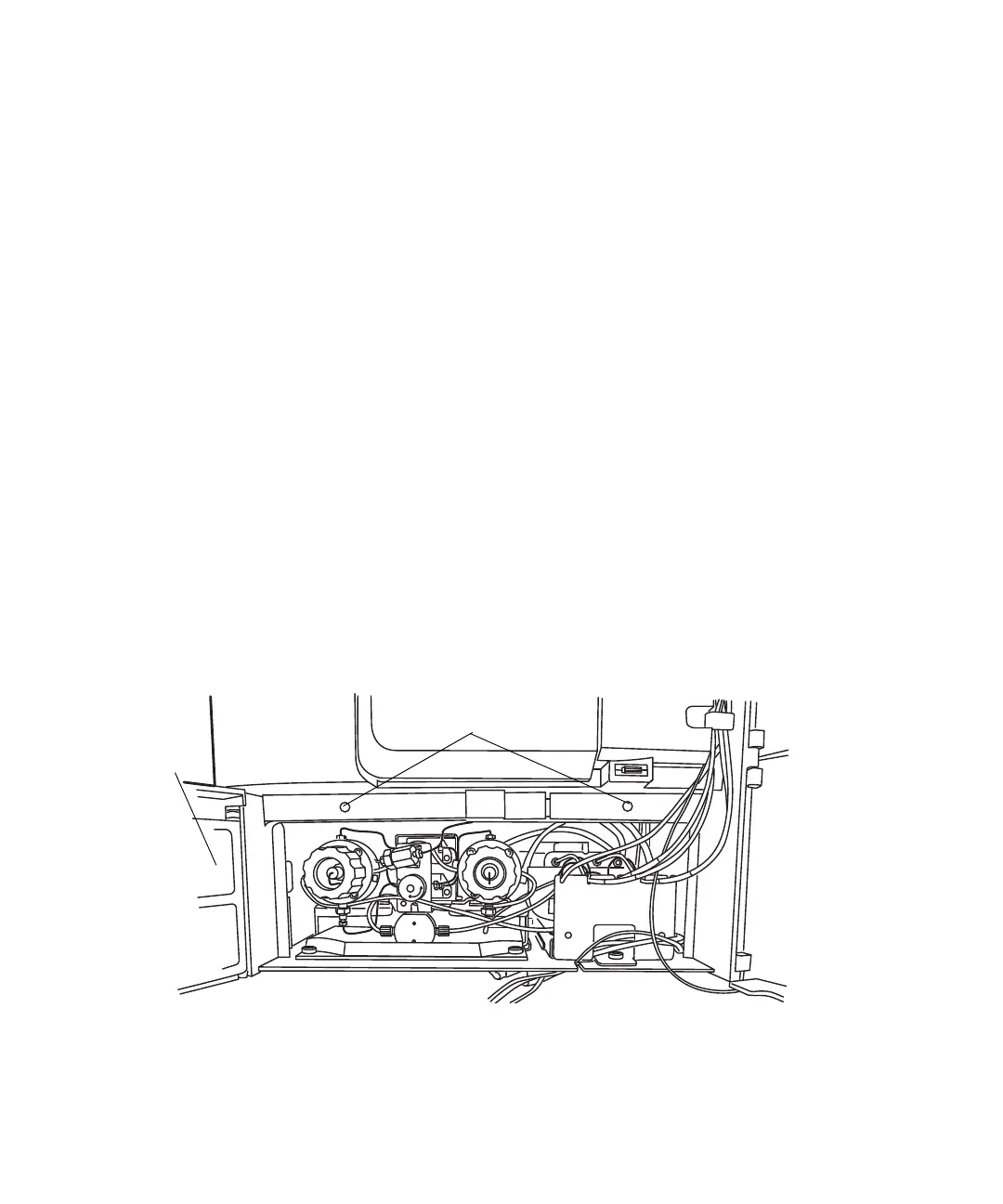
3. Open the solvent delivery tray and solvent conditioning tray access
doors (see the figure “Access the sample compartment:” on page 217).
4. Use the Allen wrench to loosen the two sample compartment front panel
screws.
Access the sample compartment:
5. Pull the sample compartment front panel towards you to remove the
panel.
Solvent
conditioning tray
access door
Sample compartment
front panel screws
Solvent
delivery tray
access door



 To Next Page