Service Manual FB 7100
January, 2005 5C - 3
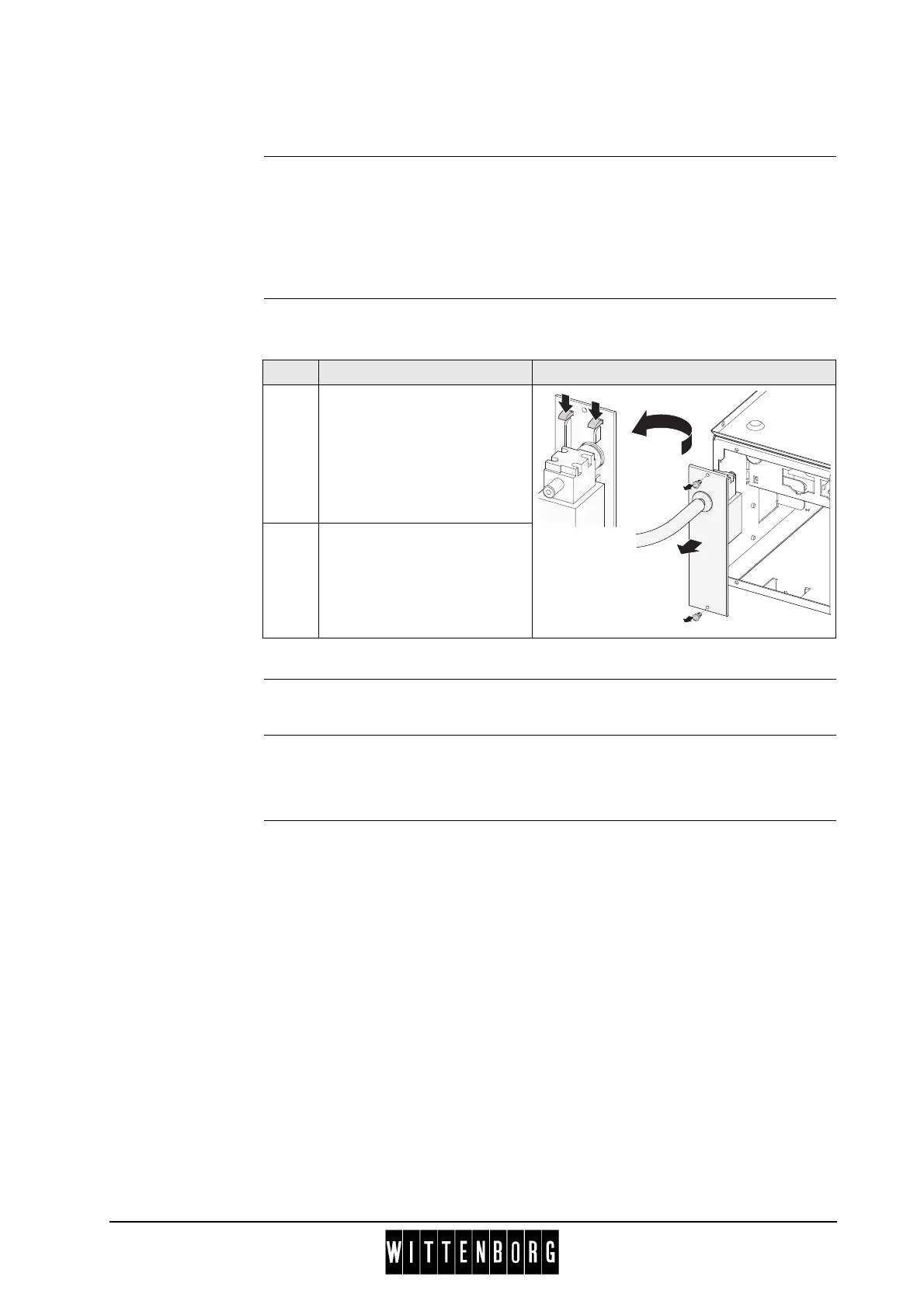
C.2.2 Removing the hot water module
Preparation Before removing the hot water module
• Open the door.
• Switch off the main switch.
• Remove instant ingredient mixing unit next to hot water module, see
this section, page 5C-2.
Removing Follow these steps to remove the hot water module:
Installation Installation is done in reverse order.
C.2.3 Removing the cover plate for the instant module
Preparation Before removing the cover plate
• Open the door.
• Switch off the main switch.
• Remove instant ingredient canisters.
• Remove tray under canisters.
Step Action Illustration
1 Remove the two plastic rivets
(1) from the hot water
module.
Detach module from bracket
by flexing upper or lower
locking tabs and pulling out
the module.
2 Disconnect plug connection
from the connection rail.
1
1
2



 To Next Page