Service Manual FB 7100
January, 2005 5G - 5
G.2.5 Removing the selection panel
Preparation Before removing the selection panel:
• Open the door.
• Switch off the main switch.
• Remove the coin mechanism, see this section, page 5G-2.
Caution:
Electrostatic discharge may cause damage to Printed Circuit Boards
(PCBs) and electronic components.
To avoid damage:
• Always wear an anti-static wrist wrap when handling PCBs or
electronic components.
• Alternatively touch a metal area of the earthed cabinet to discharge
static electricity from your body prior to touching any PCB or
electronic component.
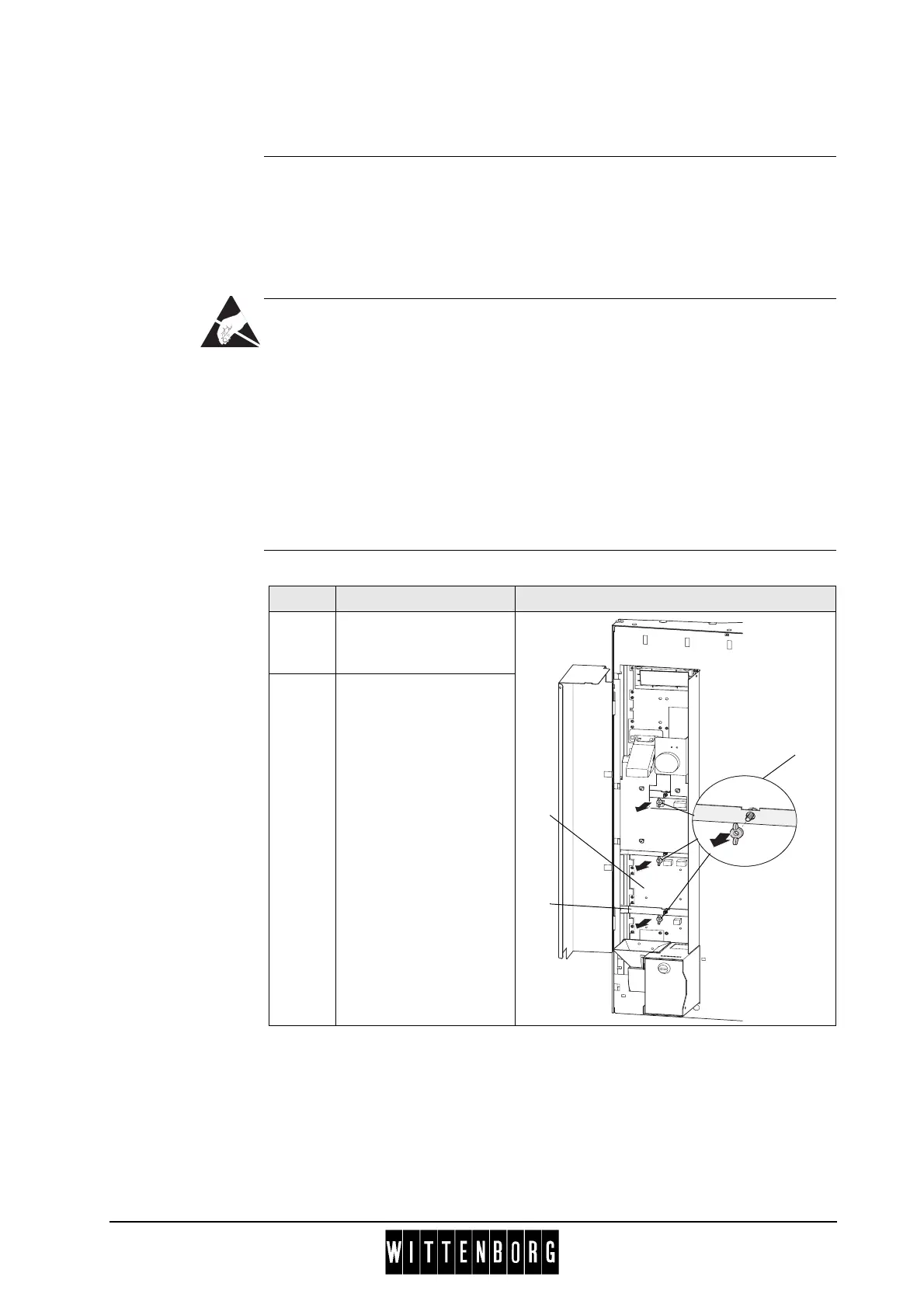
Removal Follow these steps to remove the selection panel:
Step Action Illustration
1 Loosen the three wing
nuts (
1) at the back of
the selection panel.
2 From rear side of door
press the selection
panel (
2) out of the
mounting frame (
3).
1
2
3



 To Next Page