Service Manual FB 7100 Replacing a selection button
January, 2005 5G - 9
Installation Installation is done in reverse order.
G.2.7 Removing the advertising poster frame
Preparation Before removing the advertising poster frame
• Open the door
• Switch off the main switch.
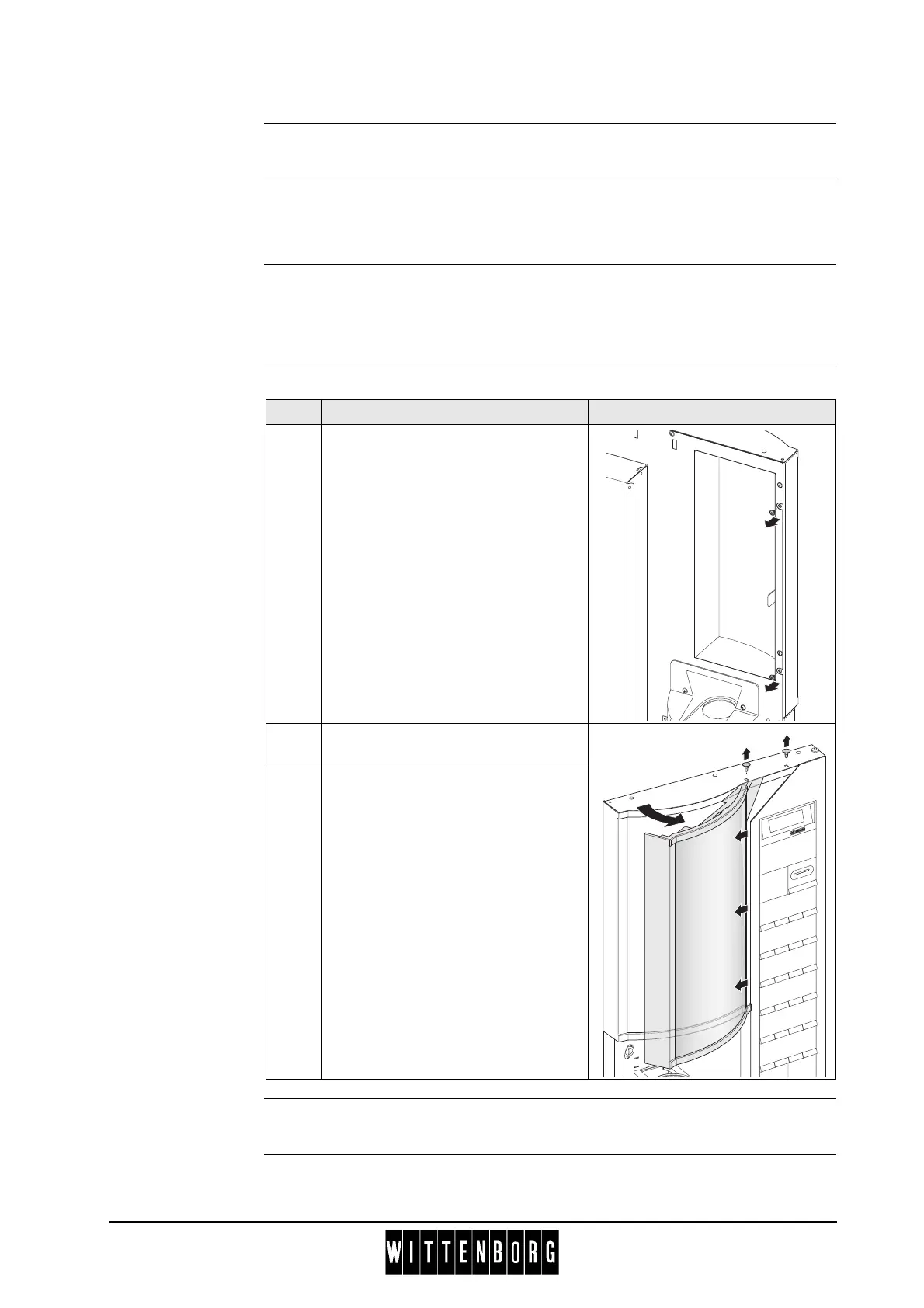
Removal The procedure for removing the advertising poster is as follows:
Installation Installation is done in reverse order.
Step Action
1 Remove two screws at lock side of
door.
2 Remove the two stop pins at top of
the hinge side of door.
3 Remove advertising poster frame by
first rotating and then carefully
pulling leftwards out of the wing.



 To Next Page