Service Manual FB 7100 Replacing the SPC circuit board
January, 2005 5K - 13
K.2.13 Replacing the SPC circuit board
Preparation Before replacing the SPC circuit board:
• Open the door.
• Switch off the main switch.
• Remove the coin mechanism, see chap. 5.G.2.2, page 5G-2.
• Remove the selection panel, see chap. 5.G.2.5, page 5G-5.
Caution:
Electrostatic discharge may cause damage to Printed Circuit Boards
(PCBs) and electronic components.
To avoid damage:
• Always wear an anti-static wrist wrap when handling PCBs or
electronic components.
• Alternatively touch a metal area of the earthed cabinet to discharge
static electricity from your body prior to touching any PCB or
electronic component.
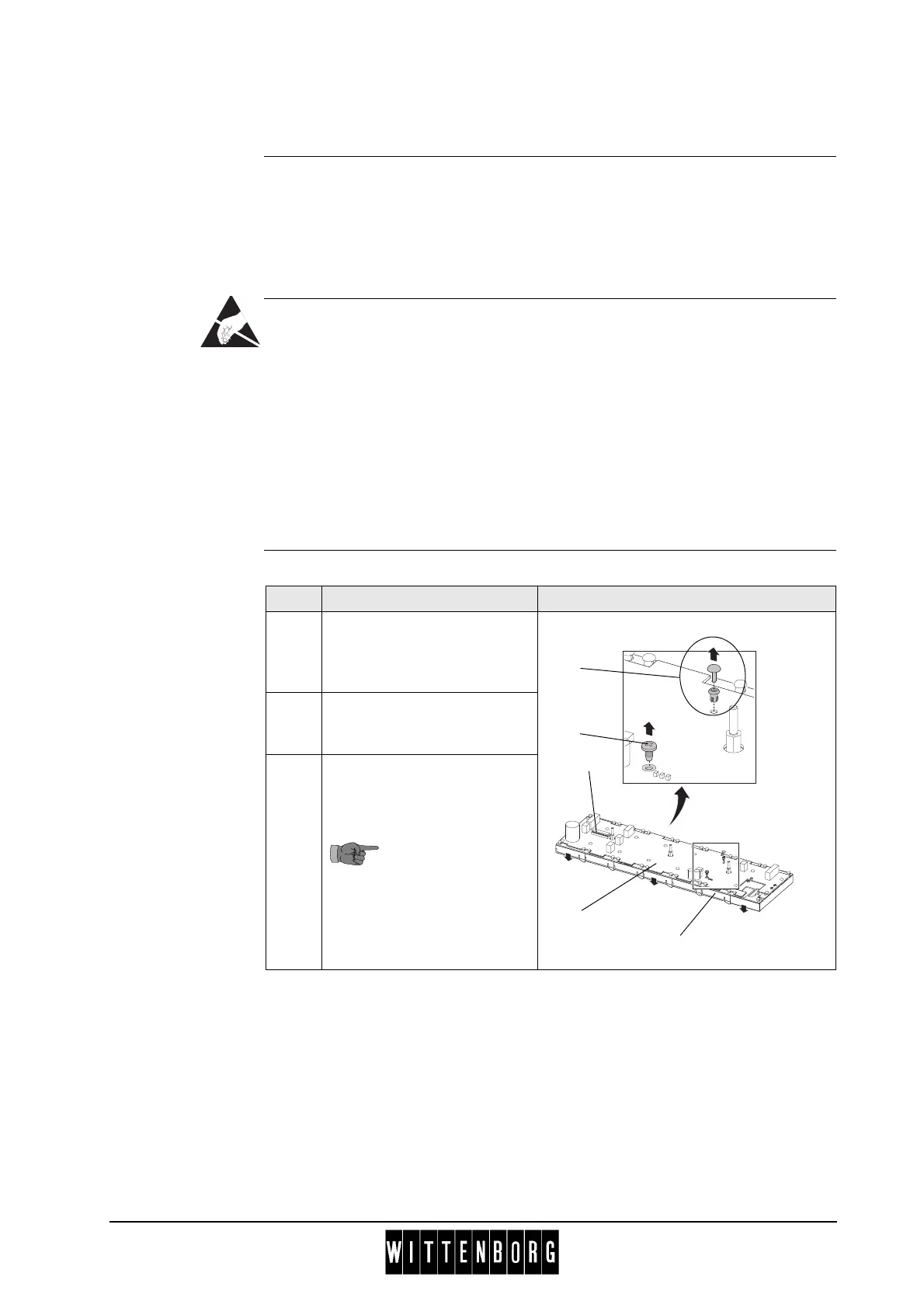
Replacement Follow these steps to replace the SPC circuit board:
Step Action
1 Place the selection panel (1)
on a flat surface with the
selection buttons facing
downwards.
2 Loosen and remove earthing
screw (2) from the SPC
circuit board.
3 Remove 15 plastic push-in
rivets (3) (drive pin (a) and
socket (b)) using a flat tool.
Take care not to
damage the
elements on the
SPC circuit board.
Do not reuse the
plastic push-in
rivets after removal.
1
2
3
b
a
4
5



 To Next Page