Service Manual FB 7100 Replacing a selection button
January, 2005 5G - 7
G.2.6 Replacing a selection button
Preparation Before replacing a selection button:
• Open the door.
• Switch off the main switch.
• Remove the coin mechanism, see this section, page 5G-2
• Remove the selection panel, see this section, page 5G-5
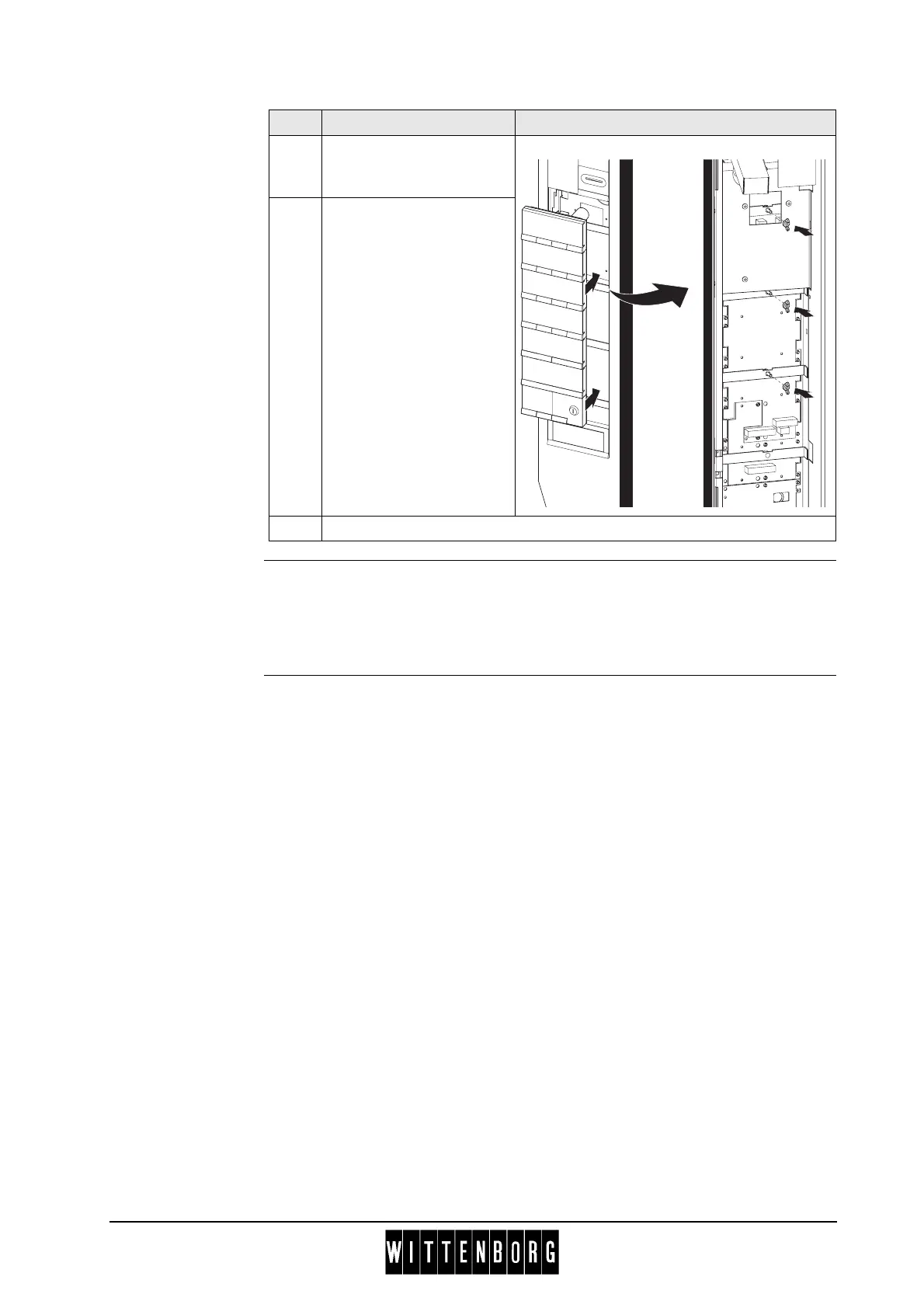
2 Push selection panel with
SPC circuit board back
into its mounting frame.
3 From rear side of door
fasten selection panel with
three wing nuts.
4 Reinstall all remaining parts in door.
Step Action Illustration



 To Next Page