Service Manual FB 7100
January, 2005 5D - 1
D Product Delivery
D.1 Adjustments
Not available here.
D.2 (Dis-)assemblies
D.2.1 Replacing the opto-sensor glasses for cup sensors
Preparation Before replacing the opto sensor glasses for cup sensors:
• Open the door
• Switch off the main switch.
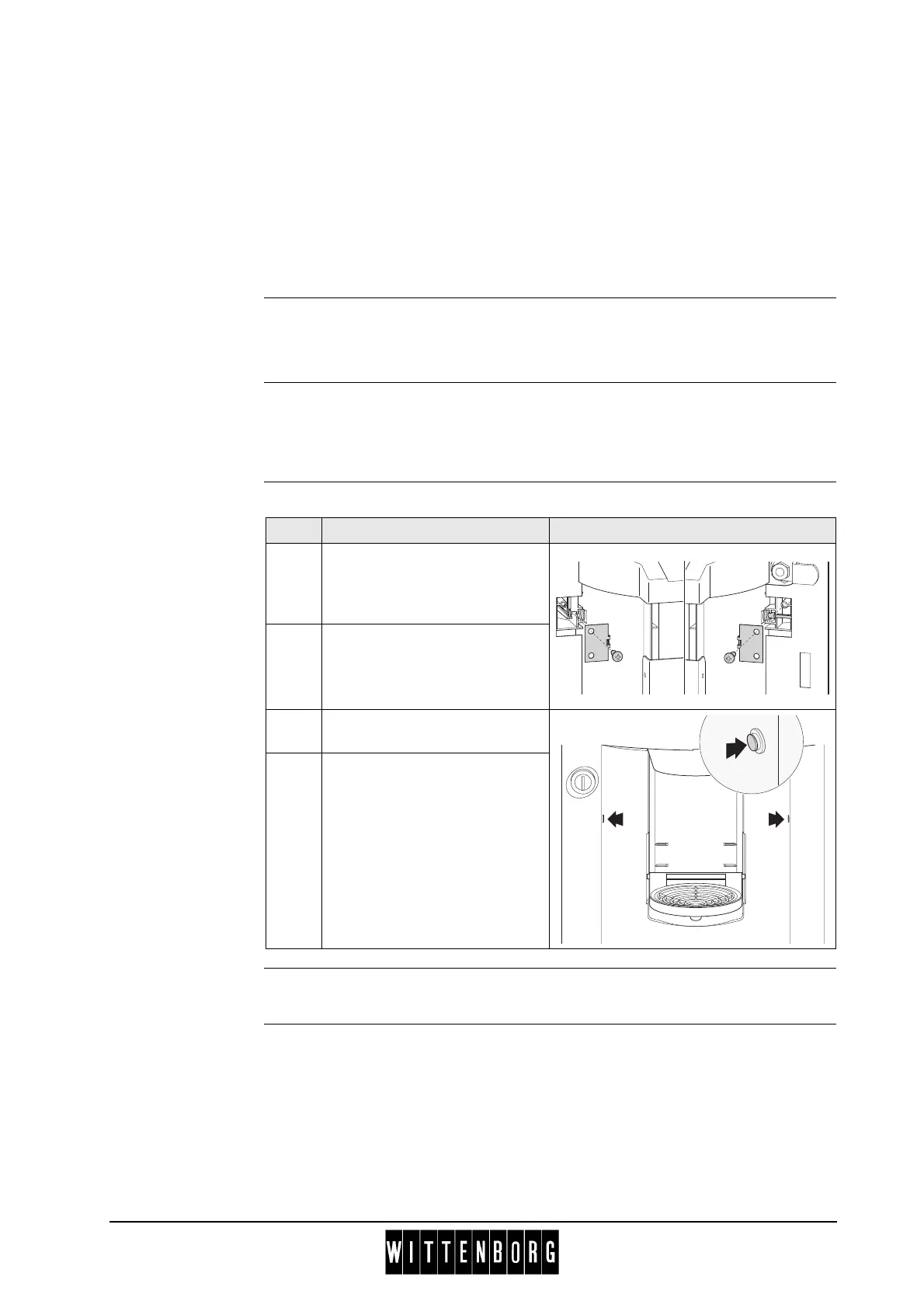
Replacement Follow these steps to replace the opto-sensor glasses:
Installation Installation is done in reverse order.
Step Action Illustration
1 Unscrew one screw of the
holder for opto-diode and one
screw of the holder for opto-
transmitter, respectively
2 Remove opto-diode and opto-
transmitter from their holders.
3 Push out glasses from front
side of door and remove.
4 Replace the glases for opto-
diode and opto-transmitter,
respectively.



 To Next Page