Service Manual FB 7100
January, 2005 5K - 3
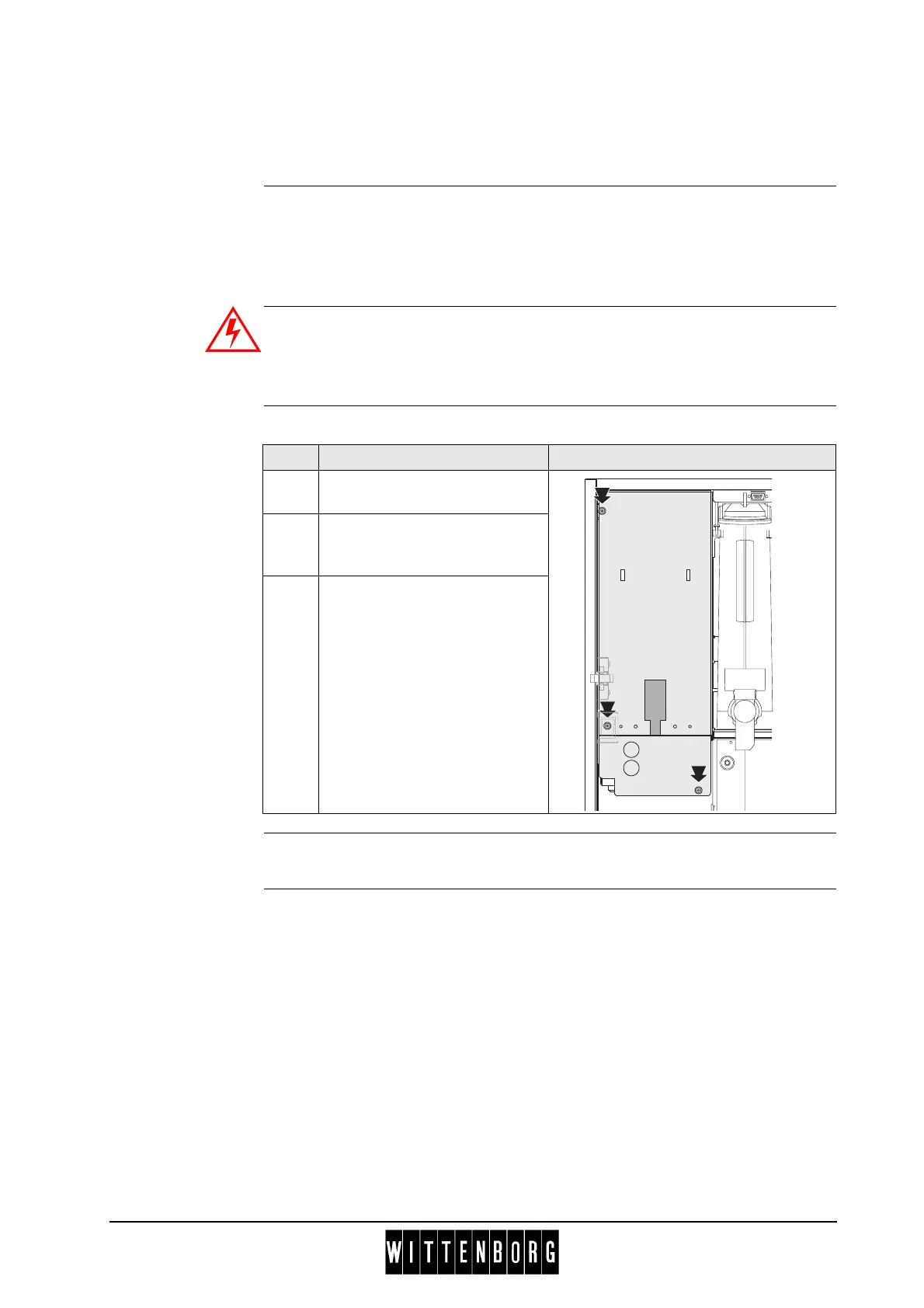
K.2.3 Removing the cover plate
for power supply box, FB print and CPU
Preparation Before removing the cover plate for power supply box:
• Disconnect the power supply.
• Open the door.
• Remove the freshbrewer unit, see chap. 5.B.3.2, page 5B-4.
Ensure that the machine is disconnected from the mains electrical supply!
The machine is only isolated from the mains supply when the plug has
been pulled out.
Removal Follow these steps to remove the mounting plate for power supply box:
Installation Installation is done in reverse order.
Step Action Illustration
1 Loosen three screws on
mounting plate.
2 Pull forward to release the two
hooks at the top of the
machine.
3 Remove electrical connection
from print board, and lift out
cover plate.



 To Next Page