EasyManua.ls Logo

YASKAWA Z1000 - User Manual

YASKAWA Z1000
400 pages
Print Icon
To Next Page IconTo Next Page
Loading...
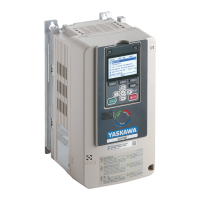
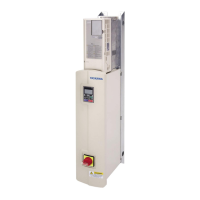
YASKAWA AC Drive Z1000
AC Drive for HVAC Fan and Pump
User Manual
MANUAL NO. TOEP C710616 45F
Models:
200 V Class: 2.2 to 110 kW (3 to 150 HP)
400 V Class: 2.2 to 370 kW (3 to 500 HP)
To properly use the product, read this manual thoroughly and retain
for easy reference, inspection, and maintenance. Ensure the end user
receives this manual.
Type: CIMR-ZUA
COSMOS(レター)(英文)新CI
Mechanical Installation
2
3
Electrical Installation
1
Receiving
4
5
A
B
A
D
E
6
Peripheral Devices &
Options
C
BACnet Communications
Quick Reference Sheet
SpecificationsSpecifications
Parameter List
Start-Up Programming &
Operation
Troubleshooting
Standards Compliance

Table of Contents

Other manuals for YASKAWA Z1000

Questions and Answers

  • S
    Sean BakerSep 4, 2025
    What causes a motor overload on my YASKAWA Controller?
    • K
      Kelly ThomasSep 5, 2025
      A motor overload on your YASKAWA Controller can be caused by: * An excessively heavy load: Reduce the load. * Cycle times that are too short during acceleration and deceleration: Increase the acceleration and deceleration times (C1-01 through C1-04). * Driving a general-purpose motor below its rated speed with a high load: Reduce the load, increase the speed, or use a motor specifically designed for low-speed operation.
  • K
    Kathleen LawsonAug 25, 2025
    How to fix poor motor torque at low speeds in YASKAWA Z1000 Controller?
    • J
      jeremy42Aug 25, 2025
      If motor torque is insufficient at speeds below 10 Hz, increase the setting. If motor instability occurs at motor start, reduce the setting.
  • B
    Bradley WhiteheadAug 25, 2025
    What to do if my YASKAWA Controller shows a Ground Fault error?
    • B
      Bailey MaddenAug 26, 2025
      If a current short to ground exceeds 50% of the rated current on the output side of the YASKAWA Controller drive, try resetting the drive by pushing the Reset key on the keypad or cycle the power supply.
  • A
    Angela SandersSep 12, 2025
    What does control circuit error mean on YASKAWA Z1000 Controller?
    • E
      Evan HamptonSep 12, 2025
      A control circuit error on your YASKAWA Controller indicates a self-diagnostic error in the control circuit. Cycle power to the drive. If the problem continues, replace the control board or the entire drive.
  • N
    nmosesSep 22, 2025
    How to fix 'Cycle Power to Active Parameters' error on YASKAWA Network Accessory?
    • C
      Cody GeorgeSep 22, 2025
      If you receive a 'Cycle Power to Active Parameters' message with your YASKAWA Network Accessory, this indicates that the drive is not compatible with the option software version. To fix this, turn off the power and upgrade the communication option parameters. This alarm can occur when the option software version is older or an incompatible option is installed to the drive.
  • K
    Kathryn ChapmanSep 8, 2025
    What causes a DC bus undervoltage on a YASKAWA Z1000?
    • T
      tkimSep 8, 2025
      A DC Bus Undervoltage error in your YASKAWA Controller can be caused by: * Input power phase loss: The main circuit drive input power is wired incorrectly. Correct the wiring. * Problems with the voltage from the drive input power: Check the voltage and correct it to be within the range listed in the drive input power specifications. If there is no problem with the power supply to the main circuit, check for problems with the main circuit magnetic contactor. * Worn main circuit capacitors: Check the maintenance time for the capacitors (U4-05). Replace either the control board or the entire drive if U4-05 exceeds 90%.
  • C
    Christine MarshallSep 1, 2025
    How do I resolve a Control Board Connection Error on my YASKAWA Z1000 Controller?
    • B
      Bryce ShortSep 1, 2025
      If there is a connection error between the control board and the drive, reset the YASKAWA Controller drive by pushing the Reset key on the keypad or cycle the power supply.
  • K
    Katelyn BakerSep 23, 2025
    What to do if YASKAWA Network Accessory shows Option Card External Fault?
    • D
      Derrick ChandlerSep 23, 2025
      If you're encountering an external fault with your YASKAWA Network Accessory option card, it means the PLC is sending an external fault signal, and F6-03 is not set to 3. To resolve this, identify and remove the cause of the external fault or remove the external fault input from the PLC.
  • I
    ijohnsonSep 16, 2025
    What does cooling fan maintenance time mean on YASKAWA Z1000 Controller?
    • C
      Christopher FritzSep 16, 2025
      Cooling fan maintenance time on your YASKAWA Controller indicates that the cooling fan has reached 90% of its expected performance life. Replace the cooling fan and set o4-03 to 0 to reset the Maintenance Monitor.
  • M
    Matthew WilsonAug 28, 2025
    How to fix Undervoltage error on YASKAWA Controller?
    • K
      Kathleen RothAug 28, 2025
      If the DC bus voltage dropped below the level specified in L2-05, the contactor to suppress inrush current in the drive was opened, or there is low voltage in the control drive input power when the drive was stopped and a Run command was entered, you can reset the YASKAWA Controller drive by pushing the Reset key on the keypad or cycle the power supply.

Summary

Preface & General Safety

Preface

Information on Yaskawa products, responsibilities, and manual usage. Includes applicable documentation, symbols, terms, and trademarks.

General Safety

Provides supplemental safety information and defines safety conventions used in the manual.

Receiving

Section Safety

Safety precautions related to handling and receiving the drive.

General Description

Details on Z1000 model selection and control mode selection.

Model Number and Nameplate Check

Procedures for checking the drive model and nameplate information upon receipt.

Drive Models and Enclosure Types

Lists the available enclosure types for Z1000 drives and associated models.

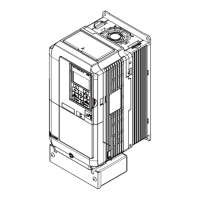
Component Names

Overview of the drive components for IP20/NEMA 1 and IP00/Open-Type enclosures.

Mechanical Installation

Section Safety

Safety precautions for mechanical installation, including fire, crush, and equipment hazards.

Mechanical Installation

Covers installation environment, transporting the drive, and correct installation orientation and spacing.

Electrical Installation

Section Safety

Electrical safety precautions including shock hazards, fire hazards, and handling procedures.

Standard Connection Diagram

Illustrates how to connect the drive and peripheral devices for BACnet communication.

Main Circuit Connection Diagram

Details on wiring the main circuit of the drive for different voltage classes and rectification options.

Terminal Block Configuration

Shows the different main circuit terminal arrangements for various drive capacities.

Terminal Cover

Procedure for removing and reattaching the terminal cover for wiring.

HOA Keypad and Front Cover

Instructions for removing and reattaching the HOA keypad and front cover.

Top Protective Cover

Procedure for removing and reattaching the top protective cover.

Main Circuit Wiring

Describes functions, specifications, and procedures for safely wiring the main circuit.

Control Circuit Wiring

Details proper procedures and preparations for wiring the control terminals.

Control I;O Connections

Covers sinking/sourcing mode, input signal selection, and MEMOBUS/Modbus termination.

Connect to a PC

Instructions on connecting the drive to a PC using a USB port.

External Interlock

Explains how systems affected by drive faults can be interlocked with drive outputs.

Wiring Checklist

A checklist to review before performing wiring to ensure all steps are completed correctly.

Start-Up Programming & Operation

Section Safety

Safety precautions for starting up the drive, including electrical shock hazards.

Using the HOA Keypad

Explains HOA keypad functions, keys, displays, and operation modes.

The Drive, Programming, and Clock Adjustment Modes

Details on Drive Mode, Programming Mode, and Clock Adjustment Mode operations.

Start-Up Flowcharts

Summarizes steps for starting the drive and selecting the most appropriate method for an application.

Powering Up the Drive

Checklist and status display information before and after powering up the drive.

Application Selection

Describes available Application Presets to facilitate drive setup for common applications.

Basic Drive Setup Adjustments

Explains essential settings for initial drive operation and successful start-up.

Auto-Tuning

Details types of Auto-Tuning for induction and PM motors, and input data requirements.

No-Load Operation Test Run

Explains how to operate the drive with the motor decoupled from the load during a test run.

Test Run with Load Connected

Instructions for connecting the machinery to the motor and testing the application under load.

Verifying Parameter Settings and Backing Up Changes

Guidance on checking parameter changes, setting access levels, and backing up values.

Test Run Checklist

A checklist to review before performing a test run to ensure all applicable items are covered.

Advanced Drive Setup Adjustments

Explains advanced settings and parameters required for drive operation.

Troubleshooting

Section Safety

Safety precautions for troubleshooting, including electrical shock and fire hazards.

Motor Performance Fine-Tuning

Information for counteracting oscillation, hunting, and other problems during trial runs.

Drive Alarms, Faults, and Errors

Descriptions of drive faults, alarms, errors, and related displays.

Fault Detection

Details fault displays, causes, and possible solutions for drive protection.

Alarm Detection

Lists minor faults and alarms with their causes and possible solutions.

Programming Errors

Details programming error codes (oPE), their causes, and possible solutions.

Auto-Tuning Fault Detection

Explains auto-tuning fault codes, causes, and possible solutions.

Copy Function Related Displays

Lists messages and errors that may appear when using the Copy function.

Diagnosing and Resetting Faults

Instructions for removing fault conditions and restarting the drive.

Troubleshooting without Fault Display

Addresses common problems that do not trip an alarm or fault.

Peripheral Devices & Options

Section Safety

Safety precautions for installing peripheral devices and options.

Drive Options and Peripheral Devices

Lists names of accessories and options available for Yaskawa drives.

Connecting Peripheral Devices

Explains how to configure the drive and motor to operate with various peripheral devices.

Option Installation

Provides instructions on installing the options listed in the table.

Installing Peripheral Devices

Describes steps and precautions for installing or connecting various peripheral devices.

Appendix: A Specifications

Power Ratings

Details power ratings for three-phase 200 V and 400 V class drives.

Drive Specifications

Lists general drive specifications including control methods, ranges, and protection functions.

Drive Watt Loss Data

Provides watt loss data for 200 V and 400 V class three-phase models.

Drive Derating Data

Explains derating based on carrier frequency, ambient temperature, and altitude.

Appendix: B Parameter List

A: Initialization Parameters

Details parameters for initializing the drive, including language and access level settings.

B: Application

Lists application parameters for Run command, DC Injection Braking, Speed Search, timers, and PI control.

C: Tuning

Parameters for adjusting acceleration/deceleration times, S-curves, torque compensation, and carrier frequency.

D: References

Parameters for setting frequency references, upper/lower limits, and jump frequencies.

E: Motor Parameters

Parameters related to V/f pattern, motor rated current, voltage, power, and slip.

F: Communication Option Parameters

Parameters for EtherNet/IP, Modbus TCP/IP, and LONWORKS communication options.

H Parameters: Multi-Function Terminals

Functions assigned to multi-function digital input and analog input/output terminals.

L: Protection Function

Parameters for drive and motor protection, including momentary power loss and stall prevention.

N: Special Adjustment

Parameters for advanced performance adjustments like hunting prevention and high slip braking.

O: Operator-Related Settings

Settings for HOA keypad displays, functions, and operation modes.

S: Special Application

Parameters for dynamic noise control, sequence timers, bypass operation, and HOA keypad settings.

T: Motor Tuning

Parameters to tune the motor and drive for optimal performance using Auto-Tuning.

U: Monitors

Monitors for drive status, fault information, maintenance data, and PI control.

Appendix: C BACnet Communications

BACnet Configuration

Details on configuring drives for BACnet networks using RS-485 and MS-TP protocol.

Communication Specifications

Lists BACnet interface, communication parameters, and maximum number of drives.

Connecting to a Network

Explains how to connect the drive to a BACnet network and required network termination.

BACnet Setup Parameters

Describes necessary parameters for setting up BACnet communications.

Drive Operations by BACnet

Explains drive operations performable via BACnet communication and related parameters.

Communications Timing

Explains message timing to prevent communication overruns between master and slave drives.

BACnet Objects Supported

Lists supported BACnet objects, their properties, and present value access.

Accessing Drive Parameters and the Enter Command

Instructions for reading, writing drive parameters, and using the Enter command.

Communication Errors

Lists MEMOBUS to BACnet error codes and their descriptions.

Self-Diagnostics

Procedure for performing self-diagnosis of serial communication interface circuits.

BACnet Protocol Implementation Conformance Statement

Provides BACnet standardized device profile and supported building blocks.

Appendix: D Standards Compliance

Section Safety

General safety precautions related to CE and UL standards.

European Standards

Details CE mark compliance, Low Voltage Directive, and EMC guidelines.

UL;cUL Standards

Information on UL/cUL mark, compliance requirements, and installation area.

Appendix: E Quick Reference Sheet

Drive and Motor Specifications

Tables to record drive and motor specifications for technical assistance.

Basic Parameter Settings

Tables for recording important basic setup parameters for the drive.

User Setting Table

A table to record user-changed parameter settings from their original default values.

YASKAWA Z1000 Specifications

General IconGeneral
ModelZ1000
CategoryController
Humidity95% RH or less (non-condensing)
Control MethodV/F Control
Frequency Range400 Hz
ProtectionOvercurrent, Overvoltage, Undervoltage, Overheat
Communication OptionsModbus
Operating Temperature-10 to 50°C
Storage Temperature-20 to 60°C
AltitudeUp to 1000 meters without derating
Cooling MethodForced Air
Enclosure RatingIP20
Voltage Class200V, 400V

Related product manuals