118 | PGC5000 GEN 2 | 892 J006 MNAH
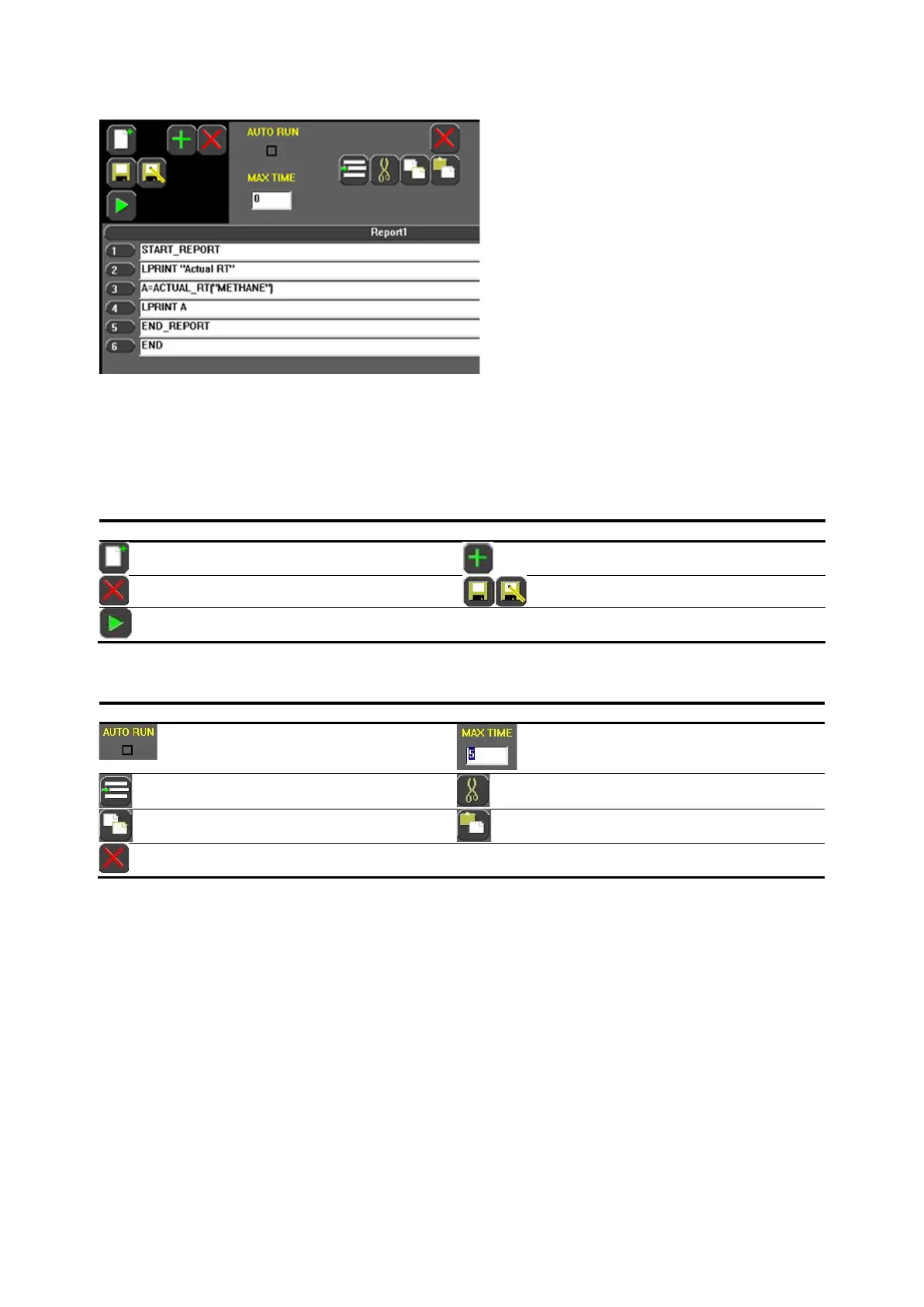
Figure 7-1: Scripting Example
The scripting language can invoke a script upon the completion of an analysis providing any necessary
calculations to support, for example, BTU calculations. The scripting language supports invoking a
script during or upon the method or sequence completion. It also supports invoking a script as a Time
Coded Function (TCF) and as a schedule entry.
The Program tab icons, on the left, control the system scripting actions. To edit the scripts, use the
script editing icons.
Table 7-1: Program tab icons
The script editing icons, on the right, are used to create and change script functions.
Table 7-2: Script editing icons
The script editing area has two sections:
1. The Line # section is a non-editable region containing auto-generated line numbers:
⎯ When a statement is added, a line number is assigned and displayed.
⎯ When a statement is moved, the line numbers are re-assigned.
⎯ When a statement is deleted, the line numbers are re-assigned.
2. The statement section is the editing region and contains the script:
⎯ One statement is allowed per line.
⎯ The script editor allows up to 999 statements.
⎯ The script editor allows lines up to 99 characters.
The statement section has horizontal grid lines to separate statements. This allows scrolling in
horizontal and vertical directions. The control icons manipulate the script, the statements, and the file.
7.2 Attachment to analysis elements
The scripting language supports the capability to have a script invoked upon the completion of an
analysis, a method, a sequence or attached as a TCF providing any necessary calculations to support,
for example, BTU calculations.



 To Next Page