892 J006 MNAH | PGC5000 G EN 2 | 79
IMPORTANT NOTE: IP addresses cannot be in the same network subnet.
If the network is set up to provide data to both a STAR DMS Network and a DCS via Modbus, the
STAR DMS should be considered the primary network and the DCS Modbus connection the
secondary network.
4.7.2 Subscriber config subtab: mod
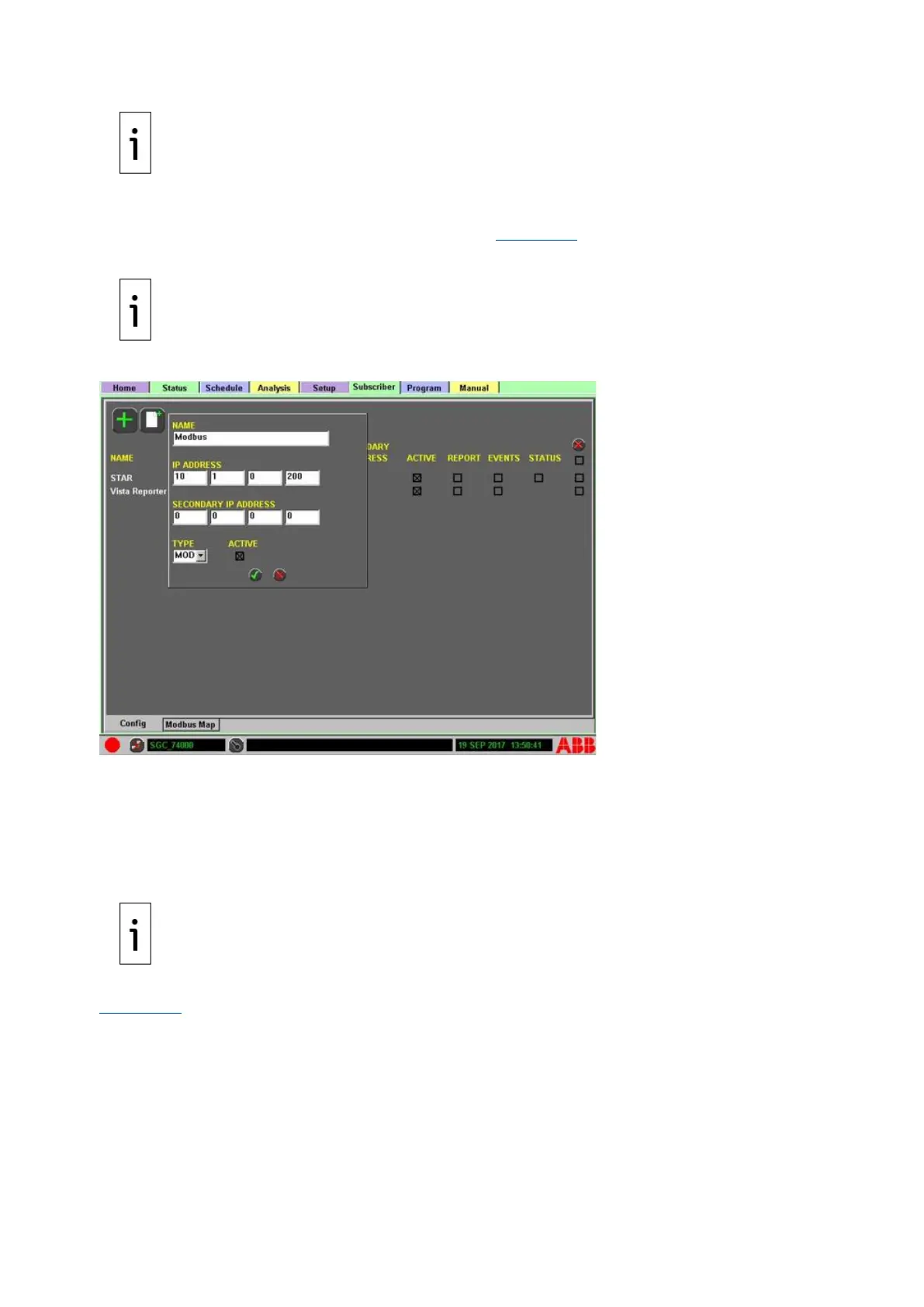
If you select MOD as the type in the Config subtab (see Figure 4-50), you are adding the IP Address
to a whitelist for Modbus. Only IP addresses configured for MOD will be allowed to poll the device.
IMPORTANT NOTE: If the PGC5000 is set up to support Modbus, but no MOD subscribers are
configured, there is no whitelist, so any Modbus master can poll the PGC5000.
Figure 4-50: Add a Subscriber, MOD Type
To add a Modbus device to the subscriber list:
1. Select the Add icon to open the device setup box.
2. Select the device from the list.
3. Select the appropriate device type from the drop-down list and press the Next button to
continue.
4. Press the Accept button to accept the configuration and add it to the list, or press the Abort
button to cancel the add operation.
IMPORTANT NOTE: The polling rate from the Modbus master to the analyzer must be between 1
and 90 seconds for proper operation.
The only check box action for each Modbus entry is ACTIVE, which reports data when selected (see
Figure 4-51).



 To Next Page