892 J006 MNAH | PGC5000 G EN 2 | 77
4.7.1 Subscriber config subtab: str/opc/rd
If you select STR, OPC, or RD as the type in the Config subtab, you can create a new subscriber
device, add an existing device, identify subscriber events, and support failover (redundancy).
The port for each subscriber type defaults to the type of subscription. The port must be opened at the
identified IP address or the Network Comm Failure Indicator will be set. The default ports are:
⎯ STAR server: 58922
⎯ OPC server: 58923
⎯ RD: 109
If the port is changed from the default, the port receiving the data must also be changed.
To add a new subscriber:
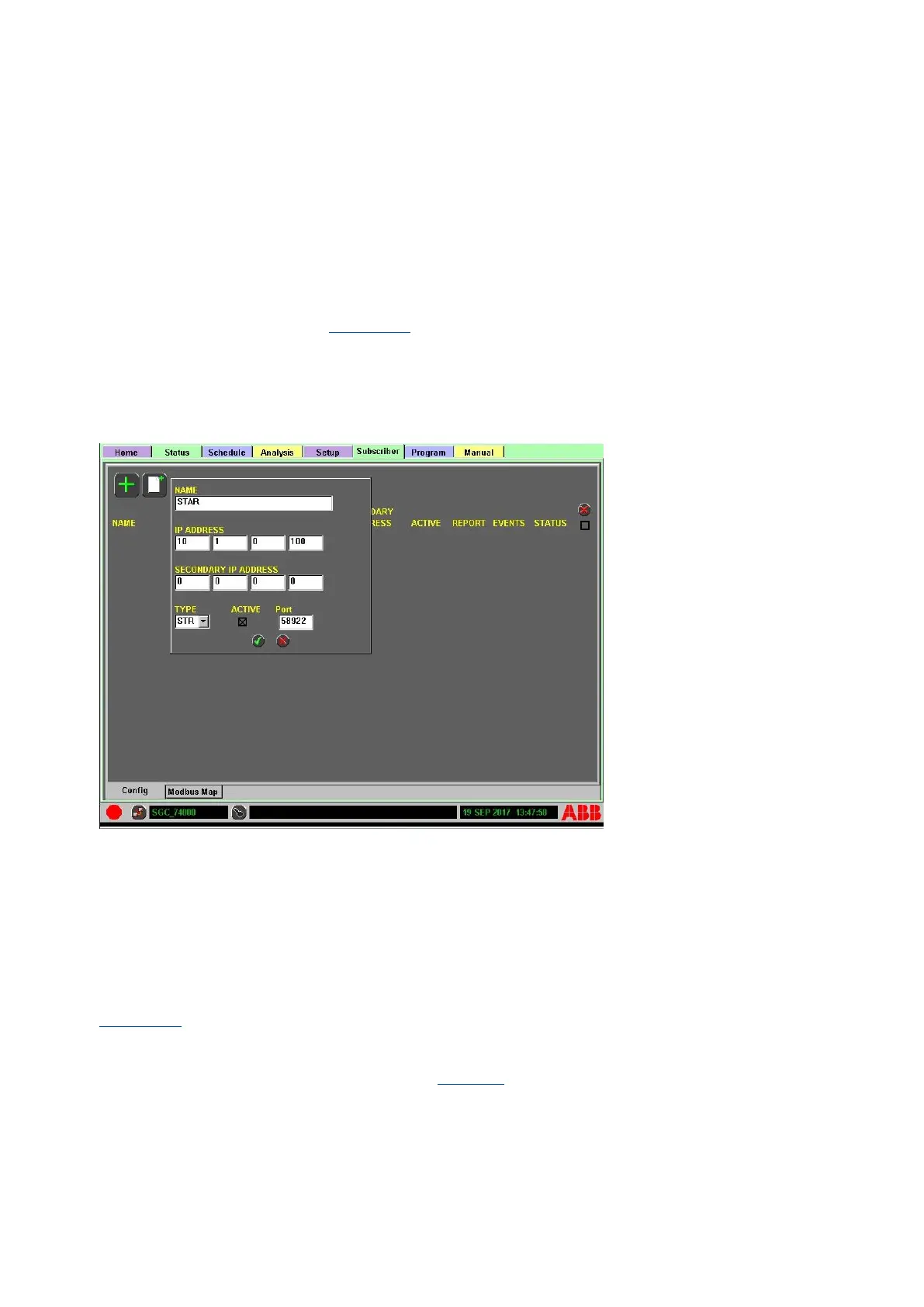
1. Select the Add New icon (Figure 4-48).
2. Enter name and IP information.
3. Select TYPE and mark as active (as appropriate).
4. Press the Accept button to accept the configuration and add it to the list, or press the Abort
button to cancel the add operation.
5. Review and mark the appropriate options for the device.
Figure 4-48: Adding a Subscriber: STR/OPC/RD Type
To add an existing device to the subscriber list:
1. Select the Add icon to open the device setup box.
2. Select the device from the list.
3. Select the appropriate device type from the drop-down list and press the Next button to
continue.
4. Press the Accept button to accept the configuration and add it to the list or press the Abort
button to cancel the add operation.
5. Review and mark the appropriate options for the device.
The check box action for each Subscriber Name allows specific reporting configuration features (see
Figure 4-49). They are:
⎯ ACTIVE: Whether it reports data or not
⎯ REPORT: Sends Analysis data (RAW); applies to STAR, OPC and RD
⎯ EVENTS: Applies to STAR and RD, (See Table 4-6, Subscriber descriptions)
⎯ STATUS: Analysis status information is sent to subscriber (Analyzer, Stream and Sample
Handling Status); applies to STAR and OPC



 To Next Page