54 | PGC5000 GEN 2 | 892 J006 MNAH
4.5.3 Normalization
Normalization is the adjustment of measured component peak areas such that the total volume of
measured components is mathematically equal to 100%. It is a technique used for quantitatively
assessing a chromatogram to provide a quantitative analysis of the mixture being measured. The
quantitative results are obtained by expressing the area of a given peak as a percentage of the sum of
the areas of all the peaks. Normalization applies to analyses where the quantitative response of the
detector is the same for all the eluted components.
By default, the PGC5000 does not normalize component results. However, there is an option in the
Analysis tab to normalize the Analysis results. From the Analysis tab, load a saved Analysis and select
the first tab of the Analysis on left side. Select Tabular Editor at bottom of the Analysis screen to set
up the normalization feature (see Figure 4-19).
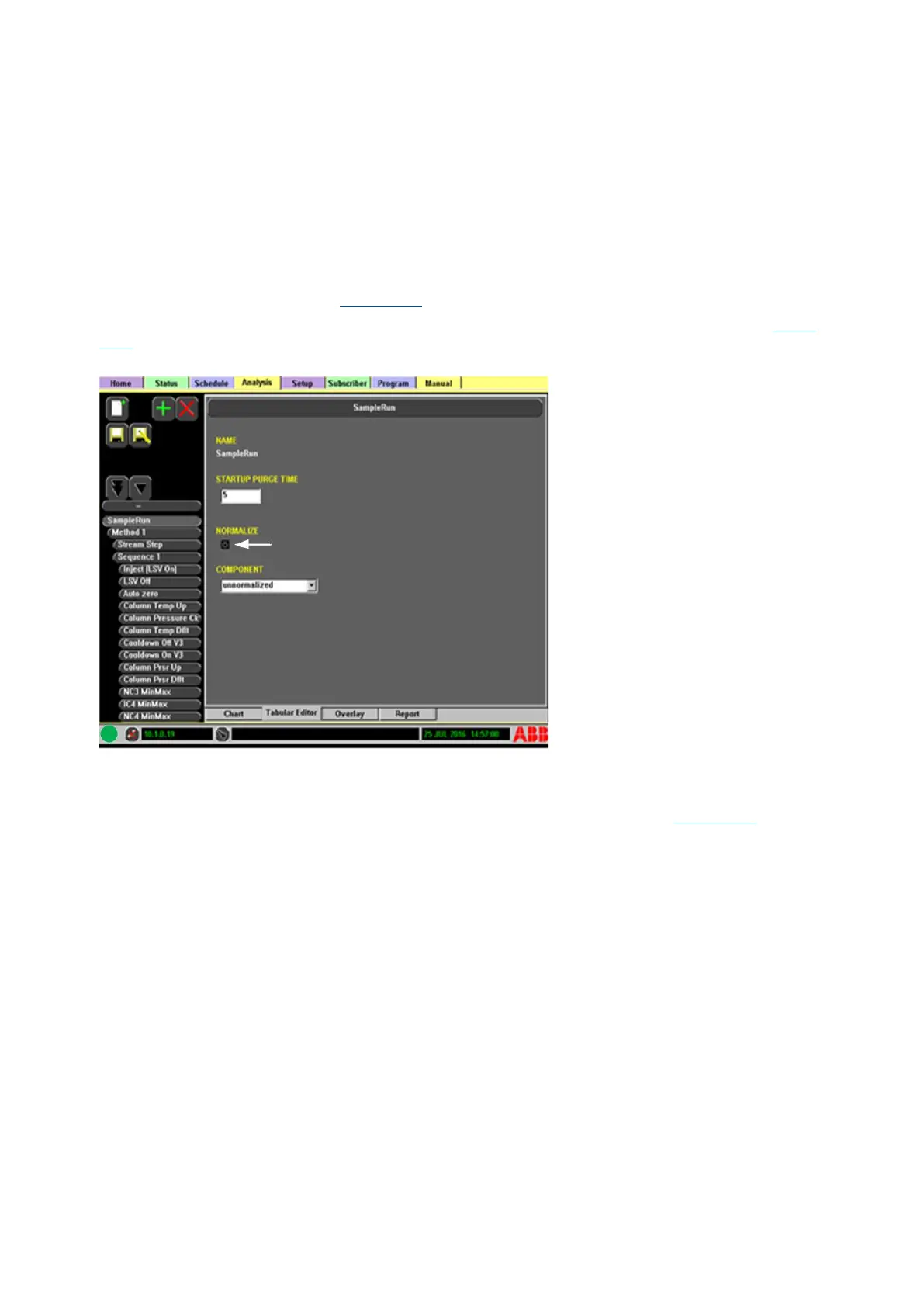
From this tab, you can set the Normalize option to Active by checking the Normalize box (see Figure
4-20). This will normalize the analysis results on the report.
Figure 4-20: Select the Normalize Option
You can also assign a component to display an un-normalized value for analysis results in the report.
This is useful to see the un-normalized total component concentration for all components as well as
having the normalized results displayed. You can assign the un-normalized results to an existing
component or create a new component to display the un-normalized results (see Figure 4-21).



 To Next Page